Der Microsoft Teams-Aktivitätsfeed benachrichtigt Benutzer über Änderungen, damit sie Elemente, die Aufmerksamkeit erfordern, selektieren können. Aktivitätsfeedbenachrichtigungen in Teams beinhalten die folgenden Features:
- Native Integration in Teams, die den Benutzer nahtlos in die Registerkarten-App integriert und zusätzliche Benutzerinteraktion vom Teams-Aktivitätsbereich in Ihre App ermöglicht.
- Betriebssystembenachrichtigungen in Microsoft Teams-Desktop- und mobilen Clients, die ein Popup und einen Sound enthalten.
- Anpassbarer Benachrichtigungsinhalt, mit dem Sie dem Benutzer mehr oder weniger Vorschauinhalte anzeigen können.
- Sie haben die Möglichkeit, Ihre Registerkarte, Ihre persönliche App, Bot-Nachricht oder Adaptive Card mit einer Benachrichtigung zu verknüpfen, um das Benutzerengagement mit Ihrer App zu erhöhen.
- Es ist möglich, Aktivitätsfeedbenachrichtigungen an mehrere Empfänger zu senden, z. B. Batch-Benachrichtigungen an eine Gruppe von Benutzern.
Sie können die Aktivitätsfeed-Benachrichtigungs-APIs in Microsoft Graph verwenden, um diese Funktionalität auf Ihre Apps zu erweitern. Auf diese Weise können Sie umfangreichere Erfahrungen bieten und Benutzer einbeziehen, indem Sie ihnen helfen, über Änderungen an den von ihnen verwendeten Tools und Workflows auf dem Laufenden zu bleiben.
Die Aktivitätsfeed-Benachrichtigungs-APIs in Microsoft Graph ermöglichen die folgenden Anwendungsfälle:
-
Neuigkeiten : Halten Sie die Benutzer mit den neuesten Informationen, z. B. neuen Aufgaben oder neuen Beiträgen, auf dem Laufenden.
-
Zusammenarbeit : Zeigen Sie Benutzern eine Vorschau im Benachrichtigungsbanner an, wenn jemand eine Datei freigibt oder sie in einem Kommentar @erwähnt.
-
Erinnerungen : Senden Sie Benachrichtigungen zu Ereignissen oder Aufgaben an Benutzer.
-
Warnungen - Senden Sie Benachrichtigungen, die dringende oder sofortige Aufmerksamkeit erfordern, z. B. ein überfälliges Datum oder ein Arbeitselement mit hoher Priorität.
Sie können Aktivitätsfeedbenachrichtigungen für folgende Zwecke verwenden:
- Benachrichtigen Sie Einzelpersonen über angepasste Inhalte, die ihre Aufmerksamkeit erfordern.
- Anzeigen von Rich-Inhalt in einer Registerkarte, App oder URL.
- Unterstützung komplexer Benutzerinteraktionen.
- Senden delegierter Benachrichtigungen von dem Benutzer, der eine Benachrichtigung initiiert hat.
Teams kümmert sich um die Lokalisierung von vom System bereitgestellten Benachrichtigungstexten. Lokalisieren Sie von der App bereitgestellte Bezeichnungen, z. B. , activity type displayNameüber den Lokalisierungsmechanismus des App-Manifests.
Bestandteile von Aktivitätsfeedbenachrichtigungen
Aktivitätsfeed-Benachrichtigungen in Teams bestehen aus mehreren Informationen, die zusammen angezeigt werden, wie in der folgenden Abbildung dargestellt.

In der folgenden Tabelle werden die Komponenten beschrieben.
| Komponente |
Beschreibung |
|
Der Avatar |
Zeigt an, wer die Aktivität initiiert hat. |
|
App-Symbol oder benutzerdefiniertes Symbol |
Der Aktivitätstyp. Zeigt bei App-Benachrichtigungen die Quelle (App-Symbol) oder den Typ der Benachrichtigung (benutzerdefiniertes Symbol) an. |
|
Titel: Akteur + Grund |
Akteur ist der Name des Benutzers oder der App, der die Aktivität initiiert hat.
Grund beschreibt die Aktivität. |
|
Timestamp |
Zeigt an, wann die Aktivität stattgefunden hat. |
|
Textvorschau |
Zeigt eine abgeschnittene Zeile vom Anfang der Benachrichtigung an. |
|
Thema |
Zugeordnete Ressource oder der Textwert des Themas aus dem Anforderungstext. |
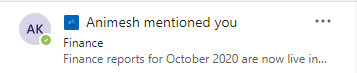
Die folgende Abbildung zeigt ein Beispiel für eine Aktivitätsfeedbenachrichtigung in Teams. In diesem Beispiel hat ein Benutzer einen Beitrag in einer App geteilt.
Arten von Benachrichtigungskarten für Aktivitätsfeeds
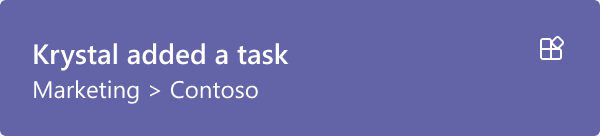
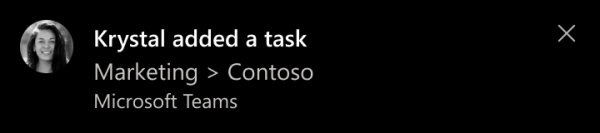
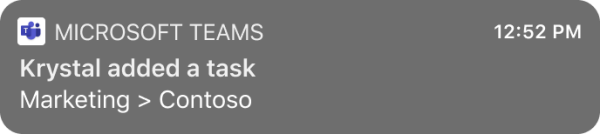
Die folgenden Registerkarten zeigen die Typen von Aktivitätsfeed-Benachrichtigungskarten, die Sie anzeigen können. Bei App-generierten Benachrichtigungen wird das Benutzerlogo durch das App-Logo ersetzt.
Teams benutzerdefiniert
Windows
Mac
Android
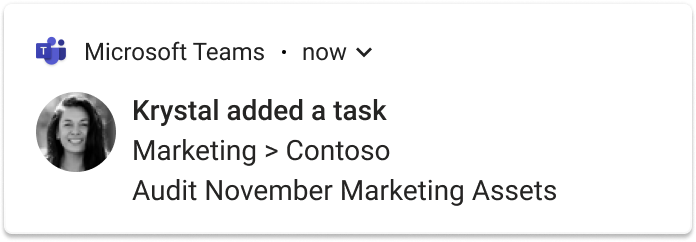
iOS
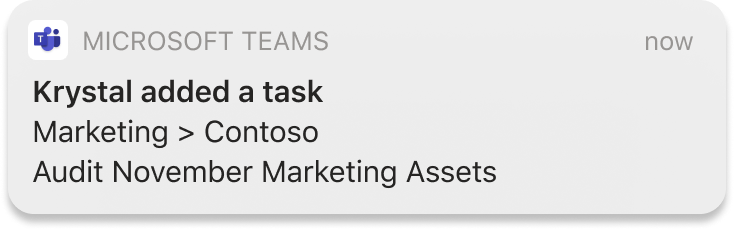
Anforderungen für die Verwendung der Aktivitätsfeedbenachrichtigungs-APIs
Aktivitätsfeed-APIs funktionieren mit einer Teams-App. Im Folgenden finden Sie die Voraussetzungen für das Senden von Aktivitätsfeedbenachrichtigungen:
- Dem Teams-App-Manifest muss die Microsoft Entra-App-ID hinzugefügt
webApplicationInfo werden. Weitere Informationen finden Sie im Manifestschema.
- Aktivitätsbenachrichtigungen können mit oder ohne Aktivitätstypen gesendet werden, die im App-Manifest deklariert sind.
- Standardmäßig können Sie die Aktivitätsbenachrichtigungs-APIs verwenden, ohne den
activities Abschnitt im Manifest zu deklarieren. Der systemDefault Aktivitätstyp ist reserviert, sodass Sie in der Actor+Reason Zeile der Aktivitätsfeedbenachrichtigung Freiformtext eingeben können. Weitere Informationen finden Sie unter Senden anpassbarer Aktivitätsfeedbenachrichtigungen.
- Wenn Sie eine Benachrichtigung mit Vorlage im herkömmlichen Modus senden möchten, müssen Aktivitätsarten im Abschnitt Aktivitäten deklariert werden. Weitere Informationen finden Sie unter Manifestschema.
- Die Teams-App muss für den Empfänger installiert werden, entweder persönlich oder in einem Team oder Chat , dem er angehört. Weitere Informationen finden Sie unter "Teams-App-Installation".
Berechtigungen
Sie können delegierte oder Anwendungsberechtigungen verwenden, um Aktivitätsbenachrichtigungen zu senden. Wenn Sie Anwendungsberechtigungen verwenden, wird empfohlen, die ressourcenspezifische Zustimmung (RSC) zu verwenden, da die TeamsActivity.Send.User Berechtigung es dem Benutzer ermöglicht, dem Senden von Aktivitätsbenachrichtigungen zuzustimmen. Sie müssen RSC-Berechtigungen im Manifestschema Ihrer Teams-App deklarieren.
Updates von Teams-App-Manifesten
In diesem Abschnitt werden die Änderungen beschrieben, die Sie am Teams-App-Manifest vornehmen müssen, um Aktivitätsfeedbenachrichtigungen zu implementieren. Sie müssen mindestens die Manifestversion 1.7 der Teams-App verwenden.
"$schema": "https://developer.microsoft.com/json-schemas/teams/v1.7/MicrosoftTeams.schema.json",
"manifestVersion": "1.7",
webApplicationInfo-Update
Sie müssen die Microsoft Entra-ID und die Ressourceninformationen in der WebApplicationInfo-Eigenschaft Ihres App-Manifests aktualisieren.
"webApplicationInfo":
{
    "id": "a3111f15-658e-457c-9689-fd20fe907330",
    "resource": "https://contosoapp.com"
}
| Parameter |
Typ |
Beschreibung |
| id |
string |
Microsoft Entra (Client-ID). |
| resource |
string |
der Azure AD-App zugeordnete Ressource Es wird auch als Antwort- oder Umleitungs-URI in der Microsoft Entra Admin Center-App-Registrierungsübersicht bezeichnet. |
Hinweis
Sie erhalten möglicherweise eine Fehlermeldung, wenn mehrere Teams-Apps im selben Bereich (Team, Chat oder Benutzer) dieselbe Microsoft Entra-App verwenden. Stellen Sie sicher, dass Sie eindeutige Microsoft Entra-Apps verwenden.
Aktualisierung der Aktivitäten
Sie müssen die activities-Eigenschaft in Ihrem App-Manifest definieren, um einen Benutzeraktivitätsfeed zu veröffentlichen.
"activities":
{
  "activityTypes": [
    {
      "type": "weeklyDigest",
      "displayName": "Weekly digest",
      "description": "Your weekly digest is ready",
      "templateText": "Your weekly digest is ready"
    },
    {
      "type": "approvalRequired",
      "description": "Deployment requires your approval",
      "templateText": "{actor} created a new deployment {deploymentId}"
    }
  ]
}
| Parameter |
Typ |
Beschreibung |
| displayName |
string |
Optional. Eine lokalisierte Bezeichnung für den Aktivitätstyp, z. B Weekly digest. . . Der Wert muss zwischen 1 und 128 Zeichen lang sein und mindestens ein Nicht-Leerzeichen enthalten. Geben Sie einen eigenständigen Kategorienamen ohne Hostbefehl an, z. B Turn off. , oder End-Interpunktion. Bewahren Sie die Groß-/Kleinschreibung des aufgelösten Etiketts bei. Die type-Eigenschaft bleibt der Bezeichner. |
| description |
string |
Für Menschen lesbare Kurzbeschreibung. Die Beschreibung wird auf dem Microsoft Teams-Client angezeigt. |
| templateText |
string |
Vorlagentext für die Aktivitätsbenachrichtigung. Sie können Ihre Parameter deklarieren, indem Sie Parameter in geschweifte Klammern {}kapseln. |
| type |
string |
Der Typ muss in einem bestimmten Manifest eindeutig sein. |
Hinweis
actor ist ein spezieller Parameter, der immer den Namen des Aufrufers annimmt. In delegierten Anrufen actor ist der Name des Benutzers. Bei Anrufen, die nur für Anwendungen gedacht sind, wird der Name der Teams-App übernommen.
Der reservierte systemDefault Aktivitätstyp sollte nicht im activities Abschnitt des Manifests angegeben werden. Der reservierte Aktivitätstyp kann Freiformtext in der Actor+Reason Zeile der Aktivitätsfeedbenachrichtigung bereitstellen. Weitere Informationen finden Sie unter Senden anpassbarer Aktivitätsfeedbenachrichtigungen.
Lokalisieren Sie displayName mithilfe des vorhandenen Lokalisierungsmechanismus für App-Manifeste. Der Lokalisierungsschlüssel für den ersten Aktivitätstyp lautet activities.activityTypes[0].displayNamebeispielsweise . Microsoft Teams fügt den lokalisierten Aktionstext um die Bezeichnung des Aktivitätstyps hinzu.
Autorisierungs-Update
"authorization":
{
  "permissions": {
    "resourceSpecific": [
      {
        "type": "Application",
         "name": "TeamsActivity.Send.User"
      },
      {
        "type": "Application",
        "name": "TeamsActivity.Send.Group"
      },
      {
        "type": "Application",
        "name": "TeamsActivity.Send.Chat"
      }
    ]
  }
}
| Parameter |
Typ |
Beschreibung |
| name |
string |
Der Name der RSC-Berechtigung. Weitere Informationen finden Sie unter Unterstützte RSC-Berechtigungen |
| type |
string |
Der Ressourcenspezifische Zustimmungsberechtigungstyp (RSC). |
Installieren der Teams-App
Teams-Apps können in einem Team, einem Chat oder für einen Benutzer persönlich installiert und auf verschiedene Arten verteilt werden. Ausführliche Informationen finden Sie unter Verteilungsmethoden für Teams-Apps. In der Regel wird das Querladen für Entwicklungszwecke bevorzugt. Nach der Entwicklung können Sie die richtige Verteilungsmethode auswählen, je nachdem, ob Sie an einen Mandanten oder an alle Mandanten verteilen möchten.
Sie können auch Teams-App-Installations-APIs verwenden, um Teams-App-Installationen zu verwalten.
Aktivitätsfeedbenachrichtigungen an Benutzer senden
Hinweis
Zum Anzeigen von Aktivitätsfeedbenachrichtigungen auf iOS- und Android-Clients muss die App in der Zulassungsliste enthalten sein. Es werden nur Apps von Drittanbietern unterstützt.
Da eine Teams-App für einen Benutzer, in einem Team oder in einem Chat installiert werden kann, können die Benachrichtigungen in drei Kontexten gesendet werden. Einzelheiten zum Senden von Benachrichtigungen in jedem Kontext finden Sie in den folgenden Themen:
Darüber hinaus können Benachrichtigungen in großen Mengen an bis zu 100 Benutzer gleichzeitig gesendet werden. Ausführliche Informationen finden Sie im folgenden Thema:
Weitere Informationen zu den Themen, die für jedes Szenario unterstützt werden, finden Sie in den spezifischen APIs. Benutzerdefinierte textbasierte Themen werden für alle Szenarien unterstützt.
Hinweis
Das Aktivitätssymbol basiert auf dem Kontext, in dem die Anforderung gestellt wird. Wenn die Anforderung mit delegierten Berechtigungen erfolgt, wird das Foto des Benutzers als Avatar angezeigt, während das Teams-App-Symbol als Aktivitätssymbol angezeigt wird. In einem reinen Anwendungskontext wird das Teams-App-Symbol als Avatar verwendet, und das Aktivitätssymbol wird weggelassen.
Benutzerdefinierte Aktivitätssymbole in Aktivitätsfeedbenachrichtigungen
Sie können benutzerdefinierte Aktivitätssymbole in Aktivitätsfeedbenachrichtigungen verwenden, damit Benutzer die Quelle und den Zweck der Benachrichtigung leicht identifizieren können. Eine Benachrichtigung mit einem benutzerdefinierten Aktivitätssymbol verleiht Ihrer App ein einzigartiges und Teams-natives Gefühl und verbessert so die Benutzerbindung. Der folgende Screenshot zeigt eine Aktivitätsfeedbenachrichtigung mit einem benutzerdefinierten Aktivitätssymbol.

Hinzufügen benutzerdefinierter Aktivitätssymbole in Aktivitätsfeedbenachrichtigungen
Mit den folgenden Schritten wird gezeigt, wie Sie benutzerdefinierte Aktivitätssymbole in Aktivitätsfeedbenachrichtigungen hinzufügen, die an einen Benutzer gesendet werden:
Fügen Sie die benutzerdefinierten Aktivitätssymbole im Teams-App-Paket hinzu. Der folgende Screenshot zeigt ein Beispiel.

Legen Sie manifestVersion unter manifest.json auf devPreviewfest.
Deklarieren Sie unter activityTypes eine Liste von allowedIconIds für den Aktivitätstyp, für den Sie benutzerdefinierte Symbole verwenden möchten.
Deklarieren Sie eine Liste von Symbolen unter activityIcons. Jedes Symbol muss mit einer ID und einer iconFile definiert werden. Das folgende Beispiel zeigt einen Codeausschnitt.
"activities": {
  "activityTypes": [
    {
      "type": "announcementPosted",
      "description": "Announcement Created Activity",
      "templateText": "Alex Wilbur posted an announcement",
      "allowedIconIds": [
        "announcementCreated"
      ]
    },
    {
     "type": "reaction",
     "description": "reaction Activity",
     "templateText": "Adele Vance reacted to your post in channel",
     "allowedIconIds" : [
        "likeReaction",
        "smileReaction"
      ]
    }
  ],
  "activityIcons": [
    {
      "id": "announcementCreated",
      "iconFile": "announcement.png"
    },
    {
      "id": "likeReaction",
      "iconFile": "likeReaction.png"
    },
    {
      "id": "smileReaction",
      "iconFile": "smileReaction.png"
    }
  ]
}
Hinweis
Sie können nicht mehr als 50 Symbole unter jedem Aktivitätstyp deklarieren.
Weitere Informationen zu allowedIconIds und activityIcons finden Sie unter Schema der öffentlichen Entwicklervorschau von Teams für Entwickler.
Rufen Sie den Beta-Endpunkt der Benachrichtigungs-API auf, und fügen Sie das iconId-Attribut in die Nutzlast ein. Der Wert der iconId muss mit einer der Symbol-IDs in den allowedIconIds für den angegebenen Aktivitätstyp übereinstimmen.
POST https://graph.microsoft.com/beta/users/0000000-0000-0000-0000-000000000000/teamwork/sendactivitynotification

{
  "topic": {
    "source": "text",
    "value": "Loop thread",
    "webUrl": "https://teams.microsoft.com/l/loopthread/00:000000000000000000000000000.v2"
  },
  "activityType": "announcementPosted",
  "previewText": {
    "content": "new announcement posted"
  },
  "iconId" : "announcementCreated"
}
Entwurfsrichtlinien für benutzerdefinierte Aktivitätssymbole finden Sie unter Teams Store-Validierungsrichtlinien für benutzerdefinierte Symbole.
Informationen zum Ausprobieren benutzerdefinierter Aktivitätssymbole in Aktivitätsfeedbenachrichtigungen in Teams finden Sie unter Beispiel-App für Microsoft Graph-Aktivitätsfeeds für JavaScript oder Beispiel-App für Microsoft Graph-Aktivitätsfeeds für C#.
Beispiele
Beispiel 1: Einen Benutzer über eine in einem Chat erstellte Aufgabe benachrichtigen
Das folgende Beispiel zeigt, wie Sie eine Aktivitätsfeedbenachrichtigung für eine neue Aufgabe senden können, die in einem Chat erstellt wurde. In diesem Fall muss die Teams-App in einem Chat mit ID chatId installiert sein und der Benutzer 569363e2-4e49-4661-87f2-16f245c5d66a muss auch Teil des Chats sein.
Anforderung
POST https://graph.microsoft.com/v1.0/chats/{chatId}/sendActivityNotification
Content-Type: application/json

{
    "topic": {
        "source": "entityUrl",
        "value": "https://graph.microsoft.com/v1.0/chats/{chatId}"
    },
    "activityType": "taskCreated",
    "previewText": {
        "content": "New Task Created"
    },
    "recipient": {
        "@odata.type": "microsoft.graph.aadUserNotificationRecipient",
        "userId": "569363e2-4e49-4661-87f2-16f245c5d66a"
    },
    "templateParameters": [
        {
            "name": "taskId",
            "value": "12322"
        }
    ]
}
// Code snippets are only available for the latest version. Current version is 5.x

// Dependencies
using Microsoft.Graph.Chats.Item.SendActivityNotification;
using Microsoft.Graph.Models;

var requestBody = new SendActivityNotificationPostRequestBody
{
	Topic = new TeamworkActivityTopic
	{
		Source = TeamworkActivityTopicSource.EntityUrl,
		Value = "https://graph.microsoft.com/v1.0/chats/{chatId}",
	},
	ActivityType = "taskCreated",
	PreviewText = new ItemBody
	{
		Content = "New Task Created",
	},
	Recipient = new AadUserNotificationRecipient
	{
		OdataType = "microsoft.graph.aadUserNotificationRecipient",
		UserId = "569363e2-4e49-4661-87f2-16f245c5d66a",
	},
	TemplateParameters = new List<KeyValuePair>
	{
		new KeyValuePair
		{
			Name = "taskId",
			Value = "12322",
		},
	},
};

// To initialize your graphClient, see https://learn.microsoft.com/en-us/graph/sdks/create-client?from=snippets&tabs=csharp
await graphClient.Chats["{chat-id}"].SendActivityNotification.PostAsync(requestBody);
In der SDK-Dokumentation finden Sie ausführliche Informationen zum Hinzufügen des SDK zu Ihrem Projekt und zum Erstellen einer authProvider -Instanz.
// Code snippets are only available for the latest major version. Current major version is $v1.*

// Dependencies
import (
	  "context"
	  msgraphsdk "github.com/microsoftgraph/msgraph-sdk-go"
	  graphchats "github.com/microsoftgraph/msgraph-sdk-go/chats"
	  graphmodels "github.com/microsoftgraph/msgraph-sdk-go/models"
	  //other-imports
)

requestBody := graphchats.NewSendActivityNotificationPostRequestBody()
topic := graphmodels.NewTeamworkActivityTopic()
source := graphmodels.ENTITYURL_TEAMWORKACTIVITYTOPICSOURCE
topic.SetSource(&source)
value := "https://graph.microsoft.com/v1.0/chats/{chatId}"
topic.SetValue(&value)
requestBody.SetTopic(topic)
activityType := "taskCreated"
requestBody.SetActivityType(&activityType)
previewText := graphmodels.NewItemBody()
content := "New Task Created"
previewText.SetContent(&content)
requestBody.SetPreviewText(previewText)
recipient := graphmodels.NewAadUserNotificationRecipient()
userId := "569363e2-4e49-4661-87f2-16f245c5d66a"
recipient.SetUserId(&userId)
requestBody.SetRecipient(recipient)


keyValuePair := graphmodels.NewKeyValuePair()
name := "taskId"
keyValuePair.SetName(&name)
value := "12322"
keyValuePair.SetValue(&value)

templateParameters := []graphmodels.KeyValuePairable {
	keyValuePair,
}
requestBody.SetTemplateParameters(templateParameters)

// To initialize your graphClient, see https://learn.microsoft.com/en-us/graph/sdks/create-client?from=snippets&tabs=go
graphClient.Chats().ByChatId("chat-id").SendActivityNotification().Post(context.Background(), requestBody, nil)
In der SDK-Dokumentation finden Sie ausführliche Informationen zum Hinzufügen des SDK zu Ihrem Projekt und zum Erstellen einer authProvider -Instanz.
// Code snippets are only available for the latest version. Current version is 6.x

GraphServiceClient graphClient = new GraphServiceClient(requestAdapter);

com.microsoft.graph.chats.item.sendactivitynotification.SendActivityNotificationPostRequestBody sendActivityNotificationPostRequestBody = new com.microsoft.graph.chats.item.sendactivitynotification.SendActivityNotificationPostRequestBody();
TeamworkActivityTopic topic = new TeamworkActivityTopic();
topic.setSource(TeamworkActivityTopicSource.EntityUrl);
topic.setValue("https://graph.microsoft.com/v1.0/chats/{chatId}");
sendActivityNotificationPostRequestBody.setTopic(topic);
sendActivityNotificationPostRequestBody.setActivityType("taskCreated");
ItemBody previewText = new ItemBody();
previewText.setContent("New Task Created");
sendActivityNotificationPostRequestBody.setPreviewText(previewText);
AadUserNotificationRecipient recipient = new AadUserNotificationRecipient();
recipient.setOdataType("microsoft.graph.aadUserNotificationRecipient");
recipient.setUserId("569363e2-4e49-4661-87f2-16f245c5d66a");
sendActivityNotificationPostRequestBody.setRecipient(recipient);
LinkedList<KeyValuePair> templateParameters = new LinkedList<KeyValuePair>();
KeyValuePair keyValuePair = new KeyValuePair();
keyValuePair.setName("taskId");
keyValuePair.setValue("12322");
templateParameters.add(keyValuePair);
sendActivityNotificationPostRequestBody.setTemplateParameters(templateParameters);
graphClient.chats().byChatId("{chat-id}").sendActivityNotification().post(sendActivityNotificationPostRequestBody);
In der SDK-Dokumentation finden Sie ausführliche Informationen zum Hinzufügen des SDK zu Ihrem Projekt und zum Erstellen einer authProvider -Instanz.
const options = {
	authProvider,
};

const client = Client.init(options);

const sendActivityNotification = {
    topic: {
        source: 'entityUrl',
        value: 'https://graph.microsoft.com/v1.0/chats/{chatId}'
    },
    activityType: 'taskCreated',
    previewText: {
        content: 'New Task Created'
    },
    recipient: {
        '@odata.type': 'microsoft.graph.aadUserNotificationRecipient',
        userId: '569363e2-4e49-4661-87f2-16f245c5d66a'
    },
    templateParameters: [
        {
            name: 'taskId',
            value: '12322'
        }
    ]
};

await client.api('/chats/{chatId}/sendActivityNotification')
	.post(sendActivityNotification);
In der SDK-Dokumentation finden Sie ausführliche Informationen zum Hinzufügen des SDK zu Ihrem Projekt und zum Erstellen einer authProvider -Instanz.
<?php
use Microsoft\Graph\GraphServiceClient;
use Microsoft\Graph\Generated\Chats\Item\SendActivityNotification\SendActivityNotificationPostRequestBody;
use Microsoft\Graph\Generated\Models\TeamworkActivityTopic;
use Microsoft\Graph\Generated\Models\TeamworkActivityTopicSource;
use Microsoft\Graph\Generated\Models\ItemBody;
use Microsoft\Graph\Generated\Models\AadUserNotificationRecipient;
use Microsoft\Graph\Generated\Models\KeyValuePair;


$graphServiceClient = new GraphServiceClient($tokenRequestContext, $scopes);

$requestBody = new SendActivityNotificationPostRequestBody();
$topic = new TeamworkActivityTopic();
$topic->setSource(new TeamworkActivityTopicSource('entityUrl'));
$topic->setValue('https://graph.microsoft.com/v1.0/chats/{chatId}');
$requestBody->setTopic($topic);
$requestBody->setActivityType('taskCreated');
$previewText = new ItemBody();
$previewText->setContent('New Task Created');
$requestBody->setPreviewText($previewText);
$recipient = new AadUserNotificationRecipient();
$recipient->setOdataType('microsoft.graph.aadUserNotificationRecipient');
$recipient->setUserId('569363e2-4e49-4661-87f2-16f245c5d66a');
$requestBody->setRecipient($recipient);
$templateParametersKeyValuePair1 = new KeyValuePair();
$templateParametersKeyValuePair1->setName('taskId');
$templateParametersKeyValuePair1->setValue('12322');
$templateParametersArray []= $templateParametersKeyValuePair1;
$requestBody->setTemplateParameters($templateParametersArray);


$graphServiceClient->chats()->byChatId('chat-id')->sendActivityNotification()->post($requestBody)->wait();
In der SDK-Dokumentation finden Sie ausführliche Informationen zum Hinzufügen des SDK zu Ihrem Projekt und zum Erstellen einer authProvider -Instanz.
Import-Module Microsoft.Graph.Teams

$params = @{
	topic = @{
		source = "entityUrl"
		value = "https://graph.microsoft.com/v1.0/chats/{chatId}"
	}
	activityType = "taskCreated"
	previewText = @{
		content = "New Task Created"
	}
	recipient = @{
		"@odata.type" = "microsoft.graph.aadUserNotificationRecipient"
		userId = "569363e2-4e49-4661-87f2-16f245c5d66a"
	}
	templateParameters = @(
		@{
			name = "taskId"
			value = "12322"
		}
	)
}

Send-MgChatActivityNotification -ChatId $chatId -BodyParameter $params
In der SDK-Dokumentation finden Sie ausführliche Informationen zum Hinzufügen des SDK zu Ihrem Projekt und zum Erstellen einer authProvider -Instanz.
# Code snippets are only available for the latest version. Current version is 1.x
from msgraph import GraphServiceClient
from msgraph.generated.chats.item.send_activity_notification.send_activity_notification_post_request_body import SendActivityNotificationPostRequestBody
from msgraph.generated.models.teamwork_activity_topic import TeamworkActivityTopic
from msgraph.generated.models.teamwork_activity_topic_source import TeamworkActivityTopicSource
from msgraph.generated.models.item_body import ItemBody
from msgraph.generated.models.aad_user_notification_recipient import AadUserNotificationRecipient
from msgraph.generated.models.key_value_pair import KeyValuePair
# To initialize your graph_client, see https://learn.microsoft.com/en-us/graph/sdks/create-client?from=snippets&tabs=python
request_body = SendActivityNotificationPostRequestBody(
	topic = TeamworkActivityTopic(
		source = TeamworkActivityTopicSource.EntityUrl,
		value = "https://graph.microsoft.com/v1.0/chats/{chatId}",
	),
	activity_type = "taskCreated",
	preview_text = ItemBody(
		content = "New Task Created",
	),
	recipient = AadUserNotificationRecipient(
		odata_type = "microsoft.graph.aadUserNotificationRecipient",
		user_id = "569363e2-4e49-4661-87f2-16f245c5d66a",
	),
	template_parameters = [
		KeyValuePair(
			name = "taskId",
			value = "12322",
		),
	],
)

await graph_client.chats.by_chat_id('chat-id').send_activity_notification.post(request_body)
In der SDK-Dokumentation finden Sie ausführliche Informationen zum Hinzufügen des SDK zu Ihrem Projekt und zum Erstellen einer authProvider -Instanz.
Antwort
HTTP/1.1 204 No Content
Beispiel 2: Einen Benutzer über eine in einem Team erstellte Aufgabe benachrichtigen
Im folgenden Beispiel wird gezeigt, wie Sie eine Aktivitätsfeedbenachrichtigung für ein Team senden können. In diesem Beispiel wird der Teambesitzer über eine neu erstellte Aufgabe benachrichtigt, die seine Aufmerksamkeit erfordert.
Anforderung
POST https://graph.microsoft.com/v1.0/teams/{teamId}/sendActivityNotification
Content-Type: application/json

{
    "topic": {
        "source": "entityUrl",
        "value": "https://graph.microsoft.com/v1.0/teams/{teamId}"
    },
    "activityType": "taskCreated",
    "previewText": {
        "content": "New Task Created"
    },
    "recipient": {
        "@odata.type": "microsoft.graph.aadUserNotificationRecipient",
        "userId": "569363e2-4e49-4661-87f2-16f245c5d66a"
    },
    "templateParameters": [
        {
            "name": "taskId",
            "value": "12322"
        }
    ]
}
// Code snippets are only available for the latest version. Current version is 5.x

// Dependencies
using Microsoft.Graph.Teams.Item.SendActivityNotification;
using Microsoft.Graph.Models;

var requestBody = new SendActivityNotificationPostRequestBody
{
	Topic = new TeamworkActivityTopic
	{
		Source = TeamworkActivityTopicSource.EntityUrl,
		Value = "https://graph.microsoft.com/v1.0/teams/{teamId}",
	},
	ActivityType = "taskCreated",
	PreviewText = new ItemBody
	{
		Content = "New Task Created",
	},
	Recipient = new AadUserNotificationRecipient
	{
		OdataType = "microsoft.graph.aadUserNotificationRecipient",
		UserId = "569363e2-4e49-4661-87f2-16f245c5d66a",
	},
	TemplateParameters = new List<KeyValuePair>
	{
		new KeyValuePair
		{
			Name = "taskId",
			Value = "12322",
		},
	},
};

// To initialize your graphClient, see https://learn.microsoft.com/en-us/graph/sdks/create-client?from=snippets&tabs=csharp
await graphClient.Teams["{team-id}"].SendActivityNotification.PostAsync(requestBody);
In der SDK-Dokumentation finden Sie ausführliche Informationen zum Hinzufügen des SDK zu Ihrem Projekt und zum Erstellen einer authProvider -Instanz.
// Code snippets are only available for the latest major version. Current major version is $v1.*

// Dependencies
import (
	  "context"
	  msgraphsdk "github.com/microsoftgraph/msgraph-sdk-go"
	  graphteams "github.com/microsoftgraph/msgraph-sdk-go/teams"
	  graphmodels "github.com/microsoftgraph/msgraph-sdk-go/models"
	  //other-imports
)

requestBody := graphteams.NewSendActivityNotificationPostRequestBody()
topic := graphmodels.NewTeamworkActivityTopic()
source := graphmodels.ENTITYURL_TEAMWORKACTIVITYTOPICSOURCE
topic.SetSource(&source)
value := "https://graph.microsoft.com/v1.0/teams/{teamId}"
topic.SetValue(&value)
requestBody.SetTopic(topic)
activityType := "taskCreated"
requestBody.SetActivityType(&activityType)
previewText := graphmodels.NewItemBody()
content := "New Task Created"
previewText.SetContent(&content)
requestBody.SetPreviewText(previewText)
recipient := graphmodels.NewAadUserNotificationRecipient()
userId := "569363e2-4e49-4661-87f2-16f245c5d66a"
recipient.SetUserId(&userId)
requestBody.SetRecipient(recipient)


keyValuePair := graphmodels.NewKeyValuePair()
name := "taskId"
keyValuePair.SetName(&name)
value := "12322"
keyValuePair.SetValue(&value)

templateParameters := []graphmodels.KeyValuePairable {
	keyValuePair,
}
requestBody.SetTemplateParameters(templateParameters)

// To initialize your graphClient, see https://learn.microsoft.com/en-us/graph/sdks/create-client?from=snippets&tabs=go
graphClient.Teams().ByTeamId("team-id").SendActivityNotification().Post(context.Background(), requestBody, nil)
In der SDK-Dokumentation finden Sie ausführliche Informationen zum Hinzufügen des SDK zu Ihrem Projekt und zum Erstellen einer authProvider -Instanz.
// Code snippets are only available for the latest version. Current version is 6.x

GraphServiceClient graphClient = new GraphServiceClient(requestAdapter);

com.microsoft.graph.teams.item.sendactivitynotification.SendActivityNotificationPostRequestBody sendActivityNotificationPostRequestBody = new com.microsoft.graph.teams.item.sendactivitynotification.SendActivityNotificationPostRequestBody();
TeamworkActivityTopic topic = new TeamworkActivityTopic();
topic.setSource(TeamworkActivityTopicSource.EntityUrl);
topic.setValue("https://graph.microsoft.com/v1.0/teams/{teamId}");
sendActivityNotificationPostRequestBody.setTopic(topic);
sendActivityNotificationPostRequestBody.setActivityType("taskCreated");
ItemBody previewText = new ItemBody();
previewText.setContent("New Task Created");
sendActivityNotificationPostRequestBody.setPreviewText(previewText);
AadUserNotificationRecipient recipient = new AadUserNotificationRecipient();
recipient.setOdataType("microsoft.graph.aadUserNotificationRecipient");
recipient.setUserId("569363e2-4e49-4661-87f2-16f245c5d66a");
sendActivityNotificationPostRequestBody.setRecipient(recipient);
LinkedList<KeyValuePair> templateParameters = new LinkedList<KeyValuePair>();
KeyValuePair keyValuePair = new KeyValuePair();
keyValuePair.setName("taskId");
keyValuePair.setValue("12322");
templateParameters.add(keyValuePair);
sendActivityNotificationPostRequestBody.setTemplateParameters(templateParameters);
graphClient.teams().byTeamId("{team-id}").sendActivityNotification().post(sendActivityNotificationPostRequestBody);
In der SDK-Dokumentation finden Sie ausführliche Informationen zum Hinzufügen des SDK zu Ihrem Projekt und zum Erstellen einer authProvider -Instanz.
const options = {
	authProvider,
};

const client = Client.init(options);

const sendActivityNotification = {
    topic: {
        source: 'entityUrl',
        value: 'https://graph.microsoft.com/v1.0/teams/{teamId}'
    },
    activityType: 'taskCreated',
    previewText: {
        content: 'New Task Created'
    },
    recipient: {
        '@odata.type': 'microsoft.graph.aadUserNotificationRecipient',
        userId: '569363e2-4e49-4661-87f2-16f245c5d66a'
    },
    templateParameters: [
        {
            name: 'taskId',
            value: '12322'
        }
    ]
};

await client.api('/teams/{teamId}/sendActivityNotification')
	.post(sendActivityNotification);
In der SDK-Dokumentation finden Sie ausführliche Informationen zum Hinzufügen des SDK zu Ihrem Projekt und zum Erstellen einer authProvider -Instanz.
<?php
use Microsoft\Graph\GraphServiceClient;
use Microsoft\Graph\Generated\Teams\Item\SendActivityNotification\SendActivityNotificationPostRequestBody;
use Microsoft\Graph\Generated\Models\TeamworkActivityTopic;
use Microsoft\Graph\Generated\Models\TeamworkActivityTopicSource;
use Microsoft\Graph\Generated\Models\ItemBody;
use Microsoft\Graph\Generated\Models\AadUserNotificationRecipient;
use Microsoft\Graph\Generated\Models\KeyValuePair;


$graphServiceClient = new GraphServiceClient($tokenRequestContext, $scopes);

$requestBody = new SendActivityNotificationPostRequestBody();
$topic = new TeamworkActivityTopic();
$topic->setSource(new TeamworkActivityTopicSource('entityUrl'));
$topic->setValue('https://graph.microsoft.com/v1.0/teams/{teamId}');
$requestBody->setTopic($topic);
$requestBody->setActivityType('taskCreated');
$previewText = new ItemBody();
$previewText->setContent('New Task Created');
$requestBody->setPreviewText($previewText);
$recipient = new AadUserNotificationRecipient();
$recipient->setOdataType('microsoft.graph.aadUserNotificationRecipient');
$recipient->setUserId('569363e2-4e49-4661-87f2-16f245c5d66a');
$requestBody->setRecipient($recipient);
$templateParametersKeyValuePair1 = new KeyValuePair();
$templateParametersKeyValuePair1->setName('taskId');
$templateParametersKeyValuePair1->setValue('12322');
$templateParametersArray []= $templateParametersKeyValuePair1;
$requestBody->setTemplateParameters($templateParametersArray);


$graphServiceClient->teams()->byTeamId('team-id')->sendActivityNotification()->post($requestBody)->wait();
In der SDK-Dokumentation finden Sie ausführliche Informationen zum Hinzufügen des SDK zu Ihrem Projekt und zum Erstellen einer authProvider -Instanz.
Import-Module Microsoft.Graph.Teams

$params = @{
	topic = @{
		source = "entityUrl"
		value = "https://graph.microsoft.com/v1.0/teams/{teamId}"
	}
	activityType = "taskCreated"
	previewText = @{
		content = "New Task Created"
	}
	recipient = @{
		"@odata.type" = "microsoft.graph.aadUserNotificationRecipient"
		userId = "569363e2-4e49-4661-87f2-16f245c5d66a"
	}
	templateParameters = @(
		@{
			name = "taskId"
			value = "12322"
		}
	)
}

Send-MgTeamActivityNotification -TeamId $teamId -BodyParameter $params
In der SDK-Dokumentation finden Sie ausführliche Informationen zum Hinzufügen des SDK zu Ihrem Projekt und zum Erstellen einer authProvider -Instanz.
# Code snippets are only available for the latest version. Current version is 1.x
from msgraph import GraphServiceClient
from msgraph.generated.teams.item.send_activity_notification.send_activity_notification_post_request_body import SendActivityNotificationPostRequestBody
from msgraph.generated.models.teamwork_activity_topic import TeamworkActivityTopic
from msgraph.generated.models.teamwork_activity_topic_source import TeamworkActivityTopicSource
from msgraph.generated.models.item_body import ItemBody
from msgraph.generated.models.aad_user_notification_recipient import AadUserNotificationRecipient
from msgraph.generated.models.key_value_pair import KeyValuePair
# To initialize your graph_client, see https://learn.microsoft.com/en-us/graph/sdks/create-client?from=snippets&tabs=python
request_body = SendActivityNotificationPostRequestBody(
	topic = TeamworkActivityTopic(
		source = TeamworkActivityTopicSource.EntityUrl,
		value = "https://graph.microsoft.com/v1.0/teams/{teamId}",
	),
	activity_type = "taskCreated",
	preview_text = ItemBody(
		content = "New Task Created",
	),
	recipient = AadUserNotificationRecipient(
		odata_type = "microsoft.graph.aadUserNotificationRecipient",
		user_id = "569363e2-4e49-4661-87f2-16f245c5d66a",
	),
	template_parameters = [
		KeyValuePair(
			name = "taskId",
			value = "12322",
		),
	],
)

await graph_client.teams.by_team_id('team-id').send_activity_notification.post(request_body)
In der SDK-Dokumentation finden Sie ausführliche Informationen zum Hinzufügen des SDK zu Ihrem Projekt und zum Erstellen einer authProvider -Instanz.
Antwort
HTTP/1.1 204 No Content
Beispiel 3: Benachrichtigen eines Benutzers über ein Ereignis mit einem benutzerdefinierten Thema
Wie die vorherigen Beispiele gezeigt haben, können Sie Verknüpfungen zu verschiedenen Team- oder Chataspekten herstellen. Wenn Sie jedoch eine Verknüpfung zu einem Aspekt erstellen möchten, der nicht Teil des Teams ist oder Microsoft Graph ihn nicht repräsentiert, oder wenn Sie den Namen anpassen möchten, können Sie die Quelle des Themas festlegen text und einen benutzerdefinierten Wert dafür übergeben. Darüber hinaus ist webUrl erforderlich, wenn Sie die Themenquelle als textverwenden.
Das zuvor gezeigte Beispiel für eine Yammer-Benachrichtigung verwendet ein benutzerdefiniertes Thema, da Microsoft Graph die Ressourcen von Yammer nicht unterstützt.
Hinweis
Die webUrl muss mit der Microsoft Teams-Domäne beginnen (teams.microsoft.comz. B.).
Anforderung
POST https://graph.microsoft.com/v1.0/teams/{teamId}/sendActivityNotification
Content-Type: application/json

{
    "topic": {
        "source": "text",
        "value": "Deployment Approvals Channel",
        "webUrl": "https://teams.microsoft.com/l/message/19:448cfd2ac2a7490a9084a9ed14cttr78c@thread.skype/1605223780000?tenantId=c8b1bf45-3834-4ecf-971a-b4c755ee677d&groupId=d4c2a937-f097-435a-bc91-5c1683ca7245&parentMessageId=1605223771864&teamName=Approvals&channelName=Azure%20DevOps&createdTime=1605223780000"
    },
    "activityType": "approvalRequired",
    "previewText": {
        "content": "New deployment requires your approval"
    },
    "recipient": {
        "@odata.type": "microsoft.graph.aadUserNotificationRecipient",
        "userId": "569363e2-4e49-4661-87f2-16f245c5d66a"
    },
    "templateParameters": [
        {
            "name": "deploymentId",
            "value": "6788662"
        }
    ]
}
// Code snippets are only available for the latest version. Current version is 5.x

// Dependencies
using Microsoft.Graph.Teams.Item.SendActivityNotification;
using Microsoft.Graph.Models;

var requestBody = new SendActivityNotificationPostRequestBody
{
	Topic = new TeamworkActivityTopic
	{
		Source = TeamworkActivityTopicSource.Text,
		Value = "Deployment Approvals Channel",
		WebUrl = "https://teams.microsoft.com/l/message/19:448cfd2ac2a7490a9084a9ed14cttr78c@thread.skype/1605223780000?tenantId=c8b1bf45-3834-4ecf-971a-b4c755ee677d&groupId=d4c2a937-f097-435a-bc91-5c1683ca7245&parentMessageId=1605223771864&teamName=Approvals&channelName=Azure%20DevOps&createdTime=1605223780000",
	},
	ActivityType = "approvalRequired",
	PreviewText = new ItemBody
	{
		Content = "New deployment requires your approval",
	},
	Recipient = new AadUserNotificationRecipient
	{
		OdataType = "microsoft.graph.aadUserNotificationRecipient",
		UserId = "569363e2-4e49-4661-87f2-16f245c5d66a",
	},
	TemplateParameters = new List<KeyValuePair>
	{
		new KeyValuePair
		{
			Name = "deploymentId",
			Value = "6788662",
		},
	},
};

// To initialize your graphClient, see https://learn.microsoft.com/en-us/graph/sdks/create-client?from=snippets&tabs=csharp
await graphClient.Teams["{team-id}"].SendActivityNotification.PostAsync(requestBody);
In der SDK-Dokumentation finden Sie ausführliche Informationen zum Hinzufügen des SDK zu Ihrem Projekt und zum Erstellen einer authProvider -Instanz.
// Code snippets are only available for the latest major version. Current major version is $v1.*

// Dependencies
import (
	  "context"
	  msgraphsdk "github.com/microsoftgraph/msgraph-sdk-go"
	  graphteams "github.com/microsoftgraph/msgraph-sdk-go/teams"
	  graphmodels "github.com/microsoftgraph/msgraph-sdk-go/models"
	  //other-imports
)

requestBody := graphteams.NewSendActivityNotificationPostRequestBody()
topic := graphmodels.NewTeamworkActivityTopic()
source := graphmodels.TEXT_TEAMWORKACTIVITYTOPICSOURCE
topic.SetSource(&source)
value := "Deployment Approvals Channel"
topic.SetValue(&value)
webUrl := "https://teams.microsoft.com/l/message/19:448cfd2ac2a7490a9084a9ed14cttr78c@thread.skype/1605223780000?tenantId=c8b1bf45-3834-4ecf-971a-b4c755ee677d&groupId=d4c2a937-f097-435a-bc91-5c1683ca7245&parentMessageId=1605223771864&teamName=Approvals&channelName=Azure%20DevOps&createdTime=1605223780000"
topic.SetWebUrl(&webUrl)
requestBody.SetTopic(topic)
activityType := "approvalRequired"
requestBody.SetActivityType(&activityType)
previewText := graphmodels.NewItemBody()
content := "New deployment requires your approval"
previewText.SetContent(&content)
requestBody.SetPreviewText(previewText)
recipient := graphmodels.NewAadUserNotificationRecipient()
userId := "569363e2-4e49-4661-87f2-16f245c5d66a"
recipient.SetUserId(&userId)
requestBody.SetRecipient(recipient)


keyValuePair := graphmodels.NewKeyValuePair()
name := "deploymentId"
keyValuePair.SetName(&name)
value := "6788662"
keyValuePair.SetValue(&value)

templateParameters := []graphmodels.KeyValuePairable {
	keyValuePair,
}
requestBody.SetTemplateParameters(templateParameters)

// To initialize your graphClient, see https://learn.microsoft.com/en-us/graph/sdks/create-client?from=snippets&tabs=go
graphClient.Teams().ByTeamId("team-id").SendActivityNotification().Post(context.Background(), requestBody, nil)
In der SDK-Dokumentation finden Sie ausführliche Informationen zum Hinzufügen des SDK zu Ihrem Projekt und zum Erstellen einer authProvider -Instanz.
// Code snippets are only available for the latest version. Current version is 6.x

GraphServiceClient graphClient = new GraphServiceClient(requestAdapter);

com.microsoft.graph.teams.item.sendactivitynotification.SendActivityNotificationPostRequestBody sendActivityNotificationPostRequestBody = new com.microsoft.graph.teams.item.sendactivitynotification.SendActivityNotificationPostRequestBody();
TeamworkActivityTopic topic = new TeamworkActivityTopic();
topic.setSource(TeamworkActivityTopicSource.Text);
topic.setValue("Deployment Approvals Channel");
topic.setWebUrl("https://teams.microsoft.com/l/message/19:448cfd2ac2a7490a9084a9ed14cttr78c@thread.skype/1605223780000?tenantId=c8b1bf45-3834-4ecf-971a-b4c755ee677d&groupId=d4c2a937-f097-435a-bc91-5c1683ca7245&parentMessageId=1605223771864&teamName=Approvals&channelName=Azure%20DevOps&createdTime=1605223780000");
sendActivityNotificationPostRequestBody.setTopic(topic);
sendActivityNotificationPostRequestBody.setActivityType("approvalRequired");
ItemBody previewText = new ItemBody();
previewText.setContent("New deployment requires your approval");
sendActivityNotificationPostRequestBody.setPreviewText(previewText);
AadUserNotificationRecipient recipient = new AadUserNotificationRecipient();
recipient.setOdataType("microsoft.graph.aadUserNotificationRecipient");
recipient.setUserId("569363e2-4e49-4661-87f2-16f245c5d66a");
sendActivityNotificationPostRequestBody.setRecipient(recipient);
LinkedList<KeyValuePair> templateParameters = new LinkedList<KeyValuePair>();
KeyValuePair keyValuePair = new KeyValuePair();
keyValuePair.setName("deploymentId");
keyValuePair.setValue("6788662");
templateParameters.add(keyValuePair);
sendActivityNotificationPostRequestBody.setTemplateParameters(templateParameters);
graphClient.teams().byTeamId("{team-id}").sendActivityNotification().post(sendActivityNotificationPostRequestBody);
In der SDK-Dokumentation finden Sie ausführliche Informationen zum Hinzufügen des SDK zu Ihrem Projekt und zum Erstellen einer authProvider -Instanz.
const options = {
	authProvider,
};

const client = Client.init(options);

const sendActivityNotification = {
    topic: {
        source: 'text',
        value: 'Deployment Approvals Channel',
        webUrl: 'https://teams.microsoft.com/l/message/19:448cfd2ac2a7490a9084a9ed14cttr78c@thread.skype/1605223780000?tenantId=c8b1bf45-3834-4ecf-971a-b4c755ee677d&groupId=d4c2a937-f097-435a-bc91-5c1683ca7245&parentMessageId=1605223771864&teamName=Approvals&channelName=Azure%20DevOps&createdTime=1605223780000'
    },
    activityType: 'approvalRequired',
    previewText: {
        content: 'New deployment requires your approval'
    },
    recipient: {
        '@odata.type': 'microsoft.graph.aadUserNotificationRecipient',
        userId: '569363e2-4e49-4661-87f2-16f245c5d66a'
    },
    templateParameters: [
        {
            name: 'deploymentId',
            value: '6788662'
        }
    ]
};

await client.api('/teams/{teamId}/sendActivityNotification')
	.post(sendActivityNotification);
In der SDK-Dokumentation finden Sie ausführliche Informationen zum Hinzufügen des SDK zu Ihrem Projekt und zum Erstellen einer authProvider -Instanz.
<?php
use Microsoft\Graph\GraphServiceClient;
use Microsoft\Graph\Generated\Teams\Item\SendActivityNotification\SendActivityNotificationPostRequestBody;
use Microsoft\Graph\Generated\Models\TeamworkActivityTopic;
use Microsoft\Graph\Generated\Models\TeamworkActivityTopicSource;
use Microsoft\Graph\Generated\Models\ItemBody;
use Microsoft\Graph\Generated\Models\AadUserNotificationRecipient;
use Microsoft\Graph\Generated\Models\KeyValuePair;


$graphServiceClient = new GraphServiceClient($tokenRequestContext, $scopes);

$requestBody = new SendActivityNotificationPostRequestBody();
$topic = new TeamworkActivityTopic();
$topic->setSource(new TeamworkActivityTopicSource('text'));
$topic->setValue('Deployment Approvals Channel');
$topic->setWebUrl('https://teams.microsoft.com/l/message/19:448cfd2ac2a7490a9084a9ed14cttr78c@thread.skype/1605223780000?tenantId=c8b1bf45-3834-4ecf-971a-b4c755ee677d&groupId=d4c2a937-f097-435a-bc91-5c1683ca7245&parentMessageId=1605223771864&teamName=Approvals&channelName=Azure%20DevOps&createdTime=1605223780000');
$requestBody->setTopic($topic);
$requestBody->setActivityType('approvalRequired');
$previewText = new ItemBody();
$previewText->setContent('New deployment requires your approval');
$requestBody->setPreviewText($previewText);
$recipient = new AadUserNotificationRecipient();
$recipient->setOdataType('microsoft.graph.aadUserNotificationRecipient');
$recipient->setUserId('569363e2-4e49-4661-87f2-16f245c5d66a');
$requestBody->setRecipient($recipient);
$templateParametersKeyValuePair1 = new KeyValuePair();
$templateParametersKeyValuePair1->setName('deploymentId');
$templateParametersKeyValuePair1->setValue('6788662');
$templateParametersArray []= $templateParametersKeyValuePair1;
$requestBody->setTemplateParameters($templateParametersArray);


$graphServiceClient->teams()->byTeamId('team-id')->sendActivityNotification()->post($requestBody)->wait();
In der SDK-Dokumentation finden Sie ausführliche Informationen zum Hinzufügen des SDK zu Ihrem Projekt und zum Erstellen einer authProvider -Instanz.
Import-Module Microsoft.Graph.Teams

$params = @{
	topic = @{
		source = "text"
		value = "Deployment Approvals Channel"
		webUrl = "https://teams.microsoft.com/l/message/19:448cfd2ac2a7490a9084a9ed14cttr78c@thread.skype/1605223780000?tenantId=c8b1bf45-3834-4ecf-971a-b4c755ee677d&groupId=d4c2a937-f097-435a-bc91-5c1683ca7245&parentMessageId=1605223771864&teamName=Approvals&channelName=Azure%20DevOps&createdTime=1605223780000"
	}
	activityType = "approvalRequired"
	previewText = @{
		content = "New deployment requires your approval"
	}
	recipient = @{
		"@odata.type" = "microsoft.graph.aadUserNotificationRecipient"
		userId = "569363e2-4e49-4661-87f2-16f245c5d66a"
	}
	templateParameters = @(
		@{
			name = "deploymentId"
			value = "6788662"
		}
	)
}

Send-MgTeamActivityNotification -TeamId $teamId -BodyParameter $params
In der SDK-Dokumentation finden Sie ausführliche Informationen zum Hinzufügen des SDK zu Ihrem Projekt und zum Erstellen einer authProvider -Instanz.
# Code snippets are only available for the latest version. Current version is 1.x
from msgraph import GraphServiceClient
from msgraph.generated.teams.item.send_activity_notification.send_activity_notification_post_request_body import SendActivityNotificationPostRequestBody
from msgraph.generated.models.teamwork_activity_topic import TeamworkActivityTopic
from msgraph.generated.models.teamwork_activity_topic_source import TeamworkActivityTopicSource
from msgraph.generated.models.item_body import ItemBody
from msgraph.generated.models.aad_user_notification_recipient import AadUserNotificationRecipient
from msgraph.generated.models.key_value_pair import KeyValuePair
# To initialize your graph_client, see https://learn.microsoft.com/en-us/graph/sdks/create-client?from=snippets&tabs=python
request_body = SendActivityNotificationPostRequestBody(
	topic = TeamworkActivityTopic(
		source = TeamworkActivityTopicSource.Text,
		value = "Deployment Approvals Channel",
		web_url = "https://teams.microsoft.com/l/message/19:448cfd2ac2a7490a9084a9ed14cttr78c@thread.skype/1605223780000?tenantId=c8b1bf45-3834-4ecf-971a-b4c755ee677d&groupId=d4c2a937-f097-435a-bc91-5c1683ca7245&parentMessageId=1605223771864&teamName=Approvals&channelName=Azure%20DevOps&createdTime=1605223780000",
	),
	activity_type = "approvalRequired",
	preview_text = ItemBody(
		content = "New deployment requires your approval",
	),
	recipient = AadUserNotificationRecipient(
		odata_type = "microsoft.graph.aadUserNotificationRecipient",
		user_id = "569363e2-4e49-4661-87f2-16f245c5d66a",
	),
	template_parameters = [
		KeyValuePair(
			name = "deploymentId",
			value = "6788662",
		),
	],
)

await graph_client.teams.by_team_id('team-id').send_activity_notification.post(request_body)
In der SDK-Dokumentation finden Sie ausführliche Informationen zum Hinzufügen des SDK zu Ihrem Projekt und zum Erstellen einer authProvider -Instanz.
Antwort
HTTP/1.1 204 No Content
Beispiel 4: Benachrichtigen der Teammitglieder über ein Ereignis
Im folgenden Beispiel wird gezeigt, wie Sie eine Aktivitätsfeedbenachrichtigung an alle Teammitglieder senden können. In diesem Beispiel werden die Teammitglieder über ein neues Ereignis benachrichtigt.
Anforderung
POST https://graph.microsoft.com/v1.0/teams/7155e3c8-175e-4311-97ef-572edc3aa3db/sendActivityNotification
Content-Type: application/json

{
    "topic": {
        "source": "text",
        "value": "Weekly Virtual Social",
        "webUrl": "https://teams.microsoft.com/l/message/19:448cfd2ac2a7490a9084a9ed14cttr78c@thread.skype/1605223780000?tenantId=c8b1bf45-3834-4ecf-971a-b4c755ee677d&groupId=d4c2a937-f097-435a-bc91-5c1683ca7245&parentMessageId=1605223771864&teamName=Approvals&channelName=Azure%20DevOps&createdTime=1605223780000"
    },
    "previewText": {
        "content": "It will be fun!"
    },
    "activityType": "eventCreated",
    "recipient": {
        "@odata.type": "microsoft.graph.teamMembersNotificationRecipient",
        "teamId": "7155e3c8-175e-4311-97ef-572edc3aa3db"
    }
}
// Code snippets are only available for the latest version. Current version is 5.x

// Dependencies
using Microsoft.Graph.Teams.Item.SendActivityNotification;
using Microsoft.Graph.Models;

var requestBody = new SendActivityNotificationPostRequestBody
{
	Topic = new TeamworkActivityTopic
	{
		Source = TeamworkActivityTopicSource.Text,
		Value = "Weekly Virtual Social",
		WebUrl = "https://teams.microsoft.com/l/message/19:448cfd2ac2a7490a9084a9ed14cttr78c@thread.skype/1605223780000?tenantId=c8b1bf45-3834-4ecf-971a-b4c755ee677d&groupId=d4c2a937-f097-435a-bc91-5c1683ca7245&parentMessageId=1605223771864&teamName=Approvals&channelName=Azure%20DevOps&createdTime=1605223780000",
	},
	PreviewText = new ItemBody
	{
		Content = "It will be fun!",
	},
	ActivityType = "eventCreated",
	Recipient = new TeamMembersNotificationRecipient
	{
		OdataType = "microsoft.graph.teamMembersNotificationRecipient",
		TeamId = "7155e3c8-175e-4311-97ef-572edc3aa3db",
	},
};

// To initialize your graphClient, see https://learn.microsoft.com/en-us/graph/sdks/create-client?from=snippets&tabs=csharp
await graphClient.Teams["{team-id}"].SendActivityNotification.PostAsync(requestBody);
In der SDK-Dokumentation finden Sie ausführliche Informationen zum Hinzufügen des SDK zu Ihrem Projekt und zum Erstellen einer authProvider -Instanz.
// Code snippets are only available for the latest major version. Current major version is $v1.*

// Dependencies
import (
	  "context"
	  msgraphsdk "github.com/microsoftgraph/msgraph-sdk-go"
	  graphteams "github.com/microsoftgraph/msgraph-sdk-go/teams"
	  graphmodels "github.com/microsoftgraph/msgraph-sdk-go/models"
	  //other-imports
)

requestBody := graphteams.NewSendActivityNotificationPostRequestBody()
topic := graphmodels.NewTeamworkActivityTopic()
source := graphmodels.TEXT_TEAMWORKACTIVITYTOPICSOURCE
topic.SetSource(&source)
value := "Weekly Virtual Social"
topic.SetValue(&value)
webUrl := "https://teams.microsoft.com/l/message/19:448cfd2ac2a7490a9084a9ed14cttr78c@thread.skype/1605223780000?tenantId=c8b1bf45-3834-4ecf-971a-b4c755ee677d&groupId=d4c2a937-f097-435a-bc91-5c1683ca7245&parentMessageId=1605223771864&teamName=Approvals&channelName=Azure%20DevOps&createdTime=1605223780000"
topic.SetWebUrl(&webUrl)
requestBody.SetTopic(topic)
previewText := graphmodels.NewItemBody()
content := "It will be fun!"
previewText.SetContent(&content)
requestBody.SetPreviewText(previewText)
activityType := "eventCreated"
requestBody.SetActivityType(&activityType)
recipient := graphmodels.NewTeamMembersNotificationRecipient()
teamId := "7155e3c8-175e-4311-97ef-572edc3aa3db"
recipient.SetTeamId(&teamId)
requestBody.SetRecipient(recipient)

// To initialize your graphClient, see https://learn.microsoft.com/en-us/graph/sdks/create-client?from=snippets&tabs=go
graphClient.Teams().ByTeamId("team-id").SendActivityNotification().Post(context.Background(), requestBody, nil)
In der SDK-Dokumentation finden Sie ausführliche Informationen zum Hinzufügen des SDK zu Ihrem Projekt und zum Erstellen einer authProvider -Instanz.
// Code snippets are only available for the latest version. Current version is 6.x

GraphServiceClient graphClient = new GraphServiceClient(requestAdapter);

com.microsoft.graph.teams.item.sendactivitynotification.SendActivityNotificationPostRequestBody sendActivityNotificationPostRequestBody = new com.microsoft.graph.teams.item.sendactivitynotification.SendActivityNotificationPostRequestBody();
TeamworkActivityTopic topic = new TeamworkActivityTopic();
topic.setSource(TeamworkActivityTopicSource.Text);
topic.setValue("Weekly Virtual Social");
topic.setWebUrl("https://teams.microsoft.com/l/message/19:448cfd2ac2a7490a9084a9ed14cttr78c@thread.skype/1605223780000?tenantId=c8b1bf45-3834-4ecf-971a-b4c755ee677d&groupId=d4c2a937-f097-435a-bc91-5c1683ca7245&parentMessageId=1605223771864&teamName=Approvals&channelName=Azure%20DevOps&createdTime=1605223780000");
sendActivityNotificationPostRequestBody.setTopic(topic);
ItemBody previewText = new ItemBody();
previewText.setContent("It will be fun!");
sendActivityNotificationPostRequestBody.setPreviewText(previewText);
sendActivityNotificationPostRequestBody.setActivityType("eventCreated");
TeamMembersNotificationRecipient recipient = new TeamMembersNotificationRecipient();
recipient.setOdataType("microsoft.graph.teamMembersNotificationRecipient");
recipient.setTeamId("7155e3c8-175e-4311-97ef-572edc3aa3db");
sendActivityNotificationPostRequestBody.setRecipient(recipient);
graphClient.teams().byTeamId("{team-id}").sendActivityNotification().post(sendActivityNotificationPostRequestBody);
In der SDK-Dokumentation finden Sie ausführliche Informationen zum Hinzufügen des SDK zu Ihrem Projekt und zum Erstellen einer authProvider -Instanz.
const options = {
	authProvider,
};

const client = Client.init(options);

const sendActivityNotification = {
    topic: {
        source: 'text',
        value: 'Weekly Virtual Social',
        webUrl: 'https://teams.microsoft.com/l/message/19:448cfd2ac2a7490a9084a9ed14cttr78c@thread.skype/1605223780000?tenantId=c8b1bf45-3834-4ecf-971a-b4c755ee677d&groupId=d4c2a937-f097-435a-bc91-5c1683ca7245&parentMessageId=1605223771864&teamName=Approvals&channelName=Azure%20DevOps&createdTime=1605223780000'
    },
    previewText: {
        content: 'It will be fun!'
    },
    activityType: 'eventCreated',
    recipient: {
        '@odata.type': 'microsoft.graph.teamMembersNotificationRecipient',
        teamId: '7155e3c8-175e-4311-97ef-572edc3aa3db'
    }
};

await client.api('/teams/7155e3c8-175e-4311-97ef-572edc3aa3db/sendActivityNotification')
	.post(sendActivityNotification);
In der SDK-Dokumentation finden Sie ausführliche Informationen zum Hinzufügen des SDK zu Ihrem Projekt und zum Erstellen einer authProvider -Instanz.
<?php
use Microsoft\Graph\GraphServiceClient;
use Microsoft\Graph\Generated\Teams\Item\SendActivityNotification\SendActivityNotificationPostRequestBody;
use Microsoft\Graph\Generated\Models\TeamworkActivityTopic;
use Microsoft\Graph\Generated\Models\TeamworkActivityTopicSource;
use Microsoft\Graph\Generated\Models\ItemBody;
use Microsoft\Graph\Generated\Models\TeamMembersNotificationRecipient;


$graphServiceClient = new GraphServiceClient($tokenRequestContext, $scopes);

$requestBody = new SendActivityNotificationPostRequestBody();
$topic = new TeamworkActivityTopic();
$topic->setSource(new TeamworkActivityTopicSource('text'));
$topic->setValue('Weekly Virtual Social');
$topic->setWebUrl('https://teams.microsoft.com/l/message/19:448cfd2ac2a7490a9084a9ed14cttr78c@thread.skype/1605223780000?tenantId=c8b1bf45-3834-4ecf-971a-b4c755ee677d&groupId=d4c2a937-f097-435a-bc91-5c1683ca7245&parentMessageId=1605223771864&teamName=Approvals&channelName=Azure%20DevOps&createdTime=1605223780000');
$requestBody->setTopic($topic);
$previewText = new ItemBody();
$previewText->setContent('It will be fun!');
$requestBody->setPreviewText($previewText);
$requestBody->setActivityType('eventCreated');
$recipient = new TeamMembersNotificationRecipient();
$recipient->setOdataType('microsoft.graph.teamMembersNotificationRecipient');
$recipient->setTeamId('7155e3c8-175e-4311-97ef-572edc3aa3db');
$requestBody->setRecipient($recipient);

$graphServiceClient->teams()->byTeamId('team-id')->sendActivityNotification()->post($requestBody)->wait();
In der SDK-Dokumentation finden Sie ausführliche Informationen zum Hinzufügen des SDK zu Ihrem Projekt und zum Erstellen einer authProvider -Instanz.
Import-Module Microsoft.Graph.Teams

$params = @{
	topic = @{
		source = "text"
		value = "Weekly Virtual Social"
		webUrl = "https://teams.microsoft.com/l/message/19:448cfd2ac2a7490a9084a9ed14cttr78c@thread.skype/1605223780000?tenantId=c8b1bf45-3834-4ecf-971a-b4c755ee677d&groupId=d4c2a937-f097-435a-bc91-5c1683ca7245&parentMessageId=1605223771864&teamName=Approvals&channelName=Azure%20DevOps&createdTime=1605223780000"
	}
	previewText = @{
		content = "It will be fun!"
	}
	activityType = "eventCreated"
	recipient = @{
		"@odata.type" = "microsoft.graph.teamMembersNotificationRecipient"
		teamId = "7155e3c8-175e-4311-97ef-572edc3aa3db"
	}
}

Send-MgTeamActivityNotification -TeamId $teamId -BodyParameter $params
In der SDK-Dokumentation finden Sie ausführliche Informationen zum Hinzufügen des SDK zu Ihrem Projekt und zum Erstellen einer authProvider -Instanz.
# Code snippets are only available for the latest version. Current version is 1.x
from msgraph import GraphServiceClient
from msgraph.generated.teams.item.send_activity_notification.send_activity_notification_post_request_body import SendActivityNotificationPostRequestBody
from msgraph.generated.models.teamwork_activity_topic import TeamworkActivityTopic
from msgraph.generated.models.teamwork_activity_topic_source import TeamworkActivityTopicSource
from msgraph.generated.models.item_body import ItemBody
from msgraph.generated.models.team_members_notification_recipient import TeamMembersNotificationRecipient
# To initialize your graph_client, see https://learn.microsoft.com/en-us/graph/sdks/create-client?from=snippets&tabs=python
request_body = SendActivityNotificationPostRequestBody(
	topic = TeamworkActivityTopic(
		source = TeamworkActivityTopicSource.Text,
		value = "Weekly Virtual Social",
		web_url = "https://teams.microsoft.com/l/message/19:448cfd2ac2a7490a9084a9ed14cttr78c@thread.skype/1605223780000?tenantId=c8b1bf45-3834-4ecf-971a-b4c755ee677d&groupId=d4c2a937-f097-435a-bc91-5c1683ca7245&parentMessageId=1605223771864&teamName=Approvals&channelName=Azure%20DevOps&createdTime=1605223780000",
	),
	preview_text = ItemBody(
		content = "It will be fun!",
	),
	activity_type = "eventCreated",
	recipient = TeamMembersNotificationRecipient(
		odata_type = "microsoft.graph.teamMembersNotificationRecipient",
		team_id = "7155e3c8-175e-4311-97ef-572edc3aa3db",
	),
)

await graph_client.teams.by_team_id('team-id').send_activity_notification.post(request_body)
In der SDK-Dokumentation finden Sie ausführliche Informationen zum Hinzufügen des SDK zu Ihrem Projekt und zum Erstellen einer authProvider -Instanz.
Antwort
HTTP/1.1 204 No Content
Beispiel 5: Benachrichtigen der Kanalmitglieder über ein Ereignis
Im folgenden Beispiel wird gezeigt, wie Sie eine Aktivitätsfeedbenachrichtigung an alle Kanalmitglieder senden können. In diesem Beispiel werden die Kanalmitglieder über ein neues Ereignis benachrichtigt.
Anforderung
POST https://graph.microsoft.com/v1.0/teams/7155e3c8-175e-4311-97ef-572edc3aa3db/sendActivityNotification
Content-Type: application/json

{
    "topic": {
        "source": "text",
        "value": "Weekly Virtual Social",
        "webUrl": "https://teams.microsoft.com/l/message/19:448cfd2ac2a7490a9084a9ed14cttr78c@thread.skype/1605223780000?tenantId=c8b1bf45-3834-4ecf-971a-b4c755ee677d&groupId=d4c2a937-f097-435a-bc91-5c1683ca7245&parentMessageId=1605223771864&teamName=Approvals&channelName=Azure%20DevOps&createdTime=1605223780000"
    },
    "previewText": {
        "content": "It will be fun!"
    },
    "activityType": "eventCreated",
    "recipient": {
        "@odata.type": "microsoft.graph.channelMembersNotificationRecipient",
        "teamId": "7155e3c8-175e-4311-97ef-572edc3aa3db",
        "channelId": "19:0ea5de04de4743bcb4cd20cb99235d99@thread.tacv2"
    }
}
// Code snippets are only available for the latest version. Current version is 5.x

// Dependencies
using Microsoft.Graph.Teams.Item.SendActivityNotification;
using Microsoft.Graph.Models;

var requestBody = new SendActivityNotificationPostRequestBody
{
	Topic = new TeamworkActivityTopic
	{
		Source = TeamworkActivityTopicSource.Text,
		Value = "Weekly Virtual Social",
		WebUrl = "https://teams.microsoft.com/l/message/19:448cfd2ac2a7490a9084a9ed14cttr78c@thread.skype/1605223780000?tenantId=c8b1bf45-3834-4ecf-971a-b4c755ee677d&groupId=d4c2a937-f097-435a-bc91-5c1683ca7245&parentMessageId=1605223771864&teamName=Approvals&channelName=Azure%20DevOps&createdTime=1605223780000",
	},
	PreviewText = new ItemBody
	{
		Content = "It will be fun!",
	},
	ActivityType = "eventCreated",
	Recipient = new ChannelMembersNotificationRecipient
	{
		OdataType = "microsoft.graph.channelMembersNotificationRecipient",
		TeamId = "7155e3c8-175e-4311-97ef-572edc3aa3db",
		ChannelId = "19:0ea5de04de4743bcb4cd20cb99235d99@thread.tacv2",
	},
};

// To initialize your graphClient, see https://learn.microsoft.com/en-us/graph/sdks/create-client?from=snippets&tabs=csharp
await graphClient.Teams["{team-id}"].SendActivityNotification.PostAsync(requestBody);
In der SDK-Dokumentation finden Sie ausführliche Informationen zum Hinzufügen des SDK zu Ihrem Projekt und zum Erstellen einer authProvider -Instanz.
// Code snippets are only available for the latest major version. Current major version is $v1.*

// Dependencies
import (
	  "context"
	  msgraphsdk "github.com/microsoftgraph/msgraph-sdk-go"
	  graphteams "github.com/microsoftgraph/msgraph-sdk-go/teams"
	  graphmodels "github.com/microsoftgraph/msgraph-sdk-go/models"
	  //other-imports
)

requestBody := graphteams.NewSendActivityNotificationPostRequestBody()
topic := graphmodels.NewTeamworkActivityTopic()
source := graphmodels.TEXT_TEAMWORKACTIVITYTOPICSOURCE
topic.SetSource(&source)
value := "Weekly Virtual Social"
topic.SetValue(&value)
webUrl := "https://teams.microsoft.com/l/message/19:448cfd2ac2a7490a9084a9ed14cttr78c@thread.skype/1605223780000?tenantId=c8b1bf45-3834-4ecf-971a-b4c755ee677d&groupId=d4c2a937-f097-435a-bc91-5c1683ca7245&parentMessageId=1605223771864&teamName=Approvals&channelName=Azure%20DevOps&createdTime=1605223780000"
topic.SetWebUrl(&webUrl)
requestBody.SetTopic(topic)
previewText := graphmodels.NewItemBody()
content := "It will be fun!"
previewText.SetContent(&content)
requestBody.SetPreviewText(previewText)
activityType := "eventCreated"
requestBody.SetActivityType(&activityType)
recipient := graphmodels.NewChannelMembersNotificationRecipient()
teamId := "7155e3c8-175e-4311-97ef-572edc3aa3db"
recipient.SetTeamId(&teamId)
channelId := "19:0ea5de04de4743bcb4cd20cb99235d99@thread.tacv2"
recipient.SetChannelId(&channelId)
requestBody.SetRecipient(recipient)

// To initialize your graphClient, see https://learn.microsoft.com/en-us/graph/sdks/create-client?from=snippets&tabs=go
graphClient.Teams().ByTeamId("team-id").SendActivityNotification().Post(context.Background(), requestBody, nil)
In der SDK-Dokumentation finden Sie ausführliche Informationen zum Hinzufügen des SDK zu Ihrem Projekt und zum Erstellen einer authProvider -Instanz.
// Code snippets are only available for the latest version. Current version is 6.x

GraphServiceClient graphClient = new GraphServiceClient(requestAdapter);

com.microsoft.graph.teams.item.sendactivitynotification.SendActivityNotificationPostRequestBody sendActivityNotificationPostRequestBody = new com.microsoft.graph.teams.item.sendactivitynotification.SendActivityNotificationPostRequestBody();
TeamworkActivityTopic topic = new TeamworkActivityTopic();
topic.setSource(TeamworkActivityTopicSource.Text);
topic.setValue("Weekly Virtual Social");
topic.setWebUrl("https://teams.microsoft.com/l/message/19:448cfd2ac2a7490a9084a9ed14cttr78c@thread.skype/1605223780000?tenantId=c8b1bf45-3834-4ecf-971a-b4c755ee677d&groupId=d4c2a937-f097-435a-bc91-5c1683ca7245&parentMessageId=1605223771864&teamName=Approvals&channelName=Azure%20DevOps&createdTime=1605223780000");
sendActivityNotificationPostRequestBody.setTopic(topic);
ItemBody previewText = new ItemBody();
previewText.setContent("It will be fun!");
sendActivityNotificationPostRequestBody.setPreviewText(previewText);
sendActivityNotificationPostRequestBody.setActivityType("eventCreated");
ChannelMembersNotificationRecipient recipient = new ChannelMembersNotificationRecipient();
recipient.setOdataType("microsoft.graph.channelMembersNotificationRecipient");
recipient.setTeamId("7155e3c8-175e-4311-97ef-572edc3aa3db");
recipient.setChannelId("19:0ea5de04de4743bcb4cd20cb99235d99@thread.tacv2");
sendActivityNotificationPostRequestBody.setRecipient(recipient);
graphClient.teams().byTeamId("{team-id}").sendActivityNotification().post(sendActivityNotificationPostRequestBody);
In der SDK-Dokumentation finden Sie ausführliche Informationen zum Hinzufügen des SDK zu Ihrem Projekt und zum Erstellen einer authProvider -Instanz.
const options = {
	authProvider,
};

const client = Client.init(options);

const sendActivityNotification = {
    topic: {
        source: 'text',
        value: 'Weekly Virtual Social',
        webUrl: 'https://teams.microsoft.com/l/message/19:448cfd2ac2a7490a9084a9ed14cttr78c@thread.skype/1605223780000?tenantId=c8b1bf45-3834-4ecf-971a-b4c755ee677d&groupId=d4c2a937-f097-435a-bc91-5c1683ca7245&parentMessageId=1605223771864&teamName=Approvals&channelName=Azure%20DevOps&createdTime=1605223780000'
    },
    previewText: {
        content: 'It will be fun!'
    },
    activityType: 'eventCreated',
    recipient: {
        '@odata.type': 'microsoft.graph.channelMembersNotificationRecipient',
        teamId: '7155e3c8-175e-4311-97ef-572edc3aa3db',
        channelId: '19:0ea5de04de4743bcb4cd20cb99235d99@thread.tacv2'
    }
};

await client.api('/teams/7155e3c8-175e-4311-97ef-572edc3aa3db/sendActivityNotification')
	.post(sendActivityNotification);
In der SDK-Dokumentation finden Sie ausführliche Informationen zum Hinzufügen des SDK zu Ihrem Projekt und zum Erstellen einer authProvider -Instanz.
<?php
use Microsoft\Graph\GraphServiceClient;
use Microsoft\Graph\Generated\Teams\Item\SendActivityNotification\SendActivityNotificationPostRequestBody;
use Microsoft\Graph\Generated\Models\TeamworkActivityTopic;
use Microsoft\Graph\Generated\Models\TeamworkActivityTopicSource;
use Microsoft\Graph\Generated\Models\ItemBody;
use Microsoft\Graph\Generated\Models\ChannelMembersNotificationRecipient;


$graphServiceClient = new GraphServiceClient($tokenRequestContext, $scopes);

$requestBody = new SendActivityNotificationPostRequestBody();
$topic = new TeamworkActivityTopic();
$topic->setSource(new TeamworkActivityTopicSource('text'));
$topic->setValue('Weekly Virtual Social');
$topic->setWebUrl('https://teams.microsoft.com/l/message/19:448cfd2ac2a7490a9084a9ed14cttr78c@thread.skype/1605223780000?tenantId=c8b1bf45-3834-4ecf-971a-b4c755ee677d&groupId=d4c2a937-f097-435a-bc91-5c1683ca7245&parentMessageId=1605223771864&teamName=Approvals&channelName=Azure%20DevOps&createdTime=1605223780000');
$requestBody->setTopic($topic);
$previewText = new ItemBody();
$previewText->setContent('It will be fun!');
$requestBody->setPreviewText($previewText);
$requestBody->setActivityType('eventCreated');
$recipient = new ChannelMembersNotificationRecipient();
$recipient->setOdataType('microsoft.graph.channelMembersNotificationRecipient');
$recipient->setTeamId('7155e3c8-175e-4311-97ef-572edc3aa3db');
$recipient->setChannelId('19:0ea5de04de4743bcb4cd20cb99235d99@thread.tacv2');
$requestBody->setRecipient($recipient);

$graphServiceClient->teams()->byTeamId('team-id')->sendActivityNotification()->post($requestBody)->wait();
In der SDK-Dokumentation finden Sie ausführliche Informationen zum Hinzufügen des SDK zu Ihrem Projekt und zum Erstellen einer authProvider -Instanz.
Import-Module Microsoft.Graph.Teams

$params = @{
	topic = @{
		source = "text"
		value = "Weekly Virtual Social"
		webUrl = "https://teams.microsoft.com/l/message/19:448cfd2ac2a7490a9084a9ed14cttr78c@thread.skype/1605223780000?tenantId=c8b1bf45-3834-4ecf-971a-b4c755ee677d&groupId=d4c2a937-f097-435a-bc91-5c1683ca7245&parentMessageId=1605223771864&teamName=Approvals&channelName=Azure%20DevOps&createdTime=1605223780000"
	}
	previewText = @{
		content = "It will be fun!"
	}
	activityType = "eventCreated"
	recipient = @{
		"@odata.type" = "microsoft.graph.channelMembersNotificationRecipient"
		teamId = "7155e3c8-175e-4311-97ef-572edc3aa3db"
		channelId = "19:0ea5de04de4743bcb4cd20cb99235d99@thread.tacv2"
	}
}

Send-MgTeamActivityNotification -TeamId $teamId -BodyParameter $params
In der SDK-Dokumentation finden Sie ausführliche Informationen zum Hinzufügen des SDK zu Ihrem Projekt und zum Erstellen einer authProvider -Instanz.
# Code snippets are only available for the latest version. Current version is 1.x
from msgraph import GraphServiceClient
from msgraph.generated.teams.item.send_activity_notification.send_activity_notification_post_request_body import SendActivityNotificationPostRequestBody
from msgraph.generated.models.teamwork_activity_topic import TeamworkActivityTopic
from msgraph.generated.models.teamwork_activity_topic_source import TeamworkActivityTopicSource
from msgraph.generated.models.item_body import ItemBody
from msgraph.generated.models.channel_members_notification_recipient import ChannelMembersNotificationRecipient
# To initialize your graph_client, see https://learn.microsoft.com/en-us/graph/sdks/create-client?from=snippets&tabs=python
request_body = SendActivityNotificationPostRequestBody(
	topic = TeamworkActivityTopic(
		source = TeamworkActivityTopicSource.Text,
		value = "Weekly Virtual Social",
		web_url = "https://teams.microsoft.com/l/message/19:448cfd2ac2a7490a9084a9ed14cttr78c@thread.skype/1605223780000?tenantId=c8b1bf45-3834-4ecf-971a-b4c755ee677d&groupId=d4c2a937-f097-435a-bc91-5c1683ca7245&parentMessageId=1605223771864&teamName=Approvals&channelName=Azure%20DevOps&createdTime=1605223780000",
	),
	preview_text = ItemBody(
		content = "It will be fun!",
	),
	activity_type = "eventCreated",
	recipient = ChannelMembersNotificationRecipient(
		odata_type = "microsoft.graph.channelMembersNotificationRecipient",
		team_id = "7155e3c8-175e-4311-97ef-572edc3aa3db",
		channel_id = "19:0ea5de04de4743bcb4cd20cb99235d99@thread.tacv2",
	),
)

await graph_client.teams.by_team_id('team-id').send_activity_notification.post(request_body)
In der SDK-Dokumentation finden Sie ausführliche Informationen zum Hinzufügen des SDK zu Ihrem Projekt und zum Erstellen einer authProvider -Instanz.
Antwort
HTTP/1.1 204 No Content
Beispiel 6: Benachrichtigen der Chatmitglieder über ein Ereignis
Im folgenden Beispiel wird gezeigt, wie Sie eine Aktivitätsfeedbenachrichtigung an alle Chatmitglieder senden können. In diesem Beispiel werden die Chatmitglieder über ein neues Ereignis benachrichtigt.
Anforderung
POST https://graph.microsoft.com/v1.0/chats/19:d65713bc498c4a428c71ef9353e6ce20@thread.v2/sendActivityNotification
Content-Type: application/json

{
    "topic": {
        "source": "text",
        "value": "Weekly Virtual Social",
        "webUrl": "https://teams.microsoft.com/l/message/19:448cfd2ac2a7490a9084a9ed14cttr78c@thread.skype/1605223780000?tenantId=c8b1bf45-3834-4ecf-971a-b4c755ee677d&groupId=d4c2a937-f097-435a-bc91-5c1683ca7245&parentMessageId=1605223771864&teamName=Approvals&channelName=Azure%20DevOps&createdTime=1605223780000"
    },
    "previewText": {
        "content": "It will be fun!"
    },
    "activityType": "eventCreated",
    "recipient": {
        "@odata.type": "microsoft.graph.chatMembersNotificationRecipient",
        "chatId": "19:d65713bc498c4a428c71ef9353e6ce20@thread.v2"
    }
}
// Code snippets are only available for the latest version. Current version is 5.x

// Dependencies
using Microsoft.Graph.Chats.Item.SendActivityNotification;
using Microsoft.Graph.Models;

var requestBody = new SendActivityNotificationPostRequestBody
{
	Topic = new TeamworkActivityTopic
	{
		Source = TeamworkActivityTopicSource.Text,
		Value = "Weekly Virtual Social",
		WebUrl = "https://teams.microsoft.com/l/message/19:448cfd2ac2a7490a9084a9ed14cttr78c@thread.skype/1605223780000?tenantId=c8b1bf45-3834-4ecf-971a-b4c755ee677d&groupId=d4c2a937-f097-435a-bc91-5c1683ca7245&parentMessageId=1605223771864&teamName=Approvals&channelName=Azure%20DevOps&createdTime=1605223780000",
	},
	PreviewText = new ItemBody
	{
		Content = "It will be fun!",
	},
	ActivityType = "eventCreated",
	Recipient = new ChatMembersNotificationRecipient
	{
		OdataType = "microsoft.graph.chatMembersNotificationRecipient",
		ChatId = "19:d65713bc498c4a428c71ef9353e6ce20@thread.v2",
	},
};

// To initialize your graphClient, see https://learn.microsoft.com/en-us/graph/sdks/create-client?from=snippets&tabs=csharp
await graphClient.Chats["{chat-id}"].SendActivityNotification.PostAsync(requestBody);
In der SDK-Dokumentation finden Sie ausführliche Informationen zum Hinzufügen des SDK zu Ihrem Projekt und zum Erstellen einer authProvider -Instanz.
// Code snippets are only available for the latest major version. Current major version is $v1.*

// Dependencies
import (
	  "context"
	  msgraphsdk "github.com/microsoftgraph/msgraph-sdk-go"
	  graphchats "github.com/microsoftgraph/msgraph-sdk-go/chats"
	  graphmodels "github.com/microsoftgraph/msgraph-sdk-go/models"
	  //other-imports
)

requestBody := graphchats.NewSendActivityNotificationPostRequestBody()
topic := graphmodels.NewTeamworkActivityTopic()
source := graphmodels.TEXT_TEAMWORKACTIVITYTOPICSOURCE
topic.SetSource(&source)
value := "Weekly Virtual Social"
topic.SetValue(&value)
webUrl := "https://teams.microsoft.com/l/message/19:448cfd2ac2a7490a9084a9ed14cttr78c@thread.skype/1605223780000?tenantId=c8b1bf45-3834-4ecf-971a-b4c755ee677d&groupId=d4c2a937-f097-435a-bc91-5c1683ca7245&parentMessageId=1605223771864&teamName=Approvals&channelName=Azure%20DevOps&createdTime=1605223780000"
topic.SetWebUrl(&webUrl)
requestBody.SetTopic(topic)
previewText := graphmodels.NewItemBody()
content := "It will be fun!"
previewText.SetContent(&content)
requestBody.SetPreviewText(previewText)
activityType := "eventCreated"
requestBody.SetActivityType(&activityType)
recipient := graphmodels.NewChatMembersNotificationRecipient()
chatId := "19:d65713bc498c4a428c71ef9353e6ce20@thread.v2"
recipient.SetChatId(&chatId)
requestBody.SetRecipient(recipient)

// To initialize your graphClient, see https://learn.microsoft.com/en-us/graph/sdks/create-client?from=snippets&tabs=go
graphClient.Chats().ByChatId("chat-id").SendActivityNotification().Post(context.Background(), requestBody, nil)
In der SDK-Dokumentation finden Sie ausführliche Informationen zum Hinzufügen des SDK zu Ihrem Projekt und zum Erstellen einer authProvider -Instanz.
// Code snippets are only available for the latest version. Current version is 6.x

GraphServiceClient graphClient = new GraphServiceClient(requestAdapter);

com.microsoft.graph.chats.item.sendactivitynotification.SendActivityNotificationPostRequestBody sendActivityNotificationPostRequestBody = new com.microsoft.graph.chats.item.sendactivitynotification.SendActivityNotificationPostRequestBody();
TeamworkActivityTopic topic = new TeamworkActivityTopic();
topic.setSource(TeamworkActivityTopicSource.Text);
topic.setValue("Weekly Virtual Social");
topic.setWebUrl("https://teams.microsoft.com/l/message/19:448cfd2ac2a7490a9084a9ed14cttr78c@thread.skype/1605223780000?tenantId=c8b1bf45-3834-4ecf-971a-b4c755ee677d&groupId=d4c2a937-f097-435a-bc91-5c1683ca7245&parentMessageId=1605223771864&teamName=Approvals&channelName=Azure%20DevOps&createdTime=1605223780000");
sendActivityNotificationPostRequestBody.setTopic(topic);
ItemBody previewText = new ItemBody();
previewText.setContent("It will be fun!");
sendActivityNotificationPostRequestBody.setPreviewText(previewText);
sendActivityNotificationPostRequestBody.setActivityType("eventCreated");
ChatMembersNotificationRecipient recipient = new ChatMembersNotificationRecipient();
recipient.setOdataType("microsoft.graph.chatMembersNotificationRecipient");
recipient.setChatId("19:d65713bc498c4a428c71ef9353e6ce20@thread.v2");
sendActivityNotificationPostRequestBody.setRecipient(recipient);
graphClient.chats().byChatId("{chat-id}").sendActivityNotification().post(sendActivityNotificationPostRequestBody);
In der SDK-Dokumentation finden Sie ausführliche Informationen zum Hinzufügen des SDK zu Ihrem Projekt und zum Erstellen einer authProvider -Instanz.
const options = {
	authProvider,
};

const client = Client.init(options);

const sendActivityNotification = {
    topic: {
        source: 'text',
        value: 'Weekly Virtual Social',
        webUrl: 'https://teams.microsoft.com/l/message/19:448cfd2ac2a7490a9084a9ed14cttr78c@thread.skype/1605223780000?tenantId=c8b1bf45-3834-4ecf-971a-b4c755ee677d&groupId=d4c2a937-f097-435a-bc91-5c1683ca7245&parentMessageId=1605223771864&teamName=Approvals&channelName=Azure%20DevOps&createdTime=1605223780000'
    },
    previewText: {
        content: 'It will be fun!'
    },
    activityType: 'eventCreated',
    recipient: {
        '@odata.type': 'microsoft.graph.chatMembersNotificationRecipient',
        chatId: '19:d65713bc498c4a428c71ef9353e6ce20@thread.v2'
    }
};

await client.api('/chats/19:d65713bc498c4a428c71ef9353e6ce20@thread.v2/sendActivityNotification')
	.post(sendActivityNotification);
In der SDK-Dokumentation finden Sie ausführliche Informationen zum Hinzufügen des SDK zu Ihrem Projekt und zum Erstellen einer authProvider -Instanz.
<?php
use Microsoft\Graph\GraphServiceClient;
use Microsoft\Graph\Generated\Chats\Item\SendActivityNotification\SendActivityNotificationPostRequestBody;
use Microsoft\Graph\Generated\Models\TeamworkActivityTopic;
use Microsoft\Graph\Generated\Models\TeamworkActivityTopicSource;
use Microsoft\Graph\Generated\Models\ItemBody;
use Microsoft\Graph\Generated\Models\ChatMembersNotificationRecipient;


$graphServiceClient = new GraphServiceClient($tokenRequestContext, $scopes);

$requestBody = new SendActivityNotificationPostRequestBody();
$topic = new TeamworkActivityTopic();
$topic->setSource(new TeamworkActivityTopicSource('text'));
$topic->setValue('Weekly Virtual Social');
$topic->setWebUrl('https://teams.microsoft.com/l/message/19:448cfd2ac2a7490a9084a9ed14cttr78c@thread.skype/1605223780000?tenantId=c8b1bf45-3834-4ecf-971a-b4c755ee677d&groupId=d4c2a937-f097-435a-bc91-5c1683ca7245&parentMessageId=1605223771864&teamName=Approvals&channelName=Azure%20DevOps&createdTime=1605223780000');
$requestBody->setTopic($topic);
$previewText = new ItemBody();
$previewText->setContent('It will be fun!');
$requestBody->setPreviewText($previewText);
$requestBody->setActivityType('eventCreated');
$recipient = new ChatMembersNotificationRecipient();
$recipient->setOdataType('microsoft.graph.chatMembersNotificationRecipient');
$recipient->setChatId('19:d65713bc498c4a428c71ef9353e6ce20@thread.v2');
$requestBody->setRecipient($recipient);

$graphServiceClient->chats()->byChatId('chat-id')->sendActivityNotification()->post($requestBody)->wait();
In der SDK-Dokumentation finden Sie ausführliche Informationen zum Hinzufügen des SDK zu Ihrem Projekt und zum Erstellen einer authProvider -Instanz.
Import-Module Microsoft.Graph.Teams

$params = @{
	topic = @{
		source = "text"
		value = "Weekly Virtual Social"
		webUrl = "https://teams.microsoft.com/l/message/19:448cfd2ac2a7490a9084a9ed14cttr78c@thread.skype/1605223780000?tenantId=c8b1bf45-3834-4ecf-971a-b4c755ee677d&groupId=d4c2a937-f097-435a-bc91-5c1683ca7245&parentMessageId=1605223771864&teamName=Approvals&channelName=Azure%20DevOps&createdTime=1605223780000"
	}
	previewText = @{
		content = "It will be fun!"
	}
	activityType = "eventCreated"
	recipient = @{
		"@odata.type" = "microsoft.graph.chatMembersNotificationRecipient"
		chatId = "19:d65713bc498c4a428c71ef9353e6ce20@thread.v2"
	}
}

Send-MgChatActivityNotification -ChatId $chatId -BodyParameter $params
In der SDK-Dokumentation finden Sie ausführliche Informationen zum Hinzufügen des SDK zu Ihrem Projekt und zum Erstellen einer authProvider -Instanz.
# Code snippets are only available for the latest version. Current version is 1.x
from msgraph import GraphServiceClient
from msgraph.generated.chats.item.send_activity_notification.send_activity_notification_post_request_body import SendActivityNotificationPostRequestBody
from msgraph.generated.models.teamwork_activity_topic import TeamworkActivityTopic
from msgraph.generated.models.teamwork_activity_topic_source import TeamworkActivityTopicSource
from msgraph.generated.models.item_body import ItemBody
from msgraph.generated.models.chat_members_notification_recipient import ChatMembersNotificationRecipient
# To initialize your graph_client, see https://learn.microsoft.com/en-us/graph/sdks/create-client?from=snippets&tabs=python
request_body = SendActivityNotificationPostRequestBody(
	topic = TeamworkActivityTopic(
		source = TeamworkActivityTopicSource.Text,
		value = "Weekly Virtual Social",
		web_url = "https://teams.microsoft.com/l/message/19:448cfd2ac2a7490a9084a9ed14cttr78c@thread.skype/1605223780000?tenantId=c8b1bf45-3834-4ecf-971a-b4c755ee677d&groupId=d4c2a937-f097-435a-bc91-5c1683ca7245&parentMessageId=1605223771864&teamName=Approvals&channelName=Azure%20DevOps&createdTime=1605223780000",
	),
	preview_text = ItemBody(
		content = "It will be fun!",
	),
	activity_type = "eventCreated",
	recipient = ChatMembersNotificationRecipient(
		odata_type = "microsoft.graph.chatMembersNotificationRecipient",
		chat_id = "19:d65713bc498c4a428c71ef9353e6ce20@thread.v2",
	),
)

await graph_client.chats.by_chat_id('chat-id').send_activity_notification.post(request_body)
In der SDK-Dokumentation finden Sie ausführliche Informationen zum Hinzufügen des SDK zu Ihrem Projekt und zum Erstellen einer authProvider -Instanz.
Antwort
HTTP/1.1 204 No Content
Beispiel 7: Benachrichtigen mehrerer Benutzer über ausstehende Finanzierungsgenehmigungsanfragen
Im folgenden Beispiel wird gezeigt, wie Sie eine Aktivitätsfeedbenachrichtigung in einem Massenvorgang an mehrere Benutzer senden. In diesem Beispiel werden mehrere Projektbeteiligte über ausstehende Finanzierungsgenehmigungsanfragen benachrichtigt.
Anforderung
POST https://graph.microsoft.com/v1.0/teamwork/sendActivityNotificationToRecipients
Content-Type: application/json

{
    "topic": {
        "source": "entityUrl",
        "value": "https://graph.microsoft.com/v1.0/appCatalogs/teamsApps/{teamsAppId}"
    },
    "activityType": "pendingFinanceApprovalRequests",
    "previewText": {
        "content": "Internal spending team has a pending finance approval requests"
    },
    "recipients": [
        {
            "@odata.type": "microsoft.graph.aadUserNotificationRecipient",
            "userId": "569363e2-4e49-4661-87f2-16f245c5d66a"
        },
        {
            "@odata.type": "microsoft.graph.aadUserNotificationRecipient",
            "userId": "ab88234e-0874-477c-9638-d144296ed04f"
        },
        {
            "@odata.type": "microsoft.graph.aadUserNotificationRecipient",
            "userId": "01c64f53-69aa-42c7-9b7f-9f75195d6bfc"
        }
    ],
    "templateParameters": [
        {
            "name": "pendingRequestCount",
            "value": "5"
        }
    ]
}
// Code snippets are only available for the latest version. Current version is 5.x

// Dependencies
using Microsoft.Graph.Teamwork.SendActivityNotificationToRecipients;
using Microsoft.Graph.Models;

var requestBody = new SendActivityNotificationToRecipientsPostRequestBody
{
	Topic = new TeamworkActivityTopic
	{
		Source = TeamworkActivityTopicSource.EntityUrl,
		Value = "https://graph.microsoft.com/v1.0/appCatalogs/teamsApps/{teamsAppId}",
	},
	ActivityType = "pendingFinanceApprovalRequests",
	PreviewText = new ItemBody
	{
		Content = "Internal spending team has a pending finance approval requests",
	},
	Recipients = new List<TeamworkNotificationRecipient>
	{
		new AadUserNotificationRecipient
		{
			OdataType = "microsoft.graph.aadUserNotificationRecipient",
			UserId = "569363e2-4e49-4661-87f2-16f245c5d66a",
		},
		new AadUserNotificationRecipient
		{
			OdataType = "microsoft.graph.aadUserNotificationRecipient",
			UserId = "ab88234e-0874-477c-9638-d144296ed04f",
		},
		new AadUserNotificationRecipient
		{
			OdataType = "microsoft.graph.aadUserNotificationRecipient",
			UserId = "01c64f53-69aa-42c7-9b7f-9f75195d6bfc",
		},
	},
	TemplateParameters = new List<KeyValuePair>
	{
		new KeyValuePair
		{
			Name = "pendingRequestCount",
			Value = "5",
		},
	},
};

// To initialize your graphClient, see https://learn.microsoft.com/en-us/graph/sdks/create-client?from=snippets&tabs=csharp
await graphClient.Teamwork.SendActivityNotificationToRecipients.PostAsync(requestBody);
In der SDK-Dokumentation finden Sie ausführliche Informationen zum Hinzufügen des SDK zu Ihrem Projekt und zum Erstellen einer authProvider -Instanz.
// Code snippets are only available for the latest major version. Current major version is $v1.*

// Dependencies
import (
	  "context"
	  msgraphsdk "github.com/microsoftgraph/msgraph-sdk-go"
	  graphteamwork "github.com/microsoftgraph/msgraph-sdk-go/teamwork"
	  graphmodels "github.com/microsoftgraph/msgraph-sdk-go/models"
	  //other-imports
)

requestBody := graphteamwork.NewSendActivityNotificationToRecipientsPostRequestBody()
topic := graphmodels.NewTeamworkActivityTopic()
source := graphmodels.ENTITYURL_TEAMWORKACTIVITYTOPICSOURCE
topic.SetSource(&source)
value := "https://graph.microsoft.com/v1.0/appCatalogs/teamsApps/{teamsAppId}"
topic.SetValue(&value)
requestBody.SetTopic(topic)
activityType := "pendingFinanceApprovalRequests"
requestBody.SetActivityType(&activityType)
previewText := graphmodels.NewItemBody()
content := "Internal spending team has a pending finance approval requests"
previewText.SetContent(&content)
requestBody.SetPreviewText(previewText)


teamworkNotificationRecipient := graphmodels.NewAadUserNotificationRecipient()
userId := "569363e2-4e49-4661-87f2-16f245c5d66a"
teamworkNotificationRecipient.SetUserId(&userId)
teamworkNotificationRecipient1 := graphmodels.NewAadUserNotificationRecipient()
userId := "ab88234e-0874-477c-9638-d144296ed04f"
teamworkNotificationRecipient1.SetUserId(&userId)
teamworkNotificationRecipient2 := graphmodels.NewAadUserNotificationRecipient()
userId := "01c64f53-69aa-42c7-9b7f-9f75195d6bfc"
teamworkNotificationRecipient2.SetUserId(&userId)

recipients := []graphmodels.TeamworkNotificationRecipientable {
	teamworkNotificationRecipient,
	teamworkNotificationRecipient1,
	teamworkNotificationRecipient2,
}
requestBody.SetRecipients(recipients)


keyValuePair := graphmodels.NewKeyValuePair()
name := "pendingRequestCount"
keyValuePair.SetName(&name)
value := "5"
keyValuePair.SetValue(&value)

templateParameters := []graphmodels.KeyValuePairable {
	keyValuePair,
}
requestBody.SetTemplateParameters(templateParameters)

// To initialize your graphClient, see https://learn.microsoft.com/en-us/graph/sdks/create-client?from=snippets&tabs=go
graphClient.Teamwork().SendActivityNotificationToRecipients().Post(context.Background(), requestBody, nil)
In der SDK-Dokumentation finden Sie ausführliche Informationen zum Hinzufügen des SDK zu Ihrem Projekt und zum Erstellen einer authProvider -Instanz.
// Code snippets are only available for the latest version. Current version is 6.x

GraphServiceClient graphClient = new GraphServiceClient(requestAdapter);

com.microsoft.graph.teamwork.sendactivitynotificationtorecipients.SendActivityNotificationToRecipientsPostRequestBody sendActivityNotificationToRecipientsPostRequestBody = new com.microsoft.graph.teamwork.sendactivitynotificationtorecipients.SendActivityNotificationToRecipientsPostRequestBody();
TeamworkActivityTopic topic = new TeamworkActivityTopic();
topic.setSource(TeamworkActivityTopicSource.EntityUrl);
topic.setValue("https://graph.microsoft.com/v1.0/appCatalogs/teamsApps/{teamsAppId}");
sendActivityNotificationToRecipientsPostRequestBody.setTopic(topic);
sendActivityNotificationToRecipientsPostRequestBody.setActivityType("pendingFinanceApprovalRequests");
ItemBody previewText = new ItemBody();
previewText.setContent("Internal spending team has a pending finance approval requests");
sendActivityNotificationToRecipientsPostRequestBody.setPreviewText(previewText);
LinkedList<TeamworkNotificationRecipient> recipients = new LinkedList<TeamworkNotificationRecipient>();
AadUserNotificationRecipient teamworkNotificationRecipient = new AadUserNotificationRecipient();
teamworkNotificationRecipient.setOdataType("microsoft.graph.aadUserNotificationRecipient");
teamworkNotificationRecipient.setUserId("569363e2-4e49-4661-87f2-16f245c5d66a");
recipients.add(teamworkNotificationRecipient);
AadUserNotificationRecipient teamworkNotificationRecipient1 = new AadUserNotificationRecipient();
teamworkNotificationRecipient1.setOdataType("microsoft.graph.aadUserNotificationRecipient");
teamworkNotificationRecipient1.setUserId("ab88234e-0874-477c-9638-d144296ed04f");
recipients.add(teamworkNotificationRecipient1);
AadUserNotificationRecipient teamworkNotificationRecipient2 = new AadUserNotificationRecipient();
teamworkNotificationRecipient2.setOdataType("microsoft.graph.aadUserNotificationRecipient");
teamworkNotificationRecipient2.setUserId("01c64f53-69aa-42c7-9b7f-9f75195d6bfc");
recipients.add(teamworkNotificationRecipient2);
sendActivityNotificationToRecipientsPostRequestBody.setRecipients(recipients);
LinkedList<KeyValuePair> templateParameters = new LinkedList<KeyValuePair>();
KeyValuePair keyValuePair = new KeyValuePair();
keyValuePair.setName("pendingRequestCount");
keyValuePair.setValue("5");
templateParameters.add(keyValuePair);
sendActivityNotificationToRecipientsPostRequestBody.setTemplateParameters(templateParameters);
graphClient.teamwork().sendActivityNotificationToRecipients().post(sendActivityNotificationToRecipientsPostRequestBody);
In der SDK-Dokumentation finden Sie ausführliche Informationen zum Hinzufügen des SDK zu Ihrem Projekt und zum Erstellen einer authProvider -Instanz.
const options = {
	authProvider,
};

const client = Client.init(options);

const sendActivityNotificationToRecipients = {
    topic: {
        source: 'entityUrl',
        value: 'https://graph.microsoft.com/v1.0/appCatalogs/teamsApps/{teamsAppId}'
    },
    activityType: 'pendingFinanceApprovalRequests',
    previewText: {
        content: 'Internal spending team has a pending finance approval requests'
    },
    recipients: [
        {
            '@odata.type': 'microsoft.graph.aadUserNotificationRecipient',
            userId: '569363e2-4e49-4661-87f2-16f245c5d66a'
        },
        {
            '@odata.type': 'microsoft.graph.aadUserNotificationRecipient',
            userId: 'ab88234e-0874-477c-9638-d144296ed04f'
        },
        {
            '@odata.type': 'microsoft.graph.aadUserNotificationRecipient',
            userId: '01c64f53-69aa-42c7-9b7f-9f75195d6bfc'
        }
    ],
    templateParameters: [
        {
            name: 'pendingRequestCount',
            value: '5'
        }
    ]
};

await client.api('/teamwork/sendActivityNotificationToRecipients')
	.post(sendActivityNotificationToRecipients);
In der SDK-Dokumentation finden Sie ausführliche Informationen zum Hinzufügen des SDK zu Ihrem Projekt und zum Erstellen einer authProvider -Instanz.
<?php
use Microsoft\Graph\GraphServiceClient;
use Microsoft\Graph\Generated\Teamwork\SendActivityNotificationToRecipients\SendActivityNotificationToRecipientsPostRequestBody;
use Microsoft\Graph\Generated\Models\TeamworkActivityTopic;
use Microsoft\Graph\Generated\Models\TeamworkActivityTopicSource;
use Microsoft\Graph\Generated\Models\ItemBody;
use Microsoft\Graph\Generated\Models\TeamworkNotificationRecipient;
use Microsoft\Graph\Generated\Models\AadUserNotificationRecipient;
use Microsoft\Graph\Generated\Models\KeyValuePair;


$graphServiceClient = new GraphServiceClient($tokenRequestContext, $scopes);

$requestBody = new SendActivityNotificationToRecipientsPostRequestBody();
$topic = new TeamworkActivityTopic();
$topic->setSource(new TeamworkActivityTopicSource('entityUrl'));
$topic->setValue('https://graph.microsoft.com/v1.0/appCatalogs/teamsApps/{teamsAppId}');
$requestBody->setTopic($topic);
$requestBody->setActivityType('pendingFinanceApprovalRequests');
$previewText = new ItemBody();
$previewText->setContent('Internal spending team has a pending finance approval requests');
$requestBody->setPreviewText($previewText);
$recipientsTeamworkNotificationRecipient1 = new AadUserNotificationRecipient();
$recipientsTeamworkNotificationRecipient1->setOdataType('microsoft.graph.aadUserNotificationRecipient');
$recipientsTeamworkNotificationRecipient1->setUserId('569363e2-4e49-4661-87f2-16f245c5d66a');
$recipientsArray []= $recipientsTeamworkNotificationRecipient1;
$recipientsTeamworkNotificationRecipient2 = new AadUserNotificationRecipient();
$recipientsTeamworkNotificationRecipient2->setOdataType('microsoft.graph.aadUserNotificationRecipient');
$recipientsTeamworkNotificationRecipient2->setUserId('ab88234e-0874-477c-9638-d144296ed04f');
$recipientsArray []= $recipientsTeamworkNotificationRecipient2;
$recipientsTeamworkNotificationRecipient3 = new AadUserNotificationRecipient();
$recipientsTeamworkNotificationRecipient3->setOdataType('microsoft.graph.aadUserNotificationRecipient');
$recipientsTeamworkNotificationRecipient3->setUserId('01c64f53-69aa-42c7-9b7f-9f75195d6bfc');
$recipientsArray []= $recipientsTeamworkNotificationRecipient3;
$requestBody->setRecipients($recipientsArray);

$templateParametersKeyValuePair1 = new KeyValuePair();
$templateParametersKeyValuePair1->setName('pendingRequestCount');
$templateParametersKeyValuePair1->setValue('5');
$templateParametersArray []= $templateParametersKeyValuePair1;
$requestBody->setTemplateParameters($templateParametersArray);


$graphServiceClient->teamwork()->sendActivityNotificationToRecipients()->post($requestBody)->wait();
In der SDK-Dokumentation finden Sie ausführliche Informationen zum Hinzufügen des SDK zu Ihrem Projekt und zum Erstellen einer authProvider -Instanz.
Import-Module Microsoft.Graph.Teams

$params = @{
	topic = @{
		source = "entityUrl"
		value = "https://graph.microsoft.com/v1.0/appCatalogs/teamsApps/{teamsAppId}"
	}
	activityType = "pendingFinanceApprovalRequests"
	previewText = @{
		content = "Internal spending team has a pending finance approval requests"
	}
	recipients = @(
		@{
			"@odata.type" = "microsoft.graph.aadUserNotificationRecipient"
			userId = "569363e2-4e49-4661-87f2-16f245c5d66a"
		}
		@{
			"@odata.type" = "microsoft.graph.aadUserNotificationRecipient"
			userId = "ab88234e-0874-477c-9638-d144296ed04f"
		}
		@{
			"@odata.type" = "microsoft.graph.aadUserNotificationRecipient"
			userId = "01c64f53-69aa-42c7-9b7f-9f75195d6bfc"
		}
	)
	templateParameters = @(
		@{
			name = "pendingRequestCount"
			value = "5"
		}
	)
}

Send-MgTeamworkActivityNotificationToRecipient -BodyParameter $params
In der SDK-Dokumentation finden Sie ausführliche Informationen zum Hinzufügen des SDK zu Ihrem Projekt und zum Erstellen einer authProvider -Instanz.
# Code snippets are only available for the latest version. Current version is 1.x
from msgraph import GraphServiceClient
from msgraph.generated.teamwork.send_activity_notification_to_recipients.send_activity_notification_to_recipients_post_request_body import SendActivityNotificationToRecipientsPostRequestBody
from msgraph.generated.models.teamwork_activity_topic import TeamworkActivityTopic
from msgraph.generated.models.teamwork_activity_topic_source import TeamworkActivityTopicSource
from msgraph.generated.models.item_body import ItemBody
from msgraph.generated.models.teamwork_notification_recipient import TeamworkNotificationRecipient
from msgraph.generated.models.aad_user_notification_recipient import AadUserNotificationRecipient
from msgraph.generated.models.key_value_pair import KeyValuePair
# To initialize your graph_client, see https://learn.microsoft.com/en-us/graph/sdks/create-client?from=snippets&tabs=python
request_body = SendActivityNotificationToRecipientsPostRequestBody(
	topic = TeamworkActivityTopic(
		source = TeamworkActivityTopicSource.EntityUrl,
		value = "https://graph.microsoft.com/v1.0/appCatalogs/teamsApps/{teamsAppId}",
	),
	activity_type = "pendingFinanceApprovalRequests",
	preview_text = ItemBody(
		content = "Internal spending team has a pending finance approval requests",
	),
	recipients = [
		AadUserNotificationRecipient(
			odata_type = "microsoft.graph.aadUserNotificationRecipient",
			user_id = "569363e2-4e49-4661-87f2-16f245c5d66a",
		),
		AadUserNotificationRecipient(
			odata_type = "microsoft.graph.aadUserNotificationRecipient",
			user_id = "ab88234e-0874-477c-9638-d144296ed04f",
		),
		AadUserNotificationRecipient(
			odata_type = "microsoft.graph.aadUserNotificationRecipient",
			user_id = "01c64f53-69aa-42c7-9b7f-9f75195d6bfc",
		),
	],
	template_parameters = [
		KeyValuePair(
			name = "pendingRequestCount",
			value = "5",
		),
	],
)

await graph_client.teamwork.send_activity_notification_to_recipients.post(request_body)
In der SDK-Dokumentation finden Sie ausführliche Informationen zum Hinzufügen des SDK zu Ihrem Projekt und zum Erstellen einer authProvider -Instanz.
Antwort
HTTP/1.1 202 Accepted
Beispiel 8: Senden einer Benachrichtigung an einen Benutzer mit dem Aktivitätstyp "systemDefault"
Im folgenden Beispiel wird gezeigt, wie Sie eine Aktivitätsbenachrichtigung für ein Team senden können, ohne dass Aktivitätstypen im Manifest definiert sind. Sie haben hier die Flexibilität, Freiformtext einzugeben. Weitere Informationen finden Sie unter Reservierte Aktivitätstypen.
In diesem Beispiel wird der Teambesitzer aufgefordert, eine kurze Pause einzulegen. Ändern Sie den Wert in templateParameters , um die Benachrichtigung für verschiedene Szenarien anzupassen.
Anforderung
POST https://graph.microsoft.com/v1.0/teams/{teamId}/sendActivityNotification
Content-Type: application/json

{
    "topic": {
        "source": "entityUrl",
        "value": "https://graph.microsoft.com/v1.0/teams/{teamId}"
    },
    "activityType": "systemDefault",
    "previewText": {
        "content": "Take a break"
    },
    "recipient": {
        "@odata.type": "microsoft.graph.aadUserNotificationRecipient",
        "userId": "569363e2-4e49-4661-87f2-16f245c5d66a"
    },
    "templateParameters": [
        {
            "name": "systemDefaultText",
            "value": "You need to take a short break"
        }
    ]
}
// Code snippets are only available for the latest version. Current version is 5.x

// Dependencies
using Microsoft.Graph.Teams.Item.SendActivityNotification;
using Microsoft.Graph.Models;

var requestBody = new SendActivityNotificationPostRequestBody
{
	Topic = new TeamworkActivityTopic
	{
		Source = TeamworkActivityTopicSource.EntityUrl,
		Value = "https://graph.microsoft.com/v1.0/teams/{teamId}",
	},
	ActivityType = "systemDefault",
	PreviewText = new ItemBody
	{
		Content = "Take a break",
	},
	Recipient = new AadUserNotificationRecipient
	{
		OdataType = "microsoft.graph.aadUserNotificationRecipient",
		UserId = "569363e2-4e49-4661-87f2-16f245c5d66a",
	},
	TemplateParameters = new List<KeyValuePair>
	{
		new KeyValuePair
		{
			Name = "systemDefaultText",
			Value = "You need to take a short break",
		},
	},
};

// To initialize your graphClient, see https://learn.microsoft.com/en-us/graph/sdks/create-client?from=snippets&tabs=csharp
await graphClient.Teams["{team-id}"].SendActivityNotification.PostAsync(requestBody);
In der SDK-Dokumentation finden Sie ausführliche Informationen zum Hinzufügen des SDK zu Ihrem Projekt und zum Erstellen einer authProvider -Instanz.
// Code snippets are only available for the latest major version. Current major version is $v1.*

// Dependencies
import (
	  "context"
	  msgraphsdk "github.com/microsoftgraph/msgraph-sdk-go"
	  graphteams "github.com/microsoftgraph/msgraph-sdk-go/teams"
	  graphmodels "github.com/microsoftgraph/msgraph-sdk-go/models"
	  //other-imports
)

requestBody := graphteams.NewSendActivityNotificationPostRequestBody()
topic := graphmodels.NewTeamworkActivityTopic()
source := graphmodels.ENTITYURL_TEAMWORKACTIVITYTOPICSOURCE
topic.SetSource(&source)
value := "https://graph.microsoft.com/v1.0/teams/{teamId}"
topic.SetValue(&value)
requestBody.SetTopic(topic)
activityType := "systemDefault"
requestBody.SetActivityType(&activityType)
previewText := graphmodels.NewItemBody()
content := "Take a break"
previewText.SetContent(&content)
requestBody.SetPreviewText(previewText)
recipient := graphmodels.NewAadUserNotificationRecipient()
userId := "569363e2-4e49-4661-87f2-16f245c5d66a"
recipient.SetUserId(&userId)
requestBody.SetRecipient(recipient)


keyValuePair := graphmodels.NewKeyValuePair()
name := "systemDefaultText"
keyValuePair.SetName(&name)
value := "You need to take a short break"
keyValuePair.SetValue(&value)

templateParameters := []graphmodels.KeyValuePairable {
	keyValuePair,
}
requestBody.SetTemplateParameters(templateParameters)

// To initialize your graphClient, see https://learn.microsoft.com/en-us/graph/sdks/create-client?from=snippets&tabs=go
graphClient.Teams().ByTeamId("team-id").SendActivityNotification().Post(context.Background(), requestBody, nil)
In der SDK-Dokumentation finden Sie ausführliche Informationen zum Hinzufügen des SDK zu Ihrem Projekt und zum Erstellen einer authProvider -Instanz.
// Code snippets are only available for the latest version. Current version is 6.x

GraphServiceClient graphClient = new GraphServiceClient(requestAdapter);

com.microsoft.graph.teams.item.sendactivitynotification.SendActivityNotificationPostRequestBody sendActivityNotificationPostRequestBody = new com.microsoft.graph.teams.item.sendactivitynotification.SendActivityNotificationPostRequestBody();
TeamworkActivityTopic topic = new TeamworkActivityTopic();
topic.setSource(TeamworkActivityTopicSource.EntityUrl);
topic.setValue("https://graph.microsoft.com/v1.0/teams/{teamId}");
sendActivityNotificationPostRequestBody.setTopic(topic);
sendActivityNotificationPostRequestBody.setActivityType("systemDefault");
ItemBody previewText = new ItemBody();
previewText.setContent("Take a break");
sendActivityNotificationPostRequestBody.setPreviewText(previewText);
AadUserNotificationRecipient recipient = new AadUserNotificationRecipient();
recipient.setOdataType("microsoft.graph.aadUserNotificationRecipient");
recipient.setUserId("569363e2-4e49-4661-87f2-16f245c5d66a");
sendActivityNotificationPostRequestBody.setRecipient(recipient);
LinkedList<KeyValuePair> templateParameters = new LinkedList<KeyValuePair>();
KeyValuePair keyValuePair = new KeyValuePair();
keyValuePair.setName("systemDefaultText");
keyValuePair.setValue("You need to take a short break");
templateParameters.add(keyValuePair);
sendActivityNotificationPostRequestBody.setTemplateParameters(templateParameters);
graphClient.teams().byTeamId("{team-id}").sendActivityNotification().post(sendActivityNotificationPostRequestBody);
In der SDK-Dokumentation finden Sie ausführliche Informationen zum Hinzufügen des SDK zu Ihrem Projekt und zum Erstellen einer authProvider -Instanz.
const options = {
	authProvider,
};

const client = Client.init(options);

const sendActivityNotification = {
    topic: {
        source: 'entityUrl',
        value: 'https://graph.microsoft.com/v1.0/teams/{teamId}'
    },
    activityType: 'systemDefault',
    previewText: {
        content: 'Take a break'
    },
    recipient: {
        '@odata.type': 'microsoft.graph.aadUserNotificationRecipient',
        userId: '569363e2-4e49-4661-87f2-16f245c5d66a'
    },
    templateParameters: [
        {
            name: 'systemDefaultText',
            value: 'You need to take a short break'
        }
    ]
};

await client.api('/teams/{teamId}/sendActivityNotification')
	.post(sendActivityNotification);
In der SDK-Dokumentation finden Sie ausführliche Informationen zum Hinzufügen des SDK zu Ihrem Projekt und zum Erstellen einer authProvider -Instanz.
<?php
use Microsoft\Graph\GraphServiceClient;
use Microsoft\Graph\Generated\Teams\Item\SendActivityNotification\SendActivityNotificationPostRequestBody;
use Microsoft\Graph\Generated\Models\TeamworkActivityTopic;
use Microsoft\Graph\Generated\Models\TeamworkActivityTopicSource;
use Microsoft\Graph\Generated\Models\ItemBody;
use Microsoft\Graph\Generated\Models\AadUserNotificationRecipient;
use Microsoft\Graph\Generated\Models\KeyValuePair;


$graphServiceClient = new GraphServiceClient($tokenRequestContext, $scopes);

$requestBody = new SendActivityNotificationPostRequestBody();
$topic = new TeamworkActivityTopic();
$topic->setSource(new TeamworkActivityTopicSource('entityUrl'));
$topic->setValue('https://graph.microsoft.com/v1.0/teams/{teamId}');
$requestBody->setTopic($topic);
$requestBody->setActivityType('systemDefault');
$previewText = new ItemBody();
$previewText->setContent('Take a break');
$requestBody->setPreviewText($previewText);
$recipient = new AadUserNotificationRecipient();
$recipient->setOdataType('microsoft.graph.aadUserNotificationRecipient');
$recipient->setUserId('569363e2-4e49-4661-87f2-16f245c5d66a');
$requestBody->setRecipient($recipient);
$templateParametersKeyValuePair1 = new KeyValuePair();
$templateParametersKeyValuePair1->setName('systemDefaultText');
$templateParametersKeyValuePair1->setValue('You need to take a short break');
$templateParametersArray []= $templateParametersKeyValuePair1;
$requestBody->setTemplateParameters($templateParametersArray);


$graphServiceClient->teams()->byTeamId('team-id')->sendActivityNotification()->post($requestBody)->wait();
In der SDK-Dokumentation finden Sie ausführliche Informationen zum Hinzufügen des SDK zu Ihrem Projekt und zum Erstellen einer authProvider -Instanz.
Import-Module Microsoft.Graph.Teams

$params = @{
	topic = @{
		source = "entityUrl"
		value = "https://graph.microsoft.com/v1.0/teams/{teamId}"
	}
	activityType = "systemDefault"
	previewText = @{
		content = "Take a break"
	}
	recipient = @{
		"@odata.type" = "microsoft.graph.aadUserNotificationRecipient"
		userId = "569363e2-4e49-4661-87f2-16f245c5d66a"
	}
	templateParameters = @(
		@{
			name = "systemDefaultText"
			value = "You need to take a short break"
		}
	)
}

Send-MgTeamActivityNotification -TeamId $teamId -BodyParameter $params
In der SDK-Dokumentation finden Sie ausführliche Informationen zum Hinzufügen des SDK zu Ihrem Projekt und zum Erstellen einer authProvider -Instanz.
# Code snippets are only available for the latest version. Current version is 1.x
from msgraph import GraphServiceClient
from msgraph.generated.teams.item.send_activity_notification.send_activity_notification_post_request_body import SendActivityNotificationPostRequestBody
from msgraph.generated.models.teamwork_activity_topic import TeamworkActivityTopic
from msgraph.generated.models.teamwork_activity_topic_source import TeamworkActivityTopicSource
from msgraph.generated.models.item_body import ItemBody
from msgraph.generated.models.aad_user_notification_recipient import AadUserNotificationRecipient
from msgraph.generated.models.key_value_pair import KeyValuePair
# To initialize your graph_client, see https://learn.microsoft.com/en-us/graph/sdks/create-client?from=snippets&tabs=python
request_body = SendActivityNotificationPostRequestBody(
	topic = TeamworkActivityTopic(
		source = TeamworkActivityTopicSource.EntityUrl,
		value = "https://graph.microsoft.com/v1.0/teams/{teamId}",
	),
	activity_type = "systemDefault",
	preview_text = ItemBody(
		content = "Take a break",
	),
	recipient = AadUserNotificationRecipient(
		odata_type = "microsoft.graph.aadUserNotificationRecipient",
		user_id = "569363e2-4e49-4661-87f2-16f245c5d66a",
	),
	template_parameters = [
		KeyValuePair(
			name = "systemDefaultText",
			value = "You need to take a short break",
		),
	],
)

await graph_client.teams.by_team_id('team-id').send_activity_notification.post(request_body)
In der SDK-Dokumentation finden Sie ausführliche Informationen zum Hinzufügen des SDK zu Ihrem Projekt und zum Erstellen einer authProvider -Instanz.
Antwort
HTTP/1.1 204 No Content
Reservierte Aktivitätstypen
Der systemDefault Aktivitätstyp ist reserviert und kann beim Deklarieren von Aktivitäten nicht im Manifest verwendet werden. Sie können den systemDefault Aktivitätstyp für Folgendes verwenden:
- Testen Sie ganz einfach neue Szenarien und/oder probieren Sie schnell die APIs für Aktivitätsfeedbenachrichtigungen aus, ohne Aktivitätstypen in Ihrem App-Manifest zu definieren.
- Store-Apps sparen Zeit und optimieren den Prozess, da Sie die Aktivitätstypen in Ihrem App-Manifest nicht ständig anpassen müssen. Der
systemDefault Aktivitätstyp kann von Anfang an verwendet werden.
Beachten Sie, dass Sie mit dem systemDefault Aktivitätstyp Folgendes nicht können:
- Nutzen Sie die integrierten Lokalisierungsfeatures, die von Manifesten bereitgestellt werden.
- Verlassen Sie sich darauf, anpassbare Benachrichtigungen mit dem
systemDefault Aktivitätstyp zu senden. Benutzer können alle Benachrichtigungen von Ihrer App mit einem Umschalter in den Microsoft Teams-Clienteinstellungen deaktivieren, was die Kommunikation zwischen Ihrer App und ihren Benutzern behindern kann.
Wir empfehlen weiterhin Benachrichtigungsvorlagen für wiederkehrende und große Blöcke von Benachrichtigungen, da sie Aktivitätsvorlagen im Manifest erfordern.
Der systemDefault reservierte Aktivitätstyp bleibt verfügbar, unabhängig von den Aktivitätstypen, die im Manifest Ihrer App aufgeführt sind.
Anpassen von Aktivitätsfeedbenachrichtigungen
Benutzer können anpassen, wie sie Aktivitätsfeedbenachrichtigungen von Apps in Teams erhalten. Je nach Benachrichtigungseinstellungen können Benachrichtigungen im Aktivitätsfeed oder als Banner angezeigt werden.

Um Benachrichtigungen für eine App zu verwalten, können Benutzer zu ihren Benachrichtigungseinstellungen in Teams wechseln und neben der App Bearbeiten auswählen, wie im folgenden Beispiel gezeigt. Benachrichtigungseinstellungen werden verfügbar, nachdem die App ihre erste Benachrichtigung gesendet hat. Das Beschreibungsfeld im Teams-App-Manifest wird in den Benachrichtigungseinstellungen angezeigt.

FAQs
Wer muss die Teams-App installieren?
Im Zielbenutzer muss die Teams-App installiert sein, die Benachrichtigungen sendet.
Kann ein Benutzer Benachrichtigungen an sich selbst senden?
Nein, ein Benutzer kann keine Benachrichtigungen an sich selbst senden. Verwenden Sie für dieses Szenario Anwendungsberechtigungen.
Kann eine Teams-App steuern, wie die Benachrichtigungen dem Benutzer angezeigt werden?
Nein, nur Benutzer dürfen Benachrichtigungseinstellungen ändern.
Ich habe meine App installiert; Warum werden unter dem Benutzerkonto keine Benachrichtigungseinstellungen angezeigt?
Die Einstellungen werden angezeigt, nachdem die Teams-App die erste Benachrichtigung gesendet hat. Dadurch wird die Anzahl der Einstellungen reduziert, die Benutzern angezeigt werden.
Ich bekam einen 409-Fehler (Konflikt). Wie behebe ich den Fehler?
Conflict Fehler treten in erster Linie auf, wenn mehrere Teams-Apps, die im selben Bereich (Team, Chat, Benutzer usw.) installiert sind, dieselbe Microsoft Entra appId im webApplicationInfo Abschnitt des Manifests aufweisen. Wenn dies geschieht, erhalten Sie eine Fehlermeldung wie Found multiple applications with the same Microsoft Entra App ID 'Your Microsoft Entra AppId'.. Stellen Sie sicher, dass Sie eindeutige Microsoft Entra-Apps für einzigartige Teams-Apps verwenden. Sie können dieselbe Teams-App in mehreren Bereichen installieren (z. B. Team + Benutzer).
Verwandte Inhalte

