Hi all,
I know this question was asked before (found a thread from 2014) but the suggestions weren't completely helpful and I didn't find any user reporting that it worked for them.
The issue is that, windows update is stuck at 21H2 and I am not receiving any further updates. Clicking on "Check for updates" does nothing, tried the Troubleshooter "System -> Troubleshoot -> Other Troubleshoot -> Windows Update (Run)" and it says that it detected an issue and fixed it, yet there's no difference. Additionally I did verify that the windows update service is running, also tried restarting it.
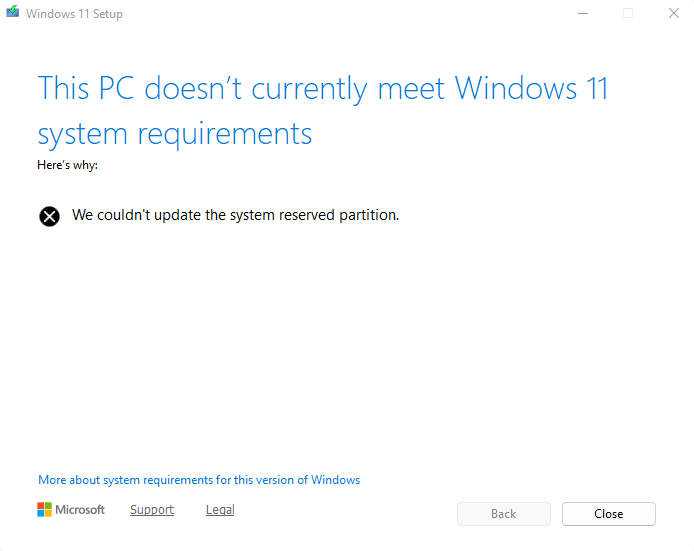
And finally after finding a previous post where one of the independent developer asked to try updating using Windows11 Installation Assistant which I did and I guess it did find something and is trying to install but I am getting the below error (Please do let me know if there any any issues with the uploaded image):
Here's a screenshot from the Disk Management. I am guessing it's the EFI System Partition that it's complaining about but I wanted to know if that is the case and if you would recommend increasing the space on this!! If yes, by how much?
System Info:
Edition Windows 11 Pro
Version 21H2
Installed on 21-12-2021
OS build 22000.2538
Experience Windows Feature Experience Pack 1000.22001.1000.0
Please do let me know if any additional details are needed. Any help on this is appreciated, thank you :)
PS: FOR THOSE WHO ARE LOOKING AT A QUICK SUMMARY ON WHETHER THE SUGGESTION WORKED, IF YES, WHAT WERE THE STEPS FOLLOWED, i'M JUST SUMMARISING HERE:
Several steps/troubleshooting were done, none of which worked, so this is what I followed to fix the issue/update windows to the latest version:
- Download Windows 11 Installation Assistant from microsoft.com/software-download/windows11 (Additionally it might ask you to install PC Health Check app and the link will be provided within this app)
- Click on Accept and Install which will check and update the latest version based on the conditions met (Do note that this will take anywhere between 30 minutes to 1/2 hours, but you can use the PC for regular work until this step completes)
- Click on Restart when prompted and you're done (Automatic restart happens after 30 minutes if not initiated manually)
Just a side note: I got an error "We couldn't update the system reserved partition" which is due to space constraint in the EFI Partition drive and I had to run the provided command by Ramesh (it is available in the comments below) which will delete the *.ttf files from this drive which only affects the font styles/size in the boot menu, everywhere else remains untouched. Take a backup if needed. Enjoy :)
' cx='32' cy='32' r='32' /%3E%3Ctext x='50%25' y='55%25' dominant-baseline='middle' text-anchor='middle' fill='%23FFF' %3ES%3C/text%3E%3C/svg%3E)

