Note
Access to this page requires authorization. You can try signing in or changing directories.
Access to this page requires authorization. You can try changing directories.
This article provides a step-by-step guide to deploying your Microsoft Defender for IoT OT network sensor, ensuring the correct traffic mirroring options are chosen to achieve accurate and reliable network data collection. It covers reviewing your network architecture, selecting sensor locations and a mirroring method (such as SPAN or TAP), validating the sensor placement, and confirming monitoring after deployment.
Review the network architecture
Before you deploy the sensor to the network, review the following network architecture tasks:
Review the network diagram. For more information, see Review OT network architecture or Create an OT network diagram.
Estimate the total number of devices to be monitored. For more information, see Calculate devices in your OT network.
Identify VLANs that contain OT networks. For more information, see Customize a VLAN name for monitored traffic.
Determine which OT protocols need to be monitored (Profinet, S7, Modbus, etc.). For more information, see OT sensor supported protocols.
Select the sensor locations and traffic mirroring method
Based on your network architecture and selected traffic mirroring approach (such as SPAN or TAP), select the best locations for your network sensors to ensure that they capture the necessary Layer 2 (L2) traffic.
Compile a list all of the locations in the network where the sensors should be placed. For more information, see Identify interesting OT network traffic points.
Validate the sensor location
After deciding on a potential location for the sensor, validate the presence of Layer 2 (L2) and operational technology (OT) protocols. It's recommended to use tools like Wireshark to verify these protocols at the potential sensor location. For example:
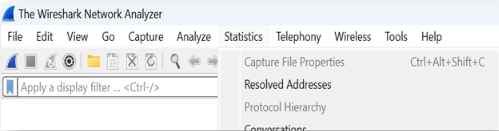
Wireshark displays the list of protocols identified by the sensor and the amount of data being monitored, thereby validating the location of your sensor. If protocols don't appear or no data is detected, this result indicates that the sensor is incorrectly placed or set up in the network. For example:

Validating the presence of L2 and OT protocols at the potential sensor location is crucial to ensure effective monitoring of your OT networks. For steps to validate traffic mirroring, see Validate traffic mirroring.
Deploy your sensor
After validating the sensor and mirroring method, deploy the sensors. For more information, see install software on OT sensors.
Validate after deployment
It's essential to validate the monitoring interfaces and activate them. We recommend using the Deployment tool in the sensor system setting to monitor the networks monitored by the sensor.

To validate your sensor:
Verify that the number of devices in the inventory is reasonable.
Check the type classification for devices listed in the inventory.
Confirm the visibility of OT protocol names on the device's inventory.
Ensure L2 protocols are monitored by identifying MAC addresses in the inventory.
If device inventory data, OT protocol names, or MAC addresses don't appear, review the SPAN configuration and recheck the Deployment tool in the sensor, which provides visibility of the subnets monitored and the status of the OT protocols, for example:
