Note
Access to this page requires authorization. You can try signing in or changing directories.
Access to this page requires authorization. You can try changing directories.
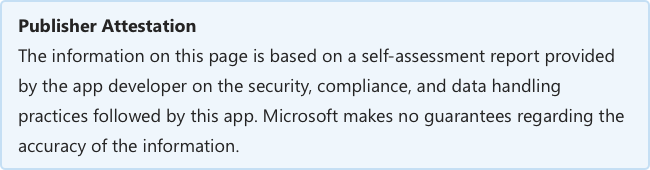
Last updated by the developer on: November 24, 2026
General information
Information provided by to Microsoft:
| Information | Response |
|---|---|
| App name | heyou |
| ID | heyouresearchanddevelopmentltd1782232874989.heyouteams |
| Company's website | https://heyou.io |
| App's Terms of Use | https://heyou.io/heyou-terms-and-conditions/ |
| Core functionality of the app | Warm intros to target accounts |
| Company headquarter location | Israel |
| App info page | https://heyou.io/use-cases/intros-and-referrals/ |
| What is the hosting environment or service model used to run your app? | Saas |
| Which hosting cloud providers does the app use? | GCP |
| Is AI functionality part of the app's features or workflows? | Yes |
| Online Service interfaces | Microsoft Entra ID: OAuth 2.0/OpenID Connect (authorize, token, adminconsent; delegated and client credentials). Microsoft Graph v1.0, polled with delta queries, no webhooks: /me, calendarView, mailboxSettings, chats (members only), onlineMeetings, transcripts, teamwork/installedApps. Azure Bot Service: Bot Framework Connector REST v3 and a messaging endpoint for the Teams bot. Microsoft 365 Copilot: declarative agent calling Heyou's MCP server. Not used: EWS, SharePoint, OneDrive, mail. |
Questions
Questions or updates to any of the information you see here? Contact us!
How the app handles data
This information has been provided by about how this app collects and stores organizational data and the control that your organization will have over the data the app collects.
| Information | Response |
|---|---|
| Does the app or underlying infrastructure process any data relating to a Microsoft customer or their device? | Yes |
| What data is processed by your app? | Work identity (name, email, Microsoft user and tenant IDs). Calendar events: times, title, description, location, attendee names and emails. Outlook automatic-replies status. Teams chat members and last-updated time, never message content. Optional Teams meeting transcripts, processed only to derive relationship signals and never stored. Questions and answers sent to Heyou in Teams or Copilot. Also LinkedIn professional network data and, where connected, CRM records. |
| Does the app support TLS 1.2 or higher? | Yes |
| Does the app or underlying infrastructure store any Microsoft customer data? | Yes |
| What data is stored in your databases? | user accounts and Microsoft/Teams IDs; calendar events (times, title, description, location, attendee names and emails); chats with people outside the organization (participants, dates); derived relationship strength; Heyou conversations, up to 14 days. Not stored: transcript text, chat messages, email, files. Microsoft OAuth tokens are held by our identity provider, Descope, not in our database. |
| If underlying infastructure processes or stores Microsoft customer data, where is this data geographically stored? | Finland |
| Do you have an established data rentention and disposal process? | Yes |
| How long is data retained after account termination? | Less than 30days |
| Do you have an established data access management process? | Yes |
| Do you transfer customer data or customer content to third parties or sub-processors? | Yes |
| Do you have data sharing agreements in place with any third party service you share Microsoft customer data with? | Yes |
Questions
Questions or updates to any of the information you see here? Contact us!
This information has been provided by heyou about the security practices this app employs.
| Information | Response |
|---|---|
| Do you perform annual penetration testing on the app? | Yes |
| Does the app have a documented disaster recovery plan, including a backup and restore strategy? | Yes |
| Does your environment use traditional anti-malware protection or application controls? | ApplicationControls, TraditionalAntiMalware |
| Do you have an established process for indentifying and risk ranking security vulnerabilities? | Yes |
| Do you have a policy that governs your service level agreement (SLA) for applying patches? | Yes |
| Do you carry out patch management activities according to your patching policy SLAs? | Yes |
| Does your enviroment have any unsupported operating systems or software? | No |
| Do you conduct quarterly vulnerability scanning on your app and the infastructure that supports it? | Yes |
| Do you have a firewall installed on your external network boundary? | Yes |
| Do you have an established change management process used to review and approve change requests before they are deployed to production? | Yes |
| Is an additional person reviewing and approving all code change requests submitted to production by the original developer? | Yes |
| Do secure coding practices take into account common vulnerability classes such as OWASP Top 10? | Yes |
| Multifactor Authentication (MFA) enabled for: | CodeRepositories, DNSManagement, Credential |
| Do you have an established process for provisioning, modification, and deletion of employee accounts? | Yes |
| Do you have Intrusion Detection and Prevention (IDPS) software deployed at the perimeter of the network boundary supporting your app? | Yes |
| Do you have event logging set up on all system components supporting your app? | Yes |
| Are all logs reviewed on a regular cadence by human or automated tooling to detect potential security events? | Yes |
| When a security event is detected are alerts automatically sent to an employee for triage? | Yes |
| Do you have a formal information security risk management process established? | Yes |
| Do you have a formal security incident response process documented and established? | Yes |
| Do you report app or service data breaches to supervisory authorities and individuals affected by the breach within 72 hours of detection? | Yes |
Questions
Questions or updates to any of the information you see here? Contact us!
This information has been provided by regarding the compliance standards their app requires and the certifications they have achieved.
| Information | Response |
|---|---|
| Does the app comply with the Health Insurance Portability and Accounting Act (HIPAA)? | N/A |
| Does the app comply with Health Information Trust Alliance, Common Security Framework (HITRUST CSF)? | N/A |
| Has the organization achieved a Service Organization Controls (SOC 1) Certification? | N/A |
| Has the organization achieved a Service Organization Controls (SOC 2) Certification? | Yes |
| Which SOC 2 certification did you achieve? | type2 |
| Most recent SOC2 certification date | 2026-11-22 |
| Has the organization achieved a Service Organization Controls (SOC 3) Certification? | No |
| Do you carry out annual PCI DSS assessments against the app and its supporting environment? | N/A |
| Is the app International Organization for Standardization (ISO 27001) certified? | Yes |
| Does the app comply with International Organization for Standardization (ISO 27018)? | N/A |
| Does the app comply with International Organization for Standardization (ISO 27017)? | N/A |
| Does the app comply with International Organization for Standardization (ISO 27002)? | N/A |
| Is the app Federal Risk and Authorization Management Program (FedRAMP) compliant? | No |
| Does the app comply with Family Educational Rights and Privacy Act (FERPA)? | N/A |
| Does the app comply with Children's Online Privacy Protection Act (COPPA)? | N/A |
| Does the app comply with Sarbanes-Oxley Act (SOX)? | N/A |
| Does the app comply with NIST 800-171? | N/A |
| Has the app been Cloud Security Alliance (CSA Star) certified? | No |
Questions
Questions or updates to any of the information you see here? Contact us!
This information has been provided by about the privacy posture of their app.
| Information | Response |
|---|---|
| Do you have GDPR or other privacy or data protection requirements or obligations (such as CCPA)? | Yes |
| Does the app have an external-facing privacy notice that describes how it collects, uses, shares, and stores customer data? | Yes |
| Privacy Policy URL | https://heyou.io/privacy-policy/ |
| Does the app perform automated decision making, including profiling that could have a legal effect or similar impact? | No |
| Does the app process customer data for a secondary purpose not described in the privacy notice (i.e. marketing, analytics)? | No |
| Do you process special categories of sensitive data (i.e. racial or ethnic origin, political opinion, religious or philosophical beliefs, genetic or biometric data, health data) or categories of data subject to breach notification laws? | No |
| Does the app collect or process data from minors (i.e., individuals under the age of 16)? | No |
| Does the app have capabilities to delete an individual's personal data upon request? | Yes |
| Does the app have capabilities to restrict or limit the processing of an individual's personal data upon request? | Yes |
| Does the app provide individuals the ability to correct or update their personal data? | N/A |
| Are regular data security and privacy reviews performed (for example, Data Protection Impact Assessments or privacy risk assessments) to identify risks related to the processing of personal data for the app? | Yes |
Questions
Questions or updates to any of the information you see here? Contact us!
| Information | Response |
|---|---|
| Does your application integrate with Microsoft identity platform (Microsoft Entra ID) for single-sign on, API access, etc.? | Yes |
| Have you reviewed and complied with all applicable best practices outlined in the Microsoft identity platform integration checklist? | Yes |
| Does your app use the latest version of MSAL (Microsoft Authentication Library) or Microsoft Identity Web for authentication? | N/A |
| Does your app support Conditional Access policies? | No |
| Does your app support Continuous Access Evaluation (CAE) | N/A |
| Does your app store any credentials in code? | No |
| Apps and add-ins for Microsoft 365 might use additional Microsoft APIs outside of Microsoft Graph. Does your app or add-in use additional Microsoft APIs? | Yes |
Data access using Microsoft Graph
Graph Permission Permission Type Justification Microsoft Entra App ID Calendars.Read both Calendars.Read (Delegated): Reads the signed-in user's calendar events to find meetings with people outside their organization, which show existing business relationships. Read-only. Calendars.Read (Application): Used only when a customer's admin chooses company-wide connection: reads the same data for the mailboxes the admin selects (limitable with Exchange RBAC for Applications), so each user doesn't have to connect separately. Read-only. 7f3116b2-0783-4ff2-a06e-633658a19582 CallTranscripts.Read.All application CallTranscripts.Read.All (Application): Used only after a customer's admin approves Heyou for the whole company, and only for users who turn transcripts on: reads transcripts of Teams calls those users start (calls not scheduled as meetings), which Microsoft makes available only to applications. Only calls with people outside the organization are processed, to derive relationship signals. Transcript text is never stored. 7f3116b2-0783-4ff2-a06e-633658a19582 Channel.ReadBasic.All both Channel.ReadBasic.All (Delegated): Lists the channels in those teams to find shared channels and channels with guests. Channel names and descriptions are not stored. Read-only. Channel.ReadBasic.All (Application): The same, for those teams' channels. Channel names and descriptions are not stored. Read-only. 7f3116b2-0783-4ff2-a06e-633658a19582 ChannelMember.Read.All both ChannelMember.Read.All (Delegated): Reads who is in those channels, to see which people outside the organization the user works with. Only channels with external members are kept. Never reads messages. ChannelMember.Read.All (Application): The same, for those channels' members. Only channels with people outside the organization are kept. Never reads messages. 7f3116b2-0783-4ff2-a06e-633658a19582 Chat.ReadBasic delegated Chat.ReadBasic (Delegated): Reads the members and last-updated time of the user's Teams chats, to see which people outside the organization they work with. Never reads message content. 7f3116b2-0783-4ff2-a06e-633658a19582 Chat.ReadBasic.All application Chat.ReadBasic.All (Application): Used only after a customer's admin approves Heyou for the whole company: reads the members and last-updated time of users' Teams chats, to see which people outside the organization they work with. Only chats with external people are kept. Never reads message content. 7f3116b2-0783-4ff2-a06e-633658a19582 MailboxSettings.Read delegated MailboxSettings.Read (Delegated): Reads only the Outlook automatic-replies status, so Heyou doesn't message users while they are away. 7f3116b2-0783-4ff2-a06e-633658a19582 MailboxSettings.Read application MailboxSettings.Read (Application): Used only after a customer's admin approves Heyou for the whole company: reads only whether Outlook automatic replies are on, and their dates, so Heyou doesn't message people while they are away. Limitable to chosen mailboxes with Exchange RBAC for Applications. Read-only. 7f3116b2-0783-4ff2-a06e-633658a19582 OnlineMeetingTranscript.Read.All delegated OnlineMeetingTranscript.Read.All (Delegated): Optional; the user turns it on and an admin approves it. Reads transcripts of the user's meetings with external participants to derive relationship signals. Transcript text is never stored. 7f3116b2-0783-4ff2-a06e-633658a19582 OnlineMeetings.Read delegated OnlineMeetings.Read (Delegated): Optional. Matches a calendar event to its Teams meeting so that meeting's transcript can be found. 7f3116b2-0783-4ff2-a06e-633658a19582 Team.ReadBasic.All both Team.ReadBasic.All (Delegated): Lists the teams the user belongs to, including other organizations' teams that host a shared channel the user is in, to find channels with people outside the organization. Read-only. Team.ReadBasic.All (Application): Used only after a customer's admin approves Heyou for the whole company: lists the company's teams to find channels with people outside the organization. Read-only. 7f3116b2-0783-4ff2-a06e-633658a19582 TeamsAppInstallation.ReadWriteSelfForUser.All application TeamsAppInstallation.ReadWriteSelfForUser.All (Application): Installs Heyou's own Teams app, and no other app, for users in organizations that approved it, so the Heyou bot can send them the updates they turned on. 7f3116b2-0783-4ff2-a06e-633658a19582 User.Read delegated User.Read (Delegated): Reads the signed-in user's basic profile (ID, name, email) to create and link their Heyou account. 7f3116b2-0783-4ff2-a06e-633658a19582 User.ReadBasic.All application User.ReadBasic.All (Application): Used only after a customer's admin approves Heyou for the whole company: looks up a user by work email when it differs from their sign-in name, to find their Microsoft ID for calendar and Teams app installation. Reads only the basic profile (name, email, ID, photo). Read-only. 7f3116b2-0783-4ff2-a06e-633658a19582 delegated email (Delegated): Gets the user's work email to sign them in and link them to their Heyou account. 7f3116b2-0783-4ff2-a06e-633658a19582 offline_access delegated offline_access (Delegated): Keeps the user's connection active, so calendar and chat data stay current without asking them to sign in again. 7f3116b2-0783-4ff2-a06e-633658a19582 openid delegated openid (Delegated): Signs the user in to Heyou with their Microsoft work account (OpenID Connect). 7f3116b2-0783-4ff2-a06e-633658a19582 profile delegated profile (Delegated): Reads the user's name for their Heyou account. 7f3116b2-0783-4ff2-a06e-633658a19582
This application does not have Additional APIs.
Questions
Questions or updates to any of the information you see here? Contact us!