Observação
O acesso a essa página exige autorização. Você pode tentar entrar ou alterar diretórios.
O acesso a essa página exige autorização. Você pode tentar alterar os diretórios.
Este projeto inclui dois scripts:
- Contar linhas em branco em uma determinada planilha: percorre o intervalo usado em uma determinada planilha e retorna uma contagem de linhas em branco.
- Contar linhas em branco em todas as planilhas: percorre o intervalo usado em todas as planilhas e retorna uma contagem de linhas em branco.
Observação
Para o seu script, uma linha em branco é qualquer linha em que não há dados. A linha pode ter formatação.
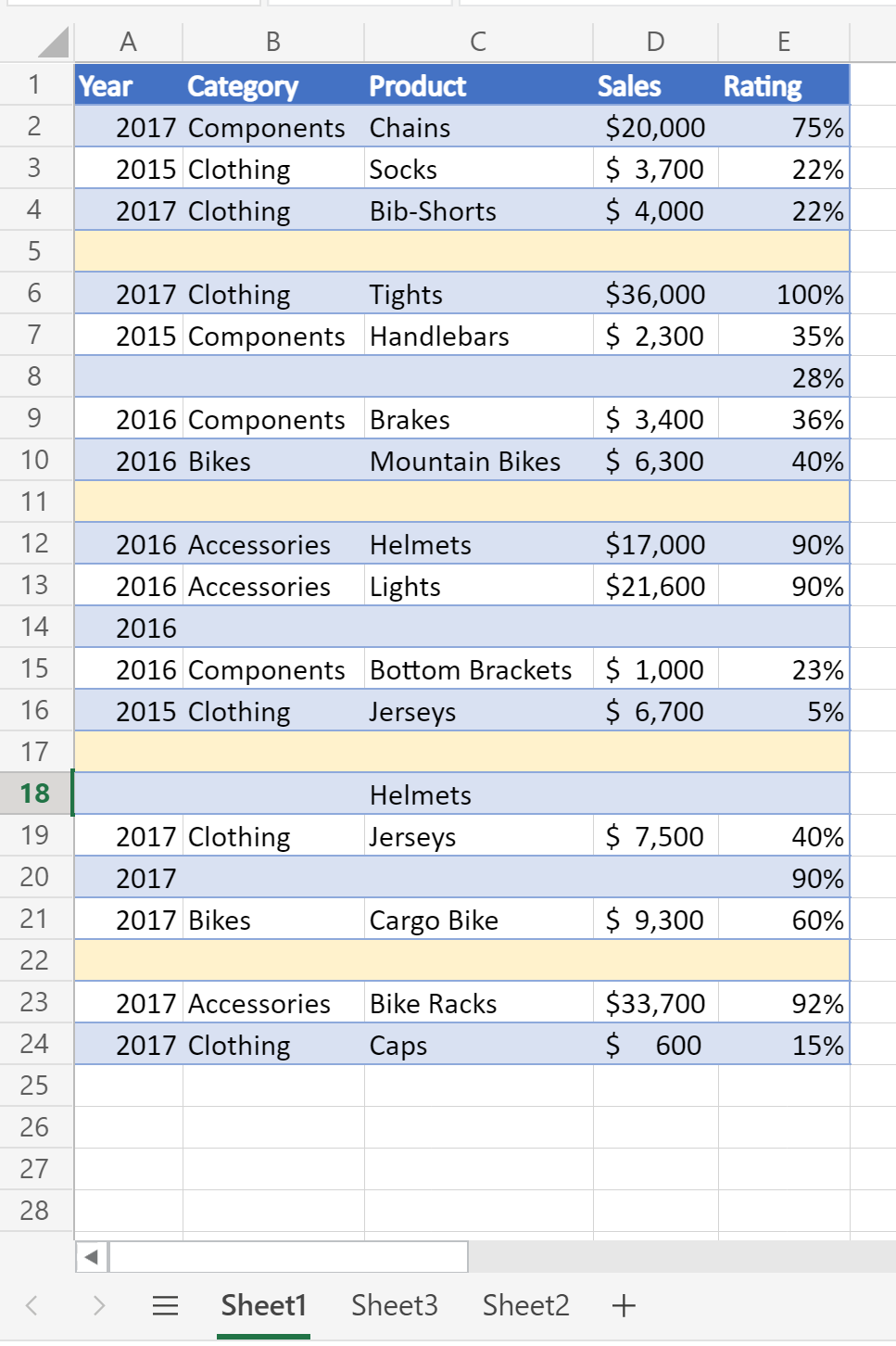
Esta planilha retorna a contagem de 4 linhas em branco
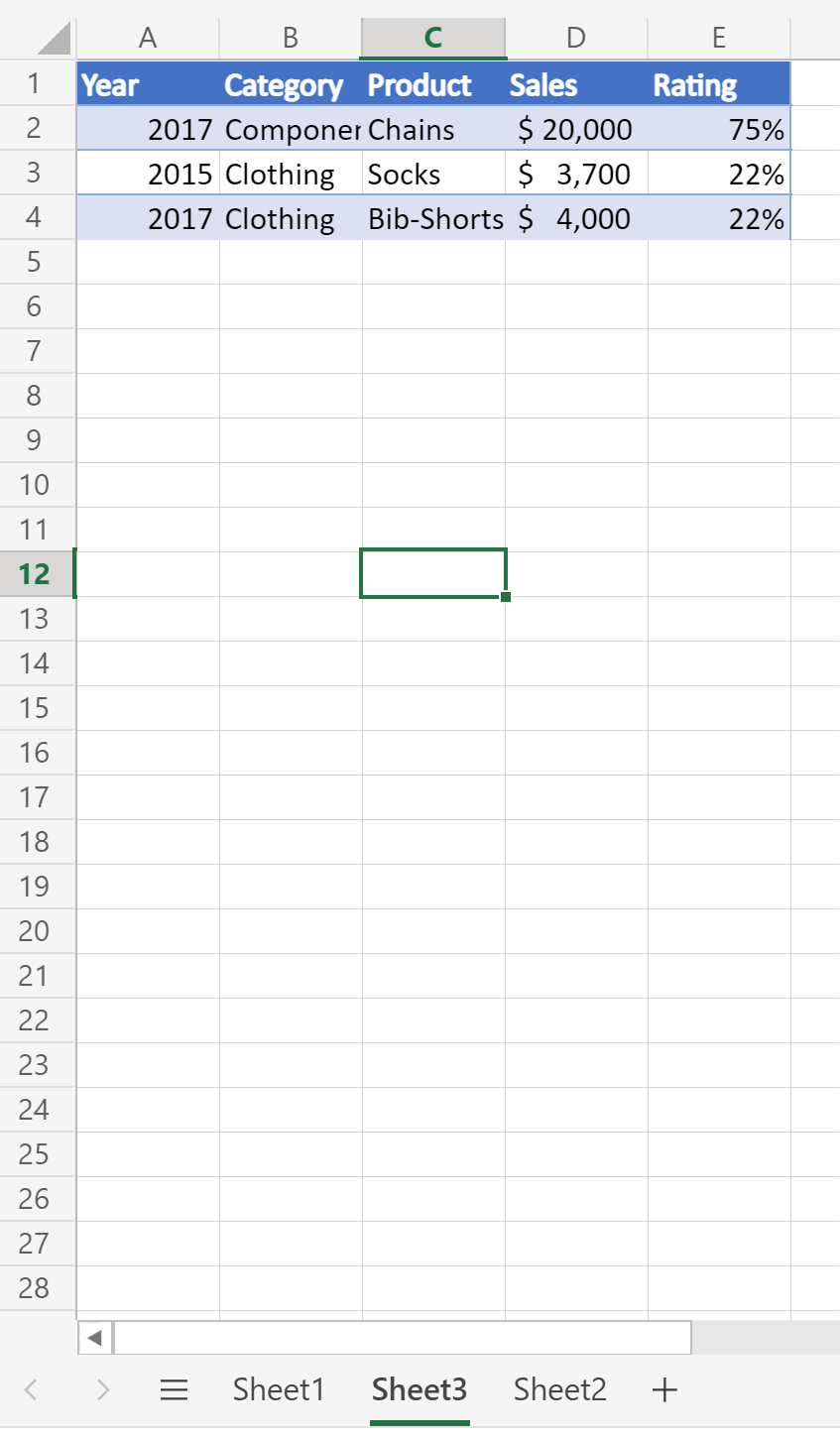
Esta planilha retorna uma contagem de 0 linhas em branco (todas as linhas têm alguns dados)
Observação
Execute esses exemplos diretamente no Editor de Código de Scripts do Office. Para abrir o Editor de códigos, acesse Automatizar> a criação denovo script>no Editor de códigos. Substitua o código padrão pelo código de exemplo que você deseja executar e selecione Executar.
Código de exemplo: contar linhas em branco em uma determinada planilha
function main(workbook: ExcelScript.Workbook): number
{
  // Get the worksheet named "Sheet1".
  const sheet = workbook.getWorksheet('Sheet1');

  // Get the entire data range.
  const range = sheet.getUsedRange(true);

  // If the used range is empty, end the script.
  if (!range) {
    console.log(`No data on this sheet.`);
    return;
  }

  // Log the address of the used range.
  console.log(`Used range for the worksheet: ${range.getAddress()}`);

  // Look through the values in the range for blank rows.
  const values = range.getValues();
  let emptyRows = 0;
  for (let row of values) {
    let emptyRow = true;

    // Look at every cell in the row for one with a value.
    for (let cell of row) {
      if (cell.toString().length > 0) {
        emptyRow = false
      }
    }

    // If no cell had a value, the row is empty.
    if (emptyRow) {
      emptyRows++;
    }
  }

  // Log the number of empty rows.
  console.log(`Total empty rows: ${emptyRows}`);

  // Return the number of empty rows for use in a Power Automate flow.
  return emptyRows;
}
Código de exemplo: contar linhas em branco em todas as planilhas
function main(workbook: ExcelScript.Workbook): number
{
  // Loop through every worksheet in the workbook.
  const sheets = workbook.getWorksheets();
  let emptyRows = 0;
  for (let sheet of sheets) {
    // Get the entire data range.
    const range = sheet.getUsedRange(true);

    // If the used range is empty, skip to the next worksheet.
    if (!range) {
      console.log(`No data on this sheet.`);
      continue;
    }

    // Log the address of the used range.
    console.log(`Used range for the worksheet: ${range.getAddress()}`);

    // Look through the values in the range for blank rows.
    const values = range.getValues();
    for (let row of values) {
      let emptyRow = true;

      // Look at every cell in the row for one with a value.
      for (let cell of row) {
        if (cell.toString().length > 0) {
          emptyRow = false
        }
      }

      // If no cell had a value, the row is empty.
      if (emptyRow) {
        emptyRows++;
      }
    }
  }

  // Log the number of empty rows.
  console.log(`Total empty rows: ${emptyRows}`);

  // Return the number of empty rows for use in a Power Automate flow.
  return emptyRows;
}
Colaborar conosco no GitHub
A fonte deste conteúdo pode ser encontrada no GitHub, onde você também pode criar e revisar problemas e solicitações de pull. Para obter mais informações, confira o nosso guia para colaboradores.