หมายเหตุ
การเข้าถึงหน้านี้ต้องได้รับการอนุญาต คุณสามารถลอง ลงชื่อเข้าใช้หรือเปลี่ยนไดเรกทอรีได้
การเข้าถึงหน้านี้ต้องได้รับการอนุญาต คุณสามารถลองเปลี่ยนไดเรกทอรีได้
Azure DevOps Services | Azure DevOps Server | Azure DevOps Server 2022
Access levels in Azure DevOps control which web portal features are available. Access levels supplement security groups, which allow or deny specific tasks. Administrators ensure that their user base has access to the features they need and only pay for those specific features. For more information, see Stakeholder access quick reference and Manage users and access.
Important
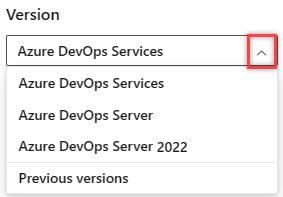
Select the version of this article that corresponds to your platform and version. The version selector is above the table of contents. Look up your Azure DevOps platform and version.
Important
Public projects in Azure DevOps are retired. Starting in 2027, existing public projects convert to private. For more information, see Public projects retirement and Migrate from a public project to GitHub.
When you add a user or group to a team or project, they automatically gain access to the features associated with the default access level and security group. For most users, assigning them to the Basic access level and the Contributors security group provides access to most features. For a simplified overview of the permissions assigned to the most common groups Readers, Contributors, and Project Administrators, see Default permissions.
Tip
You can use AI to help with Azure DevOps tasks. See Enable AI assistance with Azure DevOps MCP Server to get started.
Supported access levels
Assign users or groups of users to one of the following access levels:
- Basic: Provides access to most features. Assign to users with a Visual Studio Professional subscription, an Azure DevOps Server CAL, and to users for whom you're paying for Basic access in an organization.
- Basic + Test Plans: Provides access to all features included in Basic and Azure Test Plans. Assign to users with a Visual Studio Test Professional or MSDN Platforms subscription, and to users for whom you're paying for Basic + Test Plans access in an organization.
- Stakeholder: Provides free, limited access to private projects. Stakeholders in existing public projects have broader access until those projects convert to private in 2027. Assign to an unlimited number of users without requiring a license or subscription, ideal for those needing access to a restricted set of features. Stakeholders can perform various tasks, including viewing work items, participating in discussion, and accessing dashboards.
- Visual Studio subscriber: Assign to users who already have a Visual Studio subscription.
The system automatically recognizes the user's subscription—Visual Studio Enterprise, Visual Studio Professional, Visual Studio Test Professional, or MSDN Platform—and enables any other features included in their subscription level.
If you assign Basic or Stakeholder, they also receive their Visual Studio subscription benefits upon sign-in.
Tip
As a best practice when adding new users, assign the Visual Studio Subscriber level when appropriate (as opposed to Basic) to prevent being charged the Basic rate before the user signs in for the first time.
- GitHub Enterprise: The system automatically recognizes users with a GitHub Enterprise license the next time they sign in to Azure DevOps. Regardless of a user's assigned access level (for example, they could be assigned Stakeholder access), they receive Basic access when they're associated with a GitHub Enterprise license.
- Stakeholder: Provides partial access, can assign to unlimited users for free. Assign to users with no license or subscriptions who need access to a limited set of features.
- Basic: Provides access to most features. Assign to users with an Azure DevOps Server CAL, with a Visual Studio Professional subscription, and to users for whom you're paying for Basic access in an organization.
- Basic + Test Plans: Provides access for users who have a monthly Test Manager subscription, Visual Studio Test Professional, or MSDN Platforms subscription.
- VS Enterprise: Provides access to premium features. Assign to users with a subscription to Visual Studio Enterprise.
The following table indicates those features available for each supported access level. Visual Studio Test Professional and MSDN Platform subscriptions grant access to the same features as Visual Studio Enterprise.
Feature
Stakeholder
Basic, GitHub Enterprise, &
Visual Studio Professional
Basic + Test Plans &
Visual Studio Enterprise
Feature
Stakeholder
Basic &
Visual Studio Professional
Basic + Test Plans &
Visual Studio Enterprise
Administer organization
Can configure resources when also added to a security group or role: team administrator, Project Administrator, or Project Collection Administrator.
✔️
✔️
✔️
Advanced backlog and sprint planning tools
Includes full access to all backlog and sprint planning tools.
✔️
✔️
Advanced home page
Includes access to projects, work items, and pull requests defined across projects you work in.
✔️
✔️
Advanced portfolio management
Includes full access to define features and epics from a portfolio backlog or board.
✔️
✔️
Agile boards
Stakeholders get limited access to boards and Taskboards in private projects.
Stakeholders use drag-and-drop to create and change work items, but they can only change the State field on cards.
They can only view the sprint capacity settings.
✔️
✔️
✔️
Agile boards Stakeholders can view boards and open and edit work items. They add work items from the backlog rather than from a board, and they can't use drag-and-drop to update status or priority.
✔️
✔️
✔️
Agile Portfolio Management
Includes limited access to portfolio backlogs and boards.
Stakeholders can't change the backlog priority order, can't assign items to an iteration, can't use the mapping pane, or can't exercise forecasting.
✔️
✔️
✔️
Artifacts
Includes full access to all Azure Artifacts features, up to 2-GiB free storage.
✔️
✔️
✔️
Artifacts Includes access to Azure Artifacts feeds. Azure DevOps Server requires Basic or a higher access level.
✔️
✔️
Author Release Pipelines and Manage Releases Includes defining release pipelines, multi-stage continuous deployment (CD) pipelines, and using approvals and gates to control deployments. Stakeholders can view releases and act on assigned approvals, but they can't author release pipelines or manage releases.
✔️
✔️
Basic backlog and sprint planning tools Includes limited access to add and modify items on backlogs and sprint backlogs and Taskboards. Stakeholders can't assign items to an iteration, use the mapping pane, or forecasting.
✔️
✔️
Build Includes full access to all features to manage continuous integration and continuous delivery of software. Stakeholders can view builds but can't create, edit, or manage build pipelines.
✔️
✔️
Query chart access Can view and create work tracking query charts. In private projects and Azure DevOps Server, Stakeholders can view charts only when the charts are added to a dashboard. In existing public projects, Stakeholders can view and create query charts.
Limited
✔️
✔️
Code
Includes full access to all features to manage code using Git repositories or using Team Foundation Version Control (TFVC).
✔️
✔️
Delivery Plans
Includes full access to add and view Delivery plans.
✔️
✔️
Delivery Plans
Includes full access to add and view Delivery plans.
✔️
✔️
Request and Manage Feedback Includes full access to request and manage formal feedback on working software in Azure DevOps Server 2022.
✔️
✔️
Standard Features
Includes working across projects, view dashboards, view wikis, and manage personal notifications.
Stakeholders can't view Markdown README files defined for repositories and can only view wiki pages.
Access might be restricted based on specific project or organization permissions.
For full functionality, including the ability to view all wiki features, a Basic license is recommended.
✔️
✔️
✔️
Test services in build and release
Includes running unit tests with your builds, reviewing, and analyzing test results.
✔️
✔️
Test Case Management
Includes adding test plans and test suites, creating manual test cases, deleting test artifacts, and testing different configurations.
✔️
Test Execution and Test Analysis
Includes running manual, tracking test status, and automated tests.
✔️
✔️
Test summary access to Stakeholder license
Includes requesting Stakeholder feedback using the Test & Feedback extension.
✔️
✔️
✔️
View My Work Items
Access to add and modify work items, follow work items, and view and create queries.
Stakeholders can only assign existing tags to work items (can't add new tags) and can only save queries under My Queries (can't save under Shared Queries).
✔️
✔️
✔️
View Releases and Manage Approvals
Includes viewing releases and approving releases.
✔️
✔️
✔️
Visual Studio subscription access
Visual Studio subscribers get Visual Studio subscription features as a subscriber benefit. When you add those users, assign them the Visual Studio subscription access level.
The system automatically recognizes their subscription and enables any other features included, based on their subscription level.
VS Enterprise access
Visual Studio Enterprise subscribers get VS Enterprise access as a subscriber benefit. When you add those users, assign them the VS Enterprise access level.
With Visual Studio Enterprise (VS Enterprise) access, users gain access to any fee-based, Marketplace extension published by Microsoft that is included for active Visual Studio Enterprise subscribers.
Basic + Test Plans access gives users all the Basic features, plus web-based test case management tools. You can buy monthly access or add users who already have a Visual Studio Test Professional with MSDN or MSDN Platforms subscription.
Programmatic mapping of access levels
In Azure DevOps Services, manage user access levels programmatically with az devops user add or the User Entitlements - Add REST API.
The following table maps user interface access levels to the accessLevel properties accepted by the REST API. GitHub Enterprise access is detected automatically and isn't assigned through these properties.
| Access level in the user interface | accountLicenseType |
licensingSource |
msdnLicenseType |
|---|---|---|---|
| Basic | express |
account |
none |
| Basic + Test Plans | advanced |
account |
none |
| Visual Studio Subscriber | none |
msdn |
eligible |
| Stakeholder | stakeholder |
account |
none |
| Visual Studio Enterprise subscription | none |
msdn |
enterprise |
Note
The earlyAdopter accountLicenseType is an internal value used solely by Microsoft.
What features are available to users added to two different access levels?
If a user belongs to a group that has Basic access and another group that has VS Enterprise access, the user can access all features available through VS Enterprise, which is a superset of Basic.
Service account access
Add Azure DevOps service accounts to the default access level. If you make Stakeholder the default access level, you must add the service accounts to Basic, Basic + Test Plans, or VS Enterprise access.
Service accounts don't require a CAL or other purchase.