หมายเหตุ
การเข้าถึงหน้านี้ต้องได้รับการอนุญาต คุณสามารถลอง ลงชื่อเข้าใช้หรือเปลี่ยนไดเรกทอรีได้
การเข้าถึงหน้านี้ต้องได้รับการอนุญาต คุณสามารถลองเปลี่ยนไดเรกทอรีได้
Create a user-assigned managed identity to grant least-privilege access to a specific service, for actions such as encryption at rest.
In this article, you:
- Create a user-assigned managed identity from the service catalog or the Azure portal, and assign it a role on a key vault.
Prerequisites
- To access Azure Enclave, you need an Azure subscription. If you don't already have a subscription, create a free account before you begin.
- You need a workload and a workload resource group in which to create the managed identity.
Create from the service catalog (quick)
- Quickly deploy a
user-assignedorsystem-assignedmanaged identity from the Common Dependencies service catalog template. You can also create a key vault from this template if you don't already have one. - Assign a role to the managed identity.
Create from the portal
- In the Azure portal, enter
Managed Identityin the search bar at the top of the portal. - Select
Managed Identities. - Select
Create. - Enter the workload resource group (RG) where you want to store the managed identity resource.
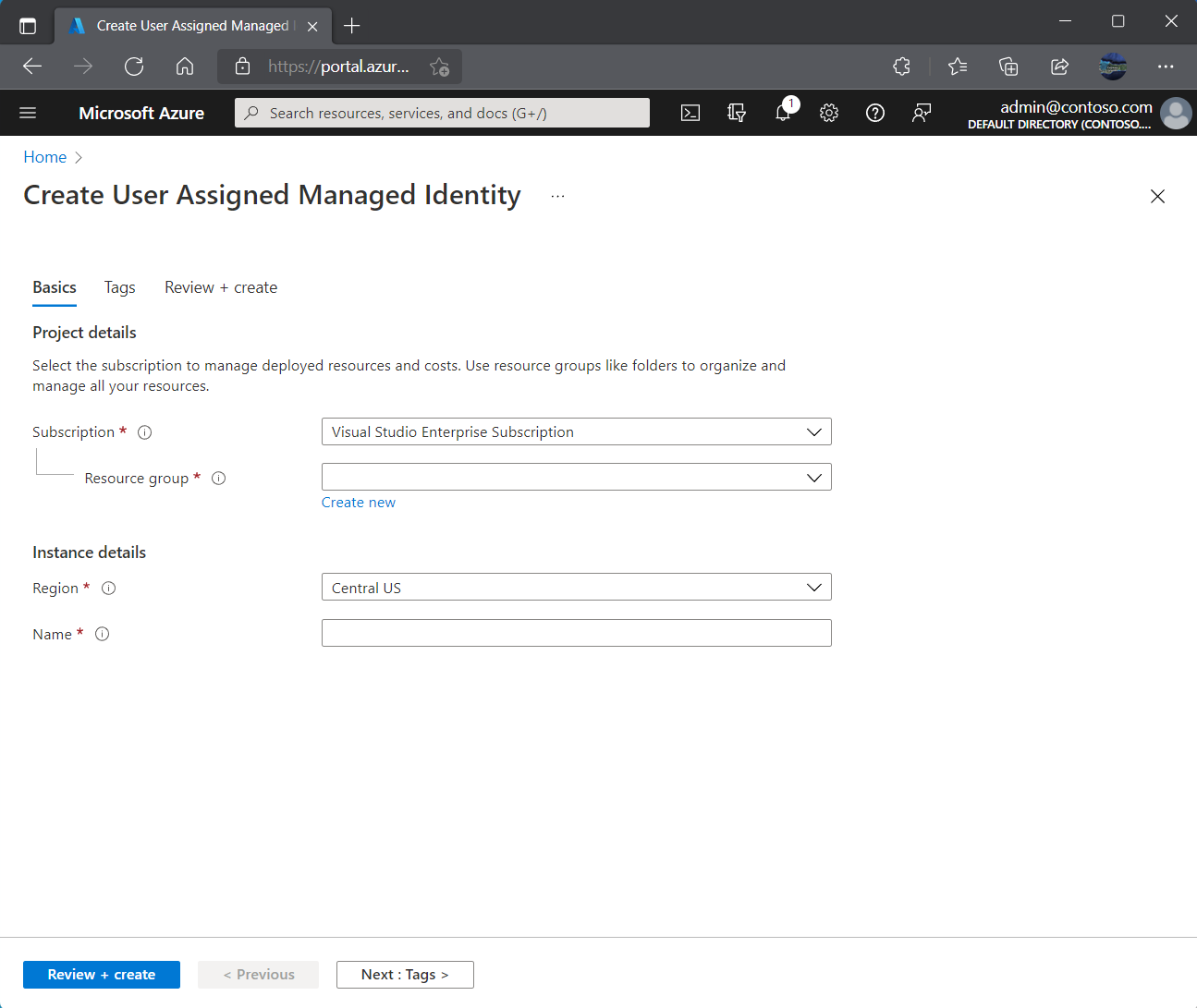
- Confirm the
Regionand enter a name for the managed identity resource. - Select
Review + createand then selectCreate. - Copy the managed identity name into the service catalog deployment parameter, or paste it into Notepad temporarily for use during deployment.
Assign a role to the managed identity
- In the Azure portal, go to the managed identity you created.
- Select Azure Role Assignments in the left pane.
- Select
+Add Role Assignment. - For Scope, select Key Vault.
- Confirm the subscription.
- For Resource, enter the name of your key vault. The Common Dependencies template is a good quickstart for creating a key vault. You can also use the Key Vault template for more customizations.
- The key vault must use Azure role-based access control (Azure RBAC). Then select the Key Vault Crypto Service Encryption User role.