Microsoft 安全性 DevOps 是一款命令列應用程式,將靜態分析工具整合進開發生命週期。 Security DevOps 安裝、設定並執行最新版本的靜態分析工具,如 SDL、安全與合規工具。 安全開發運維以數據為驅動,並透過可攜式設定,確保能在多個環境中進行確定性執行。
Microsoft 安全性 DevOps 會使用下列開放原始碼工具:
| Name | 語言 | License |
|---|---|---|
| 反惡意軟體 | Windows 中的反惡意軟體保護來自 適用於端點的 Microsoft Defender,能掃描惡意軟體並在發現時破壞建置。 此工具預設會在 Windows 最新代理程式上掃描。 | 非開放原始碼 |
| Bandit | Python | Apache 授權 2.0 |
| BinSkim | Binary--Windows、ELF | 麻省理工學院授權 |
| 切科夫 | Terraform、Terraform plan、CloudFormation、Amazon Web Services (AWS) SAM、Kubernetes、Helm charts、Kustomize、Dockerfile、Serverless、Bicep、OpenAPI、ARM | Apache 授權 2.0 |
| ESlint | JavaScript | 麻省理工學院授權 |
| 範本分析器 | ARM 範本、Bicep | 麻省理工學院授權 |
| Terrascan | Terraform (HCL2)、Kubernetes (JSON/YAML)、Helm v3、Kustomize、Dockerfiles、CloudFormation | Apache 授權 2.0 |
| Trivy | 容器映像、基礎結構即程式碼 (IaC) | Apache 授權 2.0 |
Prerequisites
在你設定 Microsoft 安全性 DevOps GitHub 動作之前,請確保你具備以下先決條件:
Azure 訂用帳戶。 如果您沒有 Azure 訂用帳戶,請 先建立免費的 Azure 帳戶 ,再開始。
在新視窗中開啟 Microsoft 安全性 DevOps GitHub 動作 。
請確定 [ 工作流程許可權] 已設定為 [讀取] 和 [寫入] 在 GitHub 存放庫上。 此步驟包括在 GitHub 工作流程中設定
ID-token: write與 適用於雲端的 Microsoft Defender 的聯盟權限。
設定 GitHub 動作工作流程
要設定 GitHub 動作:
登入 GitHub。
選取您要用來設定 GitHub 動作的存放庫。
選取 動作。

選取 [新增工作流程]。
在「開始使用 GitHub Actions」中,選擇自行設定工作流程。

輸入你的工作流程檔案名稱。 例如, msdevopssec.yml。
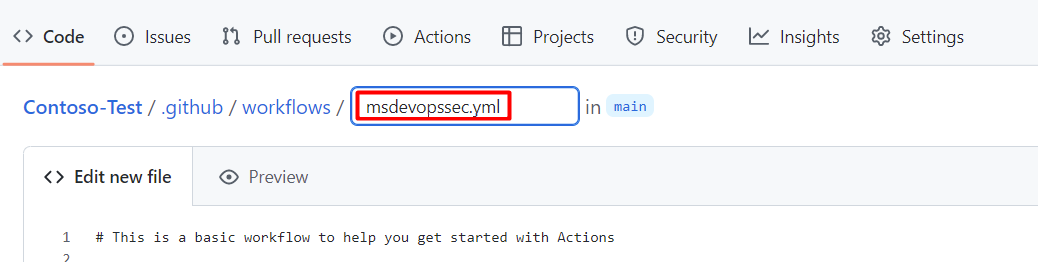
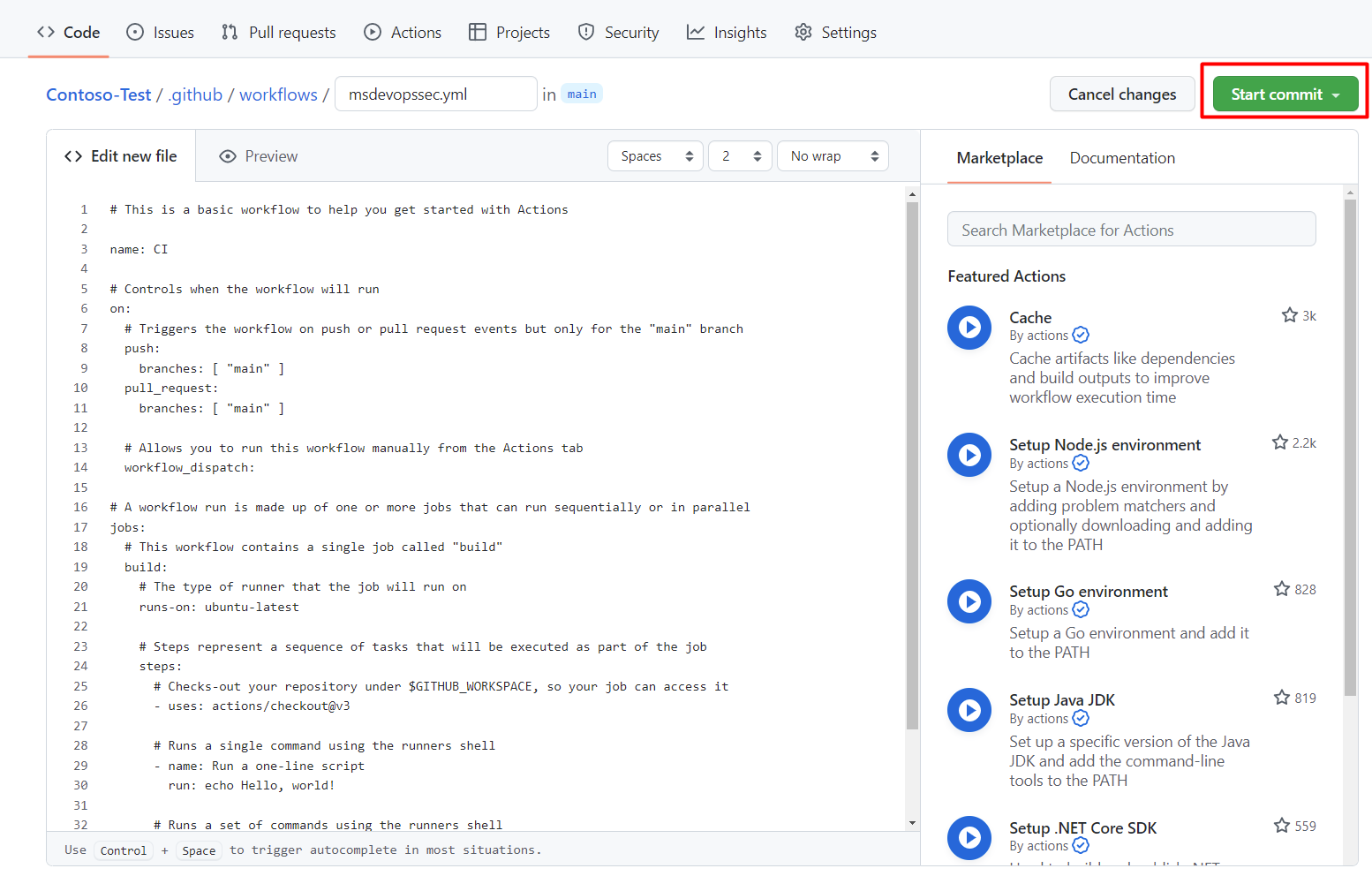
將以下 範例動作工作流程 複製並貼上到 「編輯新檔案 」分頁。
name: MSDO
on:
  push:
    branches:
      - main

jobs:
  sample:
    name: Microsoft Security DevOps

    # Windows and Linux agents are supported
    runs-on: windows-latest

    permissions:
      contents: read
      id-token: write
      actions: read
      # Write access for security-events is only required for customers looking for MSDO results to appear in the codeQL security alerts tab on GitHub (Requires GHAS)
      security-events: write

    steps:

      # Checkout your code repository to scan
    - uses: actions/checkout@v3

      # Run analyzers
    - name: Run Microsoft Security DevOps
      uses: microsoft/security-devops-action@latest
      id: msdo
    # with:
      # config: string. Optional. A file path to an MSDO configuration file ('*.gdnconfig').
      # policy: 'GitHub' | 'microsoft' | 'none'. Optional. The name of a well-known Microsoft policy. If no configuration file or list of tools is provided, the policy may instruct MSDO which tools to run. Default: GitHub.
      # categories: string. Optional. A comma-separated list of analyzer categories to run. Values: 'code', 'artifacts', 'IaC', 'containers'. Example: 'IaC, containers'. Defaults to all.
      # languages: string. Optional. A comma-separated list of languages to analyze. Example: 'javascript,typescript'. Defaults to all.
      # tools: string. Optional. A comma-separated list of analyzer tools to run. Values: 'bandit', 'binskim', 'checkov', 'eslint', 'templateanalyzer', 'terrascan', 'trivy'.

      # Upload alerts to the Security tab - required for MSDO results to appear in the codeQL security alerts tab on GitHub (Requires GHAS)
    # - name: Upload alerts to Security tab
    #  uses: github/codeql-action/upload-sarif@v3
    #  with:
    #    sarif_file: ${{ steps.msdo.outputs.sarifFile }}

      # Upload alerts file as a workflow artifact - required for MSDO results to appear in the codeQL security alerts tab on GitHub (Requires GHAS)
    # - name: Upload alerts file as a workflow artifact
    #  uses: actions/upload-artifact@v3
    #  with:
    #    name: alerts
    #    path: ${{ steps.msdo.outputs.sarifFile }}
備註
欲了解更多工具設定選項與說明,請參閱 Microsoft 安全性 DevOps 維基。
選取 [開始認可]。
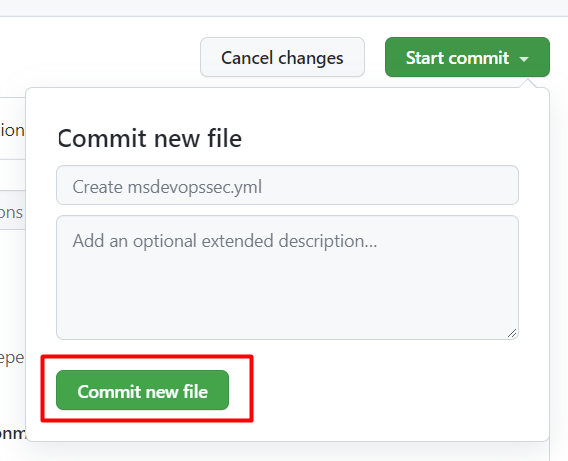
選取提交新檔案。 整個過程可能需要長達一分鐘。
選取 [動作] ,然後確認新動作正在執行中。


檢視掃描結果
若要檢視掃描結果:
登入Azure。
請前往 適用於雲端的 Defender>DevOps Security。
從 DevOps 安全面板中,你可以看到相同的 Microsoft 安全性 DevOps (MSDO) 安全結果。 開發者可在數分鐘內透過相關儲存庫的 CI 日誌查看這些結果。 使用 GitHub Advanced Security 的客戶也能看到這些工具所導入的結果。