重要
MCP 和 API 外掛程式可在 宣告式代理程式內提供動作。 它們不是獨立的可安裝外掛程式套件:只有包含的代理程式才能存取其功能和工具。 如需套件與動作資訊清單關係的相關資訊,請參閱 外掛程式和宣告式代理程式動作。
秘訣
推薦項目: 從 Work IQ 開發工具 開始,支援專業程式碼宣告式代理程式和外掛程式案例。 請參閱 WIQD 快速入門。 工具組式指示仍然適用於需要工具組的指示的現有專案和工作流程。 在選擇工具之前,請先檢查 功能和目標體驗支援 : WIQD 不會以自訂引擎代理程式為目標。
API 外掛程式是宣告式代理程式的自訂動作,可將具有 OpenAPI 規格的 REST API 連線至 Microsoft 365 Copilot。 本指南示範如何使用 TypeSpec 和 Microsoft 365 代理程式工具組,將 API 外掛程式新增至宣告式代理程式。
先決條件
- 在 Copilot 擴充性選項的需求中指定的需求
- 本逐步解說 (現有的 REST API 使用 JSON 預留位置 API)
- Visual Studio Code
- Microsoft 365 代理程式工具組
- 使用 Microsoft 365 代理程式工具組和適用於 Microsoft 365 Copilot 的 TypeSpec 建立的代理程式
秘訣
為了獲得最佳結果,請確定您產生的 API 遵循在 如何讓 OpenAPI 文件有效地擴充 Copilot 中詳述的指導方針。
在 VS Code 中設定 API 外掛程式專案
本文假設您已有使用 Microsoft 365 代理程式工具組和 TypeSpec 建立的宣告式代理程式專案。 您可以透過在 TypeSpec 中定義其 REST API 作業,然後佈建代理程式,將 API 外掛程式新增至該專案。 下列各節將逐步解說每個作業。
- 如果您還沒有代理程式專案,請按照 下列建立宣告式代理程式建立專案。 當系統提示時,選取 [從 Microsoft 365 Copilot 的 TypeSpec 開始]。
- 在 Visual Studio Code 中開啟您的代理程式專案,然後在專案根目錄中開啟
main.tsp檔案。 - 透過新增作業
main.tsp來定義您的 API 外掛程式,如下列各節所示。 完成後,請按照佈建中所述佈建代理程式並 測試自訂動作。
新增 GET 作業
若要開始,請新增一個 GET 作業以列出所有張貼項目。 開啟檔案main.tsp,並在命名MyAgent空間中新增具有下列內容的新命名空間PostsAPI。
// Omitted for brevity
namespace MyAgent {
  // Omitted for brevity
  @service
  @server("https://jsonplaceholder.typicode.com")
  @actions(#{
    nameForHuman: "Posts APIs",
    descriptionForHuman: "Manage blog post items with the JSON Placeholder API.",
    descriptionForModel: "Read, create, update and delete blog post items with the JSON Placeholder API."
  })
  namespace PostsAPI {

    /**
     * List all blog post items.
     */
    @route("/posts")
    @get op listPosts(): PostItem[];

    /**
     * Structure of a blog post item.
     */
    model PostItem {
      /**
       * The ID of the user who created the post.
       */
      userId: integer;

      /**
       * The ID of the post.
       */
      @visibility(Lifecycle.Read)
      id: integer;

      /**
       * The title of the post.
       */
      title: string;

      /**
       * The body of the post.
       */
      body: string;
    }
  }
  // Omitted for brevity
}
此程式碼定義模型 PostItem 和 REST API GET /posts。
新增 GET 具有查詢參數的作業
GET上述範例中的作業不需要任何參數。 若要啟用依使用者 ID 篩選,請使用選用的查詢參數更新 GET 作業,以依使用者 ID 篩選結果。
開啟檔案, main.tsp 並以下列內容取代現有 listPosts 作業。
/**
 * List all blog post items.
  * @param userId The ID of the user who created the post. If not provided, all posts will be returned.
  */
@route("/posts")
@get op listPosts(@query userId?: integer): PostItem[];
@query userId?為了將 REST API 更新為 listPostsGET /posts?userId={userId}而新增的參數。
將調適型卡片 GET 新增至作業
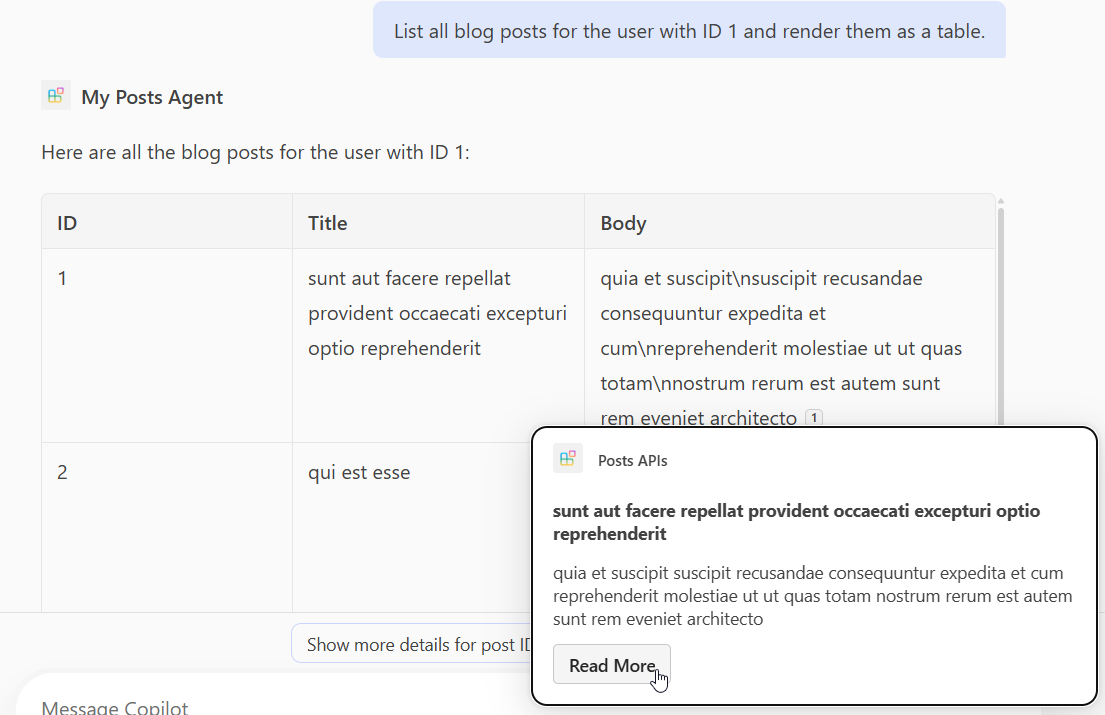
將調適型卡片listPosts新增至作業會變更所產生回應中引文的呈現方式。
在 appPackage 目錄中建立名為 post-card.json 的新檔案,並新增下列內容。
{
  "type": "AdaptiveCard",
  "$schema": "http://adaptivecards.io/schemas/adaptive-card.json",
  "version": "1.5",
  "body": [
    {
      "type": "Container",
      "$data": "${$root}",
      "items": [
        {
          "type": "TextBlock",
          "text": "**${if(title, title, 'N/A')}**",
          "wrap": true
        },
        {
          "type": "TextBlock",
          "text": "${if(body, body, 'N/A')}",
          "wrap": true
        }
      ]
    }
  ],
  "actions": [
    {
      "type": "Action.OpenUrl",
      "title": "Read More",
      "url": "https://www.bing.com/search?q=https://jsonplaceholder.typicode.com/posts/${id}"
    }
  ]
}
開啟 main.tsp 檔案並將裝飾器新增至 @card 作業, listPosts 如下列程式碼片段所示。
/**
 * List all blog post items.
  * @param userId The ID of the user who created the post. If not provided, all posts will be returned.
  */
@route("/posts")
@card(#{ dataPath: "$", file: "post-card.json", properties: #{ title: "$.title" } })
@get op listPosts(@query userId?: integer): PostItem[];
新增 POST 作業
開啟 main.tsp 檔案,並在命名空間中 PostsAPI 新增下列內容。
/**
 * Create a new blog post item.
 * @param post The post item to create.
 */
@route("/posts")
@post op createPost(@body post: PostItem): PostItem;
此程式碼定義 REST API POST /posts,以建立新的部落格文章。
新增 PATCH 作業
開啟 main.tsp 檔案,並在命名空間中 PostsAPI 新增下列內容。
/**
 * Updates a blog post item.
 * @param id The ID of the post to update.
 * @param post The updated post item.
 */
@route("/posts/{id}")
@patch op updatePost(@path id: integer, @body post: PostItem): PostItem;
此程式碼定義 REST API PATCH /posts/{id},以更新現有的部落格文章。
新增 DELETE 作業
開啟 main.tsp 檔案,並在命名空間中 PostsAPI 新增下列內容。
/**
 * Deletes a blog post item.
 * @param id The ID of the post to delete.
 */
@route("/posts/{id}")
@delete op deletePost(@path id: integer): void;
此程式碼定義 REST API,此 API DELETE /posts/{id}會刪除現有的部落格文章。
佈建並測試自訂動作
使用 Microsoft 365 代理程式工具組中的 [生命週期] 窗格來佈建您的代理程式及其 API 外掛程式,然後在 Microsoft 365 Copilot 中測試自訂動作。
- 選取左側活動列中的 Microsoft 365 代理程式工具組 圖示。
- 在 [ 生命週期 ] 窗格中,選取 [佈建]。
- 等待佈建完成,然後在瀏覽器中開啟 https://m365.cloud.microsoft/ 。
- 從代理程式清單中選取您的代理程式。
- 使用下列提示測試代理程式,或自行嘗試。
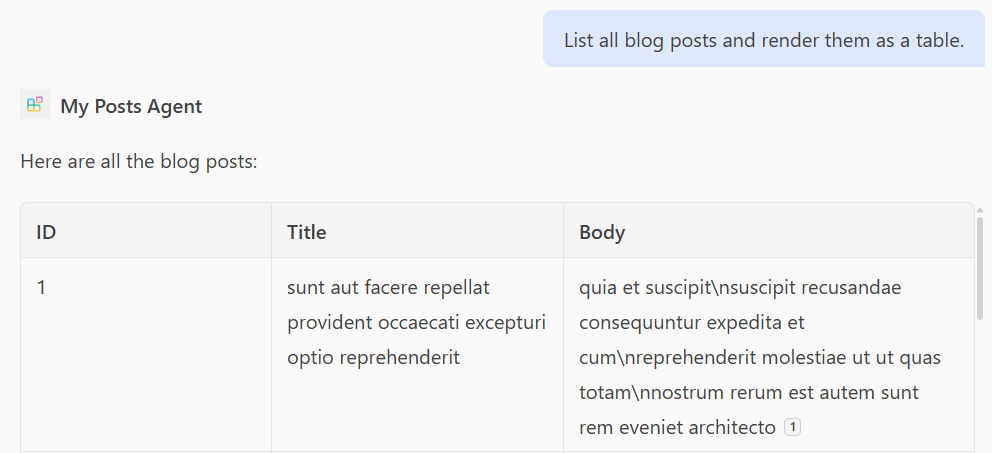
測試 GET 作業
提示: 「列出所有部落格文章,並將它們轉譯為表格。」
提示: 「列出識別碼為 1 之使用者的所有部落格文章,並將其轉譯為表格。」
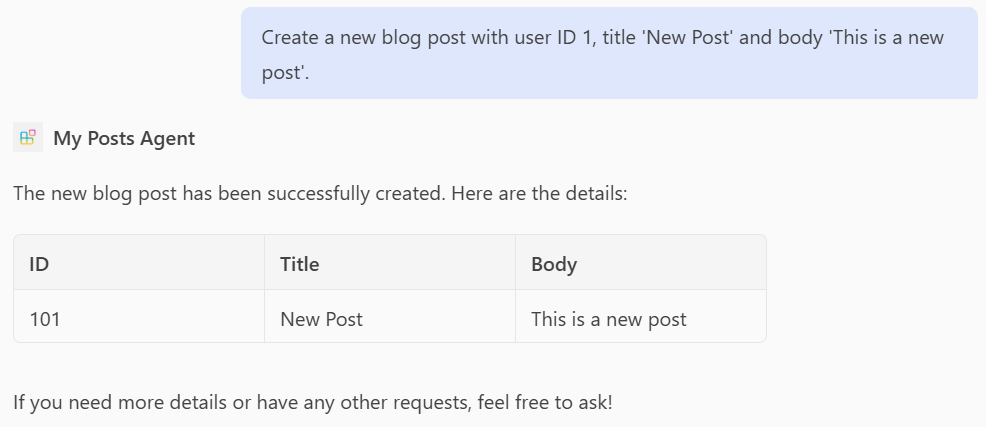
測試 POST 作業
提示: 「建立使用者識別碼為 1、標題為『新文章』和本文為『這是新文章』的新部落格文章。」
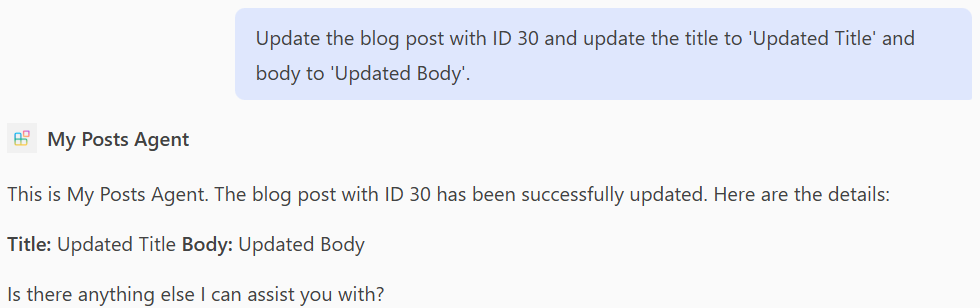
測試 PATCH 作業
提示: 「使用 ID 30 更新部落格文章,並將標題更新為『更新的標題』,並將內文更新為『更新的內文』。」
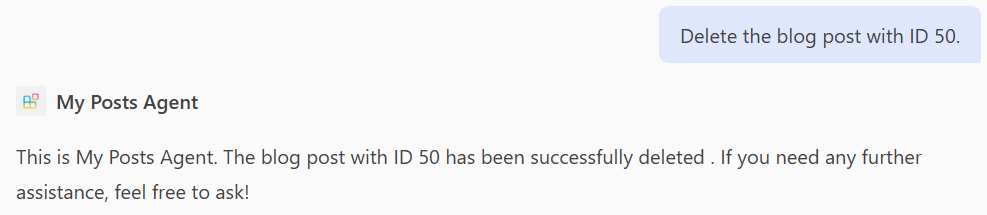
測試 DELETE 作業
提示: 「刪除識別碼為 50 的部落格文章。」
完整 main.tsp 檔案的範例
下列範例是main.tsp新增了 、 POSTPATCH、 及DELETE運算的完整檔案GET。
import "@typespec/http";
import "@typespec/openapi3";
import "@microsoft/typespec-m365-copilot";

using TypeSpec.Http;
using TypeSpec.M365.Copilot.Actions;
using TypeSpec.M365.Copilot.Agents;

@agent(
  "My Posts Agent",
  "Declarative agent focusing on blog posts management."
)

@instructions("""
  You should help users with blog posts management.
  You can read, create, update and delete blog post items.
  You can also search for blog posts by user ID.
""")

@conversationStarter(#{
  title: "List Blog Posts",
  text: "List all blog posts and render them as a table."
})

@conversationStarter(#{
  title: "Lists a user's blog posts",
  text: "List all blog posts for the user with ID 1 and render them as a table."
})

@conversationStarter(#{
  title: "Delete a blog post",
  text: "Delete the blog post with ID 50."
})

@conversationStarter(#{
  title: "Update a blog post",
  text: "Update the blog post with ID 30 and update the title to 'Updated Title' and body to 'Updated Body'."
})

@conversationStarter(#{
  title: "Create a blog post",
  text: "Create a new blog post with user ID 1, title 'New Post' and body 'This is a new post'."
})

@conversationStarter(#{
  title: "Get a blog post",
  text: "Get all the details about the blog post with ID 10."
})

namespace MyAgent {
  @service
  @server("https://jsonplaceholder.typicode.com")
  @actions(#{
    nameForHuman: "Posts APIs",
    descriptionForHuman: "Manage blog post items on JSON Placeholder APIs.",
    descriptionForModel: "Read, create, update and delete blog post items on the JSON Placeholder APIs."
  })
  namespace PostsAPI {
    /**
     * List all blog post items.
     * @param userId The ID of the user who created the post. If not provided, all posts will be returned.
     */
    @route("/posts")
    @card(#{ dataPath: "$", file: "post-card.json", properties: #{ title: "$.title" } })
    @get op listPosts(@query userId?: integer): PostItem[];

    /**
     * Get a blog post item by ID.
     */
    @route("/posts/{id}")
    @card(#{ dataPath: "$", file: "post-card.json", properties: #{ title: "$.title" } })
    @get op getPost(@path id: integer): PostItem;

    /**
     * Create a new blog post item.
     * @param post The post item to create.
     */
    @route("/posts")
    @post op createPost(@body post: PostItem): PostItem;

    /**
     * Updates a blog post item.
     * @param id The ID of the post to update.
     * @param post The updated post item.
     */
    @route("/posts/{id}")
    @patch op updatePost(@path id: integer, @body post: PostItem): PostItem;

    /**
     * Deletes a blog post item.
     * @param id The ID of the post to delete.
     */
    @route("/posts/{id}")
    @delete op deletePost(@path id: integer): void;

    model PostItem {
      /**
       * The ID of the user who created the post.
       */
      userId: integer;

      /**
       * The ID of the post.
       */
      @visibility(Lifecycle.Read)
      id: integer;

      /**
       * The title of the post.
       */
      title: string;

      /**
       * The body of the post.
       */
      body: string;
    }
  }
}