Is Microsoft ignoring a File History problem caused by recent Windows updates?
Hi everyone, I’m wondering if anyone else is experiencing the same File History problems on Windows 10 or Windows 11.
My laptop is running Windows 11 25H2. Before installing KB5101684, File History worked normally.
After installing the update, I started noticing several strange problems:
The Last backup time does not update correctly.
Previous Versions still shows no new versions.
Files are still being written to D:\FileHistory\..., but File History does not properly update its backup information.
Folders such as Desktop and Favorites can have their modification dates changed even when I did not actually change their contents.
I did not manually change File History settings, registry settings, or delete Event Viewer entries.
I also experienced a similar problem on my Windows 10 22H2 desktop after installing KB5120249.
So my situation is:
Windows 11 25H2 → KB5101684 → File History problem Windows 10 22H2 → KB5120249 → File History problem
At this point, I have to ask: Could these Windows updates have introduced a File History regression?
What is frustrating is that users are being left to troubleshoot this themselves. Reset File History, reselect the backup drive, restart services, check settings, and repeat the same troubleshooting steps — but none of that actually answers the most important question:
What caused the problem in the first place?
If File History worked correctly before a Windows update and then started behaving incorrectly after the update, Microsoft should investigate the update itself instead of simply expecting users to keep resetting their configurations.
It is especially concerning when File History is still copying files into the backup folder, while the File History interface and Previous Versions do not correctly reflect what has actually been backed up.
That creates a serious problem for users because a backup system should not give users misleading or incomplete information about their backups.
Microsoft needs to take responsibility for investigating this properly.
Please don't just tell users to:
Reset File History
Remove and re-add the backup drive
Restart services
Recreate the File History configuration
Those may be temporary workarounds, but they do not explain why the problem appeared after the Windows updates.
I would really like Microsoft technical staff to investigate whether KB5101684 and KB5120249 introduced a regression affecting File History, including:
- Incorrect backup timestamps
- Missing Previous Versions
- Incorrect modification dates
- File History database/catalog problems
- Unexpected repeated or incorrect backup behavior
win 10/11 C:\Users\User\AppData\Local\Microsoft\Windows\FileHistory\Configuration、D:\FileHistory\User\D:\FileHistory\User\202108ACERPC\Configuration\Configuration Not destroyed
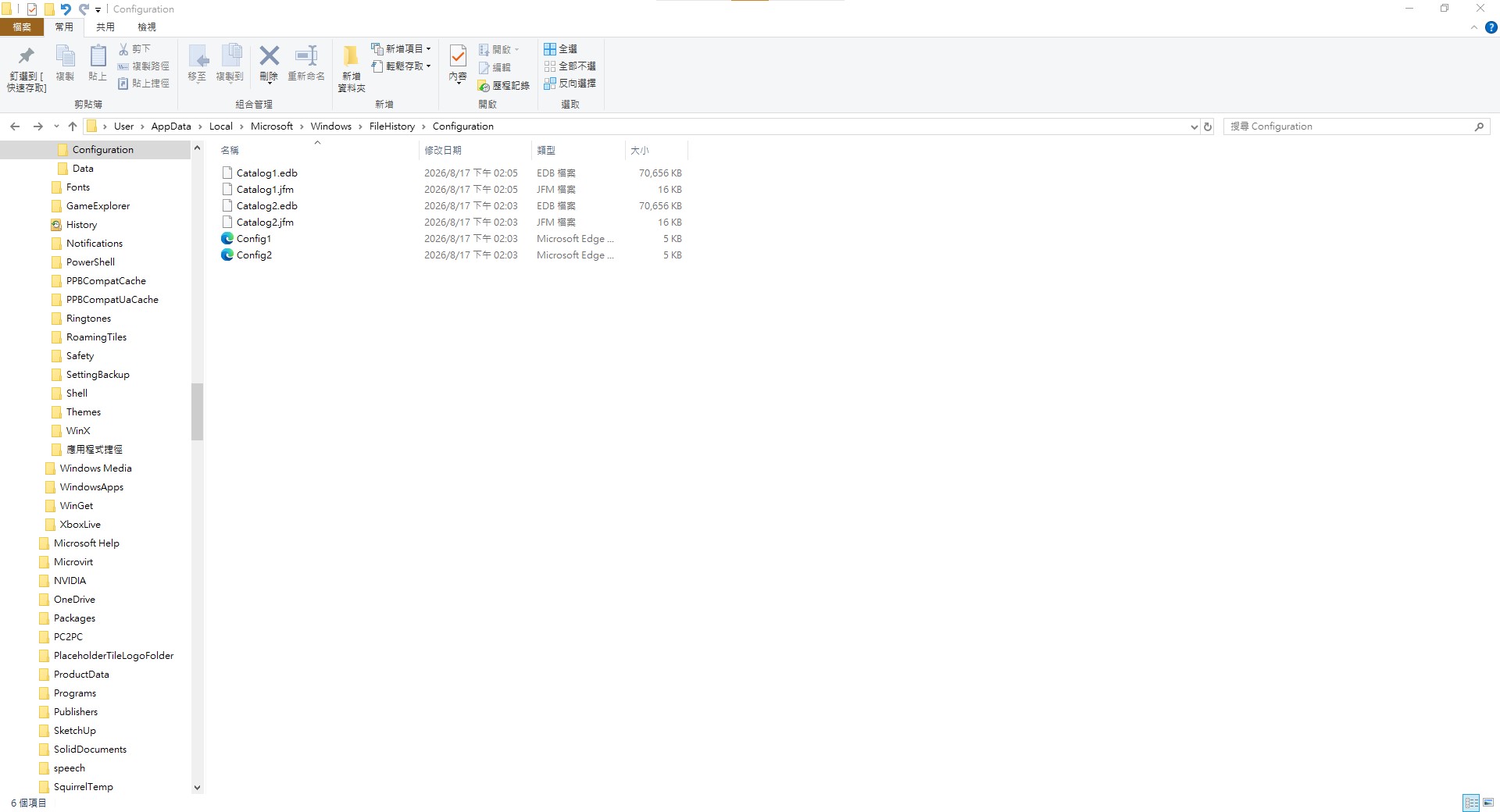
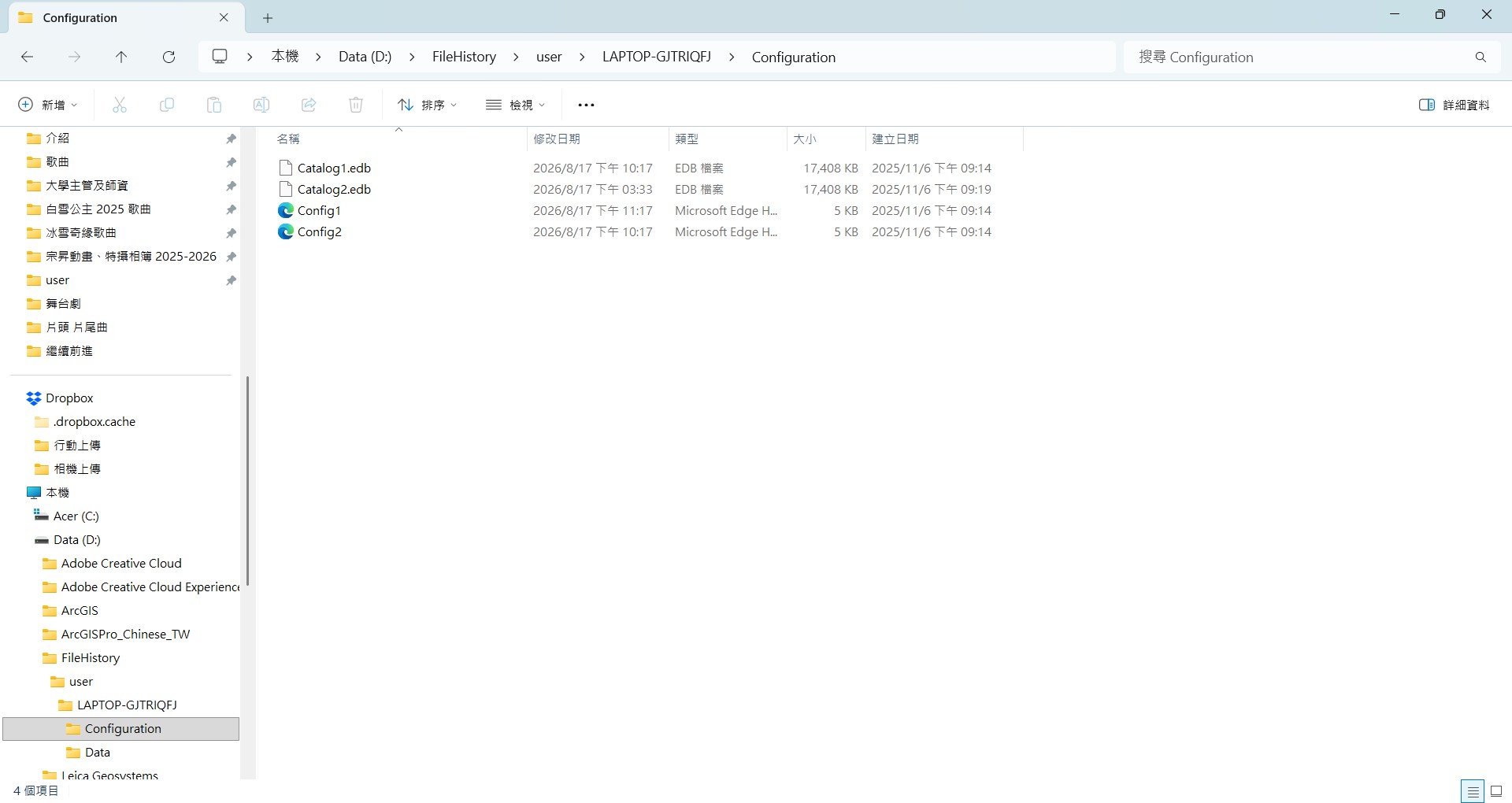 I am asking Microsoft to actually investigate the Windows update and determine whether it caused the regression.
- I have already used the Feedback Hub.
- I have already contacted Microsoft Support.
- I have already spoken with a support professional online.
- I was told that the issue would be handled.
If Microsoft knows that File History is affected, please acknowledge the issue and provide a clear explanation.
If Microsoft does not believe these updates are responsible, then please explain what is actually causing the problem.
Users should not have to spend hours repeatedly troubleshooting a Windows feature that was working correctly before an update, only to receive no clear answer.
Microsoft, please stop treating this as merely a user's configuration problem and seriously investigate whether your updates caused the regression.
If this is a Windows bug, Microsoft should acknowledge it. If it is not a Windows bug, Microsoft should explain what is causing it.
If other Windows 10/11 users are experiencing the same issue, please share your Windows version, KB number, when the problem started, and whether files are still being written to the FileHistory folder.
The more users who report the same behavior, the harder it will be to dismiss this as an isolated problem.
Microsoft, we need an actual investigation and a real fix — not another round of “reset File History and see if it works.”
Thanks.
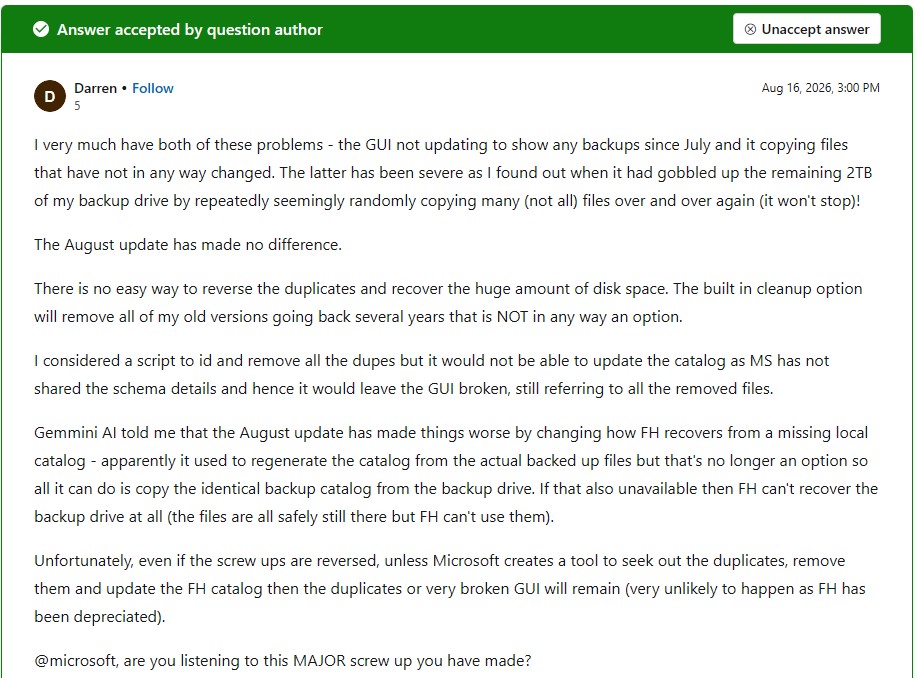
The following are the problems that users and I encountered.

' cx='32' cy='32' r='32' /%3E%3Ctext x='50%25' y='55%25' dominant-baseline='middle' text-anchor='middle' fill='%23FFF' %3EA%3C/text%3E%3C/svg%3E)

' cx='32' cy='32' r='32' /%3E%3Ctext x='50%25' y='55%25' dominant-baseline='middle' text-anchor='middle' fill='%23FFF' %3ETS%3C/text%3E%3C/svg%3E)
